release: iriz 0.2.4
This commit is contained in:
 public-repo-gate
@@ -1,5 +0,0 @@
|
|||||||
tmp/
|
|
||||||
settings.local.json
|
|
||||||
metadata/
|
|
||||||
logs/
|
|
||||||
redactors/local/
|
|
||||||
@@ -1,15 +0,0 @@
|
|||||||
{
|
|
||||||
"enabled": true,
|
|
||||||
"strategy_options": {
|
|
||||||
"checkpoint_remote": {
|
|
||||||
"provider": "github",
|
|
||||||
"repo": "zarubinvibe/iriz-checkpoints"
|
|
||||||
}
|
|
||||||
},
|
|
||||||
"telemetry": false,
|
|
||||||
"checkpoints": {
|
|
||||||
"primary": {
|
|
||||||
"type": "git-refs"
|
|
||||||
}
|
|
||||||
}
|
|
||||||
}
|
|
||||||
+43
-46
@@ -27,12 +27,12 @@
|
|||||||
"ru",
|
"ru",
|
||||||
"zh"
|
"zh"
|
||||||
],
|
],
|
||||||
"quick_code": "git clone https://github.com/zarubinvibe/iriz.git ~/iriz\ncd ~/iriz\nbash install.sh # просто терминал, без единого агента\ncode . # или открой папку в редакторе\nclaude # или пусти агента: он проведет установку разговором\n",
|
"quick_code": "git clone https://github.com/zarubinvibe/iriz.git ~/iriz\ncd ~/iriz\nbash install.sh\n",
|
||||||
"text": {
|
"text": {
|
||||||
"en": {
|
"en": {
|
||||||
"title": "iriz",
|
"title": "iriz",
|
||||||
"name": "iriz",
|
"name": "iriz",
|
||||||
"tagline": "Speak out loud and the text appears. Speech recognition runs on your Mac; sending text to an agent is a separate choice.",
|
"tagline": "Result: speak out loud and the text appears. Speech recognition runs on your Mac; sending text to an agent is a separate choice.",
|
||||||
"application": {
|
"application": {
|
||||||
"downloads": {
|
"downloads": {
|
||||||
"macos-arm64": {
|
"macos-arm64": {
|
||||||
@@ -40,20 +40,20 @@
|
|||||||
"requirements": "macOS 14+ · DMG"
|
"requirements": "macOS 14+ · DMG"
|
||||||
}
|
}
|
||||||
},
|
},
|
||||||
"setup": "At first launch, choose Download and install Parakeet to download the speech model (about 500 MB).",
|
"setup": "Fastest first run: install Parakeet (about 500 MB). The author uses Whisper large-v3-turbo; read the model guide before choosing.",
|
||||||
"security": "Self-signed; not notarized by Apple. Intel is not supported by this download.",
|
"security": "Ad-hoc signed; not notarized by Apple. Intel is not supported by this download.",
|
||||||
"guide": {
|
"guide": {
|
||||||
"label": "Install & first dictation",
|
"label": "Install & first dictation",
|
||||||
"url": "docs/DOWNLOAD.md"
|
"url": "docs/DOWNLOAD.md"
|
||||||
}
|
}
|
||||||
},
|
},
|
||||||
"hero_alt": "Iris in white marble with marble wings beside the classical column, a gold ribbon of voice landing in the groove of her tablet",
|
"hero_alt": "Iris in white marble with marble wings beside the classical column, a gold ribbon of voice landing in the groove of her tablet",
|
||||||
"what": "This is a Mac app that types for you while you talk.\n\nHere is how it goes. You press one key, speak in your normal voice, press it again. The text lands where the cursor was: in an email, in a chat, in a search field. Nothing to switch to, no separate window.\n\nWhat sets it apart from similar apps is where the speech is decoded. Usually your voice travels to somebody's server, turns into text there and comes back. Here your Mac does the work, and the audio never leaves the machine.\n\n**Why «iriz».** Iris was the messenger of the Greek gods and the rainbow — a bridge between the sky and the ground. She does not invent the message, she carries it whole. The name reflects the job: carrying speech into text. Automatic recognition can still mishear words, so check the result.\n\n\n\nIt does more. It fixes a phrase typed in the wrong keyboard layout. Correct a word after pasting and the app offers to remember the replacement. Ordinary dictation can remove hesitations and repetitions.\n\nMeetings keep the original recognition text and the audio. The DOCX contains minutes first, then the full available transcript on a new page; the same folder includes JSON and a list of details to check. Filling decisions and action items through your selected agent requires separate consent to send the text. Unknown details stay explicit, and the result remains a draft. [Processing a meeting](docs/MEETINGS.md).\n\n\n\n\n",
|
"what": "This is a Mac app that types for you while you talk.\n\nHere is how it goes. You press one key, speak in your normal voice, press it again. The text lands where the cursor was: in an email, in a chat, in a search field. Nothing to switch to, no separate window.\n\nWhat sets it apart from similar apps is where the speech is decoded. Usually your voice travels to somebody's server, turns into text there and comes back. Here your Mac does the work, and the audio never leaves the machine.\n\n**Why «iriz».** Iris was the messenger of the Greek gods and the rainbow, a bridge between the sky and the ground. She does not invent the message, she carries it whole. The name reflects the job: carrying speech into text. Automatic recognition can still mishear words, so check the result.\n\nIt does more. It fixes a phrase typed in the wrong keyboard layout. Correct a word after pasting and the app offers to remember the replacement. Ordinary dictation can remove hesitations and repetitions.\n\nMeetings keep the original recognition text and the audio. The DOCX contains minutes first, then the full available transcript on a new page; the same folder includes JSON and a list of details to check. Filling decisions and action items through your selected agent requires separate consent to send the text. Unknown details stay explicit, and the result remains a draft. [Processing a meeting](docs/MEETINGS.md).",
|
||||||
"why": "Anyone who writes for a living loses hours to typing. The same thought comes out faster and whole when spoken: typing, you hunt for words; speaking, you do not.\n\nOne thing gets in the way. Cloud dictation cleans speech better than anything local, but what you said leaves the machine: a client call, a draft, names and figures. For a doctor, a lawyer, a therapist, that trade never pays off.\n\nSo here your Mac does the decoding, and the app reaches the network only when you press the button.\n\n\n",
|
"why": "Anyone who writes for a living loses hours to typing. The same thought comes out faster and whole when spoken: typing, you hunt for words; speaking, you do not.\n\nOne thing gets in the way. Cloud dictation cleans speech better than anything local, but what you said leaves the machine: a client call, a draft, names and figures. For a doctor, a lawyer, a therapist, that trade never pays off.\n\nSo here your Mac does the decoding, and the app reaches the network only when you press the button.",
|
||||||
"advantage": "speech recognition runs on your Mac without sending audio to a cloud recognizer.",
|
"advantage": "speech recognition runs on your Mac without sending audio to a cloud recognizer.",
|
||||||
"better": "The recognition library keeps its own model downloader off during recognition. That setting is not a system firewall: model downloads and CLI agents use separate network paths.",
|
"better": "The recognition library keeps its own model downloader off during recognition. That setting is not a system firewall: model downloads and CLI agents use separate network paths.",
|
||||||
"how": "Press the key, say your sentence, press again. The text lands where the cursor was blinking.\n\nA glass drop sits at the bottom of the screen the whole time. While you are silent it stays small. Start talking and a wave runs inside it: that is the answer to «can it hear me».\n\n\n\nPoint at it with the mouse and the drop opens into a row of buttons: record, prompt, translate, language, history, settings. The language switches right there, a second before you speak — no need to walk to the settings for it.\n\n\n\nIf pasting did not work, nothing is lost: the same plate opens into a panel and you take the text from there.\n\n",
|
"how": "Press the key, say your sentence, press again. The text lands where the cursor was blinking.\n\nA glass drop sits at the bottom of the screen the whole time. While you are silent it stays small. Start talking and a wave runs inside it: that is the answer to «can it hear me».\n\nPoint at it with the mouse and the drop opens into a row of buttons: record, prompt, translate, language, history, settings. The language switches there, a second before you speak.\n\nIf pasting did not work, nothing is lost: the same plate opens into a panel and you take the text from there.",
|
||||||
"quick_intro": "Download the [macOS DMG](https://github.com/zarubinvibe/iriz/releases/latest/download/iriz-macos-arm64.dmg), open it, and drag iriz into Applications. This build needs Apple Silicon and macOS 14 or newer. No Xcode or Terminal is needed.\n\nOpen iriz and choose Download and install Parakeet in onboarding (about 500 MB). Grant the permissions in the following steps. Wait for readiness, focus a text field, and try your dictation key.\n\n[Installation, model recovery and updates](docs/DOWNLOAD.md). To build from source instead, use the tested Xcode 26.6 toolchain (macOS 26 SDK, Swift 6.3.3) and one of the paths below.",
|
"quick_intro": "Download the [macOS DMG](https://github.com/zarubinvibe/iriz/releases/latest/download/iriz-macos-arm64.dmg), open it, and drag iriz into Applications. This build needs Apple Silicon and macOS 14 or newer. No Xcode or Terminal is needed.\n\nFor the quickest first run, choose Download and install Parakeet in onboarding (about 500 MB). It is the only model iriz installs automatically. The author instead uses manually installed Whisper large-v3-turbo on a MacBook Air M3 with 24 GB of memory. [Choose a speech model](docs/MODELS.md), then grant the requested permissions and try your dictation key.\n\n[Installation, model recovery and updates](docs/DOWNLOAD.md). To build from source instead, use the tested Xcode 26.6 toolchain (macOS 26 SDK, Swift 6.3.3) and one of the paths below.",
|
||||||
"quick_extra": "Without Git, download [the source ZIP](https://github.com/zarubinvibe/iriz/archive/refs/heads/main.zip), unpack it and run the same installer there. Or open the project in Claude Code and run `/iriz-setup` for a guided install. It asks before installing.",
|
"quick_extra": "Without Git, download [the source ZIP](https://github.com/zarubinvibe/iriz/archive/refs/heads/main.zip), unpack it and run the same installer there. Or open the project in Claude Code and run `/iriz-setup` for a guided install. It asks before installing.",
|
||||||
"quick_result": "the installer says what this is, looks at what your machine is missing, runs the tree selfcheck, and names the next step. It installs nothing until you ask.",
|
"quick_result": "the installer says what this is, looks at what your machine is missing, runs the tree selfcheck, and names the next step. It installs nothing until you ask.",
|
||||||
"compare": [
|
"compare": [
|
||||||
@@ -109,7 +109,7 @@
|
|||||||
"glossary": [
|
"glossary": [
|
||||||
[
|
[
|
||||||
"Neural Engine",
|
"Neural Engine",
|
||||||
"A separate part of the Apple chip for neural networks: it keeps recognition fast and the machine cool"
|
"A part of Apple Silicon used by some local models. Other models can use Metal or the CPU"
|
||||||
],
|
],
|
||||||
[
|
[
|
||||||
"Speech model",
|
"Speech model",
|
||||||
@@ -118,8 +118,7 @@
|
|||||||
],
|
],
|
||||||
"safety": [
|
"safety": [
|
||||||
"Ordinary dictation does not save audio. Meetings keep a copy of the recording in the iriz archive.",
|
"Ordinary dictation does not save audio. Meetings keep a copy of the recording in the iriz archive.",
|
||||||
"The screen is not read. No ScreenCaptureKit, no window captures.",
|
"The screen is not read: no ScreenCaptureKit and no window captures. To suggest corrections after dictation, iriz reads only the focused text field through Accessibility and does not save its full contents.",
|
||||||
"To suggest corrections after dictation, iriz reads the focused text field through Accessibility. It does not save the full contents of that field.",
|
|
||||||
"Where you dictated is not recorded. Otherwise the disk would collect metadata about who you work with and when.",
|
"Where you dictated is not recorded. Otherwise the disk would collect metadata about who you work with and when.",
|
||||||
"The clipboard is put back after the paste.",
|
"The clipboard is put back after the paste.",
|
||||||
"Saved transcripts use owner-only permissions: 0700 for folders and 0600 for files. They are plaintext, not encrypted by the app."
|
"Saved transcripts use owner-only permissions: 0700 for folders and 0600 for files. They are plaintext, not encrypted by the app."
|
||||||
@@ -129,12 +128,12 @@
|
|||||||
"limits": [
|
"limits": [
|
||||||
"This download supports Apple Silicon Macs on macOS 14 or newer. Intel is unverified; Windows, Linux and iPad are not supported.",
|
"This download supports Apple Silicon Macs on macOS 14 or newer. Intel is unverified; Windows, Linux and iPad are not supported.",
|
||||||
"Automatic layout repair covers English and Russian. The interface has Russian, English and Simplified Chinese.",
|
"Automatic layout repair covers English and Russian. The interface has Russian, English and Simplified Chinese.",
|
||||||
"The app is self-signed and not notarized by Apple. Read the first-launch security warning in the download guide.",
|
"The app uses an ad-hoc signature, without a Developer ID certificate, and is not notarized by Apple. Read the first-launch security warning in the download guide.",
|
||||||
"The default Parakeet model needs a separate download of about 500 MB and does not recognize Chinese. Other models have different language coverage.",
|
"iriz currently supports three speech profiles. Only Parakeet installs automatically; Whisper model files are installed manually. Language coverage, disk use and speed differ.",
|
||||||
"Updates are manual: download the new DMG, quit iriz and replace the application. Models and local history remain outside the app bundle."
|
"Updates are manual: download the new DMG, quit iriz and replace the application. Models and local history remain outside the app bundle."
|
||||||
],
|
],
|
||||||
"docs": "Deeper: [the step-by-step walkthrough with a frame of every surface](docs/ONBOARDING.md), [how to help](CONTRIBUTING.md), [security](SECURITY.md).",
|
"docs": "Deeper: [choose a speech model](docs/MODELS.md), [open the step-by-step walkthrough with interface screenshots](docs/ONBOARDING.md), [read the changelog](CHANGELOG.md), [help the project](CONTRIBUTING.md), [read the security notes](SECURITY.md).",
|
||||||
"license": "MIT. See [LICENSE](LICENSE).",
|
"license": "MIT. See [LICENSE](LICENSE).\n\nNext: [download the macOS DMG](https://github.com/zarubinvibe/iriz/releases/latest/download/iriz-macos-arm64.dmg) and try your first dictation.",
|
||||||
"welcome": "Hello. I am a lawyer who vibe-codes, and I type a great deal. I type fast, and it still eats so much of the day that by evening half of it turns out to have been typing.\n\nAfter trying a few tools I noticed something simple: I say things more precisely than I type them. Typing, I hunt for words. Speaking, I do not, the thought comes out whole, and the model on the other end understands me better. One thing stood in the way, privacy. So the line is drawn here: whatever has to stay mine is decoded on my own machine, and the only thing that leaves it is what I sent out myself, a translation or a task built from what I said.\n\nAnd the small thing this all started from: I forget to switch the language and type a sentence in the wrong layout. Here that repairs itself.",
|
||||||
"compare_header": [
|
"compare_header": [
|
||||||
"Choice",
|
"Choice",
|
||||||
@@ -148,7 +147,7 @@
|
|||||||
"ru": {
|
"ru": {
|
||||||
"title": "iriz",
|
"title": "iriz",
|
||||||
"name": "iriz",
|
"name": "iriz",
|
||||||
"tagline": "Говори вслух, на экране появляется текст. Речь разбирает твой Мак. Передачу текста агенту ты разрешаешь отдельно.",
|
"tagline": "Результат: говоришь вслух, на экране появляется текст. Речь разбирает твой Мак. Передачу текста агенту ты разрешаешь отдельно.",
|
||||||
"application": {
|
"application": {
|
||||||
"downloads": {
|
"downloads": {
|
||||||
"macos-arm64": {
|
"macos-arm64": {
|
||||||
@@ -156,20 +155,20 @@
|
|||||||
"requirements": "macOS 14+ · DMG"
|
"requirements": "macOS 14+ · DMG"
|
||||||
}
|
}
|
||||||
},
|
},
|
||||||
"setup": "При первом запуске нажми «Скачать и установить Parakeet»: модель речи скачивается отдельно, около 500 МБ.",
|
"setup": "Быстрый первый запуск: установи Parakeet, около 500 МБ. Автор использует Whisper large-v3-turbo; перед выбором открой инструкцию по моделям.",
|
||||||
"security": "Самоподпись, без нотаризации Apple. Этот выпуск не поддерживает Intel.",
|
"security": "Подпись ad hoc, без сертификата Developer ID и нотаризации Apple. Этот выпуск не поддерживает Intel.",
|
||||||
"guide": {
|
"guide": {
|
||||||
"label": "Установка и первая диктовка",
|
"label": "Установка и первая диктовка",
|
||||||
"url": "docs/DOWNLOAD.ru.md"
|
"url": "docs/DOWNLOAD.ru.md"
|
||||||
}
|
}
|
||||||
},
|
},
|
||||||
"hero_alt": "Ирида из белого мрамора с мраморными крыльями у классической колонны, золотая лента голоса ложится в борозду на табличке",
|
"hero_alt": "Ирида из белого мрамора с мраморными крыльями у классической колонны, золотая лента голоса ложится в борозду на табличке",
|
||||||
"what": "Это программа для Мака, которая печатает за тебя, пока ты говоришь.\n\nРаботает так. Ты нажимаешь одну клавишу, говоришь обычным голосом, нажимаешь еще раз. Текст встает туда, где стоял курсор: в письмо, в чат, в поле поиска. Никуда переключаться не нужно, отдельного окна нет.\n\nГлавное отличие от похожих программ в том, где разбирается речь. Обычно голос уезжает на чужой сервер, там превращается в текст и возвращается. Здесь считает твой Мак, и звук с машины не уходит.\n\n**Почему «iriz».** Ирида у греков - вестница богов и радуга, мост между небом и землей. Она не сочиняет послание, а доносит его целым. Отсюда и задача программы: переносить речь в текст. Распознавание может ошибаться, поэтому результат нужно проверить.\n\n\n\nУмеет и другое. Чинит фразу, набранную не в той раскладке. Поправишь слово после вставки, и программа предложит запомнить замену. В обычной диктовке может убрать запинки и повторы.\n\nУ встреч другой порядок: исходная расшифровка не редактируется, звук сохраняется рядом. DOCX содержит сначала протокол, затем полную доступную расшифровку с новой страницы; рядом лежат JSON и список уточнений. Заполнение решений и поручений через выбранного агента требует отдельного согласия на передачу текста. Неизвестные сведения отмечаются явно, результат остается черновиком. [Как обработать встречу](docs/MEETINGS.md).\n\n\n\n\n",
|
"what": "Это программа для Мака, которая печатает за тебя, пока ты говоришь.\n\nРаботает так. Ты нажимаешь одну клавишу, говоришь обычным голосом, нажимаешь еще раз. Текст встает туда, где стоял курсор: в письмо, в чат, в поле поиска. Никуда переключаться не нужно, отдельного окна нет.\n\nГлавное отличие от похожих программ в том, где разбирается речь. Обычно голос уезжает на чужой сервер, там превращается в текст и возвращается. Здесь считает твой Мак, и звук с машины не уходит.\n\n**Почему «iriz».** Ирида у греков была вестницей богов и радугой, мостом между небом и землей. Она не сочиняла послание, а доносила его целым. Отсюда задача программы: переносить речь в текст. Распознавание может ошибаться, поэтому результат нужно проверить.\n\nУмеет и другое. Чинит фразу, набранную не в той раскладке. Поправишь слово после вставки, и программа предложит запомнить замену. В обычной диктовке может убрать запинки и повторы.\n\nУ встреч другой порядок: исходная расшифровка не редактируется, звук сохраняется рядом. DOCX содержит сначала протокол, затем полную доступную расшифровку с новой страницы; рядом лежат JSON и список уточнений. Заполнение решений и поручений через выбранного агента требует отдельного согласия на передачу текста. Неизвестные сведения отмечаются явно, результат остается черновиком. [Как обработать встречу](docs/MEETINGS.ru.md).",
|
||||||
"why": "Кто много пишет по работе, тратит на набор часы. Голосом та же мысль выходит быстрее и целее: печатая, человек подбирает слова, говоря, не подбирает.\n\nМешает одно. Облачная диктовка чистит речь лучше любой местной, но наружу уезжает сказанное: разговор с клиентом, черновик документа, имена и суммы. Для врача, юриста, психолога такой обмен не окупается ничем.\n\nПоэтому тут разбирает Мак, а в сеть программа ходит только по твоей кнопке.\n\n\n",
|
"why": "Кто много пишет по работе, тратит на набор часы. Голосом та же мысль выходит быстрее и целее: печатая, человек подбирает слова, говоря, не подбирает.\n\nМешает одно. Облачная диктовка чистит речь лучше любой местной, но наружу уезжает сказанное: разговор с клиентом, черновик документа, имена и суммы. Для врача, юриста, психолога такой обмен не окупается ничем.\n\nПоэтому тут разбирает Мак, а в сеть программа ходит только по твоей кнопке.",
|
||||||
"advantage": "речь распознается на твоем Маке, без передачи аудио облачному распознавателю.",
|
"advantage": "речь распознается на твоем Маке, без передачи аудио облачному распознавателю.",
|
||||||
"better": "Во время распознавания библиотека держит свой загрузчик моделей выключенным. Этот режим не заменяет системный межсетевой экран: загрузка моделей и CLI-агенты обращаются к сети отдельно.",
|
"better": "Во время распознавания библиотека держит свой загрузчик моделей выключенным. Этот режим не заменяет системный межсетевой экран: загрузка моделей и CLI-агенты обращаются к сети отдельно.",
|
||||||
"how": "Нажимаешь клавишу, говоришь фразу, нажимаешь еще раз. Текст встает туда, где мигал курсор.\n\nВнизу экрана все это время висит стеклянная капля. Пока ты молчишь, она маленькая. Заговоришь - внутри бежит волна: это и есть ответ на вопрос «слышит ли меня».\n\n\n\nНаведи на нее мышь - капля раскроется в ряд кнопок: запись, промпт, перевод, язык, история, настройки. Язык переключается здесь же, за секунду до того, как заговорить, и ходить за этим в настройки незачем.\n\n\n\nЕсли вставить не удалось, ничего не потеряно: та же плашка раскроется в панель, и текст можно забрать оттуда.\n\n",
|
"how": "Нажимаешь клавишу, говоришь фразу, нажимаешь еще раз. Текст встает туда, где мигал курсор.\n\nВнизу экрана все это время висит стеклянная капля. Пока ты молчишь, она маленькая. Заговоришь, внутри бежит волна: это и есть ответ на вопрос «слышит ли меня».\n\nНаведи на нее мышь, и капля раскроется в ряд кнопок: запись, промпт, перевод, язык, история, настройки. Язык переключается здесь же, за секунду до того, как заговорить.\n\nЕсли вставить не удалось, ничего не потеряно: та же плашка раскроется в панель, и текст можно забрать оттуда.",
|
||||||
"quick_intro": "[Скачай DMG для macOS](https://github.com/zarubinvibe/iriz/releases/latest/download/iriz-macos-arm64.dmg), открой и перетащи iriz в Applications. Нужен Мак с Apple Silicon на macOS 14 или новее. Xcode и терминал не нужны.\n\nОткрой iriz и нажми «Скачать и установить Parakeet» в знакомстве. На следующих шагах выдай разрешения. Загрузка займет около 500 МБ. Дождись готовности, поставь курсор в текстовое поле и попробуй клавишу диктовки.\n\n[Установка, восстановление модели и обновления](docs/DOWNLOAD.ru.md). Для сборки из исходников используй проверенный Xcode 26.6 (macOS 26 SDK, Swift 6.3.3). Ниже команды и другие способы установки.",
|
"quick_intro": "[Скачай DMG для macOS](https://github.com/zarubinvibe/iriz/releases/latest/download/iriz-macos-arm64.dmg), открой и перетащи iriz в Applications. Нужен Мак с Apple Silicon на macOS 14 или новее. Xcode и терминал не нужны.\n\nДля самого короткого первого запуска нажми «Скачать и установить Parakeet» в знакомстве. Это единственная модель, которую iriz ставит автоматически; загрузка занимает около 500 МБ. Автор вместо нее использует установленную вручную Whisper large-v3-turbo на MacBook Air M3 с 24 ГБ памяти. [Выбери модель распознавания](docs/MODELS.ru.md), затем выдай разрешения и попробуй клавишу диктовки.\n\n[Установка, восстановление модели и обновления](docs/DOWNLOAD.ru.md). Для сборки из исходников используй проверенный Xcode 26.6 (macOS 26 SDK, Swift 6.3.3). Ниже команды и другие способы установки.",
|
||||||
"quick_extra": "Нет Git? Скачай [ZIP с исходниками](https://github.com/zarubinvibe/iriz/archive/refs/heads/main.zip), распакуй и запусти в нем тот же установщик. Или открой проект в Claude Code и запусти `/iriz-setup`: агент проведет установку по шагам и спросит перед изменениями.",
|
"quick_extra": "Нет Git? Скачай [ZIP с исходниками](https://github.com/zarubinvibe/iriz/archive/refs/heads/main.zip), распакуй и запусти в нем тот же установщик. Или открой проект в Claude Code и запусти `/iriz-setup`: агент проведет установку по шагам и спросит перед изменениями.",
|
||||||
"quick_result": "установщик объясняет, что это, смотрит, чего не хватает на машине, гоняет самопроверку дерева и называет следующий шаг. Ничего не ставит, пока ты не попросишь.",
|
"quick_result": "установщик объясняет, что это, смотрит, чего не хватает на машине, гоняет самопроверку дерева и называет следующий шаг. Ничего не ставит, пока ты не попросишь.",
|
||||||
"compare": [
|
"compare": [
|
||||||
@@ -225,7 +224,7 @@
|
|||||||
"glossary": [
|
"glossary": [
|
||||||
[
|
[
|
||||||
"Neural Engine",
|
"Neural Engine",
|
||||||
"Отдельный кусок процессора Apple под нейросети: держит распознавание быстрым и не греет машину"
|
"Часть Apple Silicon, которую используют некоторые местные модели. Другие могут работать через Metal или процессор"
|
||||||
],
|
],
|
||||||
[
|
[
|
||||||
"Модель распознавания",
|
"Модель распознавания",
|
||||||
@@ -234,8 +233,7 @@
|
|||||||
],
|
],
|
||||||
"safety": [
|
"safety": [
|
||||||
"Обычная диктовка не сохраняет звук. У встреч копия записи остается в архиве iriz.",
|
"Обычная диктовка не сохраняет звук. У встреч копия записи остается в архиве iriz.",
|
||||||
"Экран не читается. Ни ScreenCaptureKit, ни снимков окон.",
|
"Экран не читается: ни ScreenCaptureKit, ни снимков окон. Чтобы предложить исправления после диктовки, iriz через Accessibility читает только поле в фокусе и не сохраняет его полное содержимое.",
|
||||||
"Чтобы предложить исправления после диктовки, iriz читает текст поля в фокусе через Accessibility. Полное содержимое поля не сохраняется.",
|
|
||||||
"Место диктовки не записывается. Иначе на диске копились бы метаданные о том, с кем и когда ты работаешь.",
|
"Место диктовки не записывается. Иначе на диске копились бы метаданные о том, с кем и когда ты работаешь.",
|
||||||
"Буфер обмена возвращается на место после вставки.",
|
"Буфер обмена возвращается на место после вставки.",
|
||||||
"Сохраненные расшифровки доступны владельцу: права 0700 у папок и 0600 у файлов. Это открытый текст, приложение его не шифрует."
|
"Сохраненные расшифровки доступны владельцу: права 0700 у папок и 0600 у файлов. Это открытый текст, приложение его не шифрует."
|
||||||
@@ -245,12 +243,12 @@
|
|||||||
"limits": [
|
"limits": [
|
||||||
"Этот выпуск рассчитан на Apple Silicon и macOS 14 или новее. Intel не проверен; Windows, Linux и iPad не поддерживаются.",
|
"Этот выпуск рассчитан на Apple Silicon и macOS 14 или новее. Intel не проверен; Windows, Linux и iPad не поддерживаются.",
|
||||||
"Раскладка исправляется для пары английский и русский. Интерфейс доступен на русском, английском и китайском.",
|
"Раскладка исправляется для пары английский и русский. Интерфейс доступен на русском, английском и китайском.",
|
||||||
"У приложения самоподпись, нотаризации Apple нет. Предупреждение о первом запуске есть в инструкции скачивания.",
|
"Приложение подписано ad hoc, без сертификата Developer ID и нотаризации Apple. Предупреждение о первом запуске есть в инструкции скачивания.",
|
||||||
"Модель Parakeet скачивается отдельно, занимает около 500 МБ и не распознает китайскую речь. У других моделей свой набор языков.",
|
"Сейчас iriz поддерживает три профиля распознавания. Автоматически ставится только Parakeet; файлы Whisper устанавливаются вручную. Языки, место на диске и скорость отличаются.",
|
||||||
"Обновление ручное: скачай новый DMG, закрой iriz и замени приложение. Модели и история хранятся вне его пакета."
|
"Обновление ручное: скачай новый DMG, закрой iriz и замени приложение. Модели и история хранятся вне его пакета."
|
||||||
],
|
],
|
||||||
"docs": "Глубже: [пошаговое знакомство с кадрами каждой поверхности](docs/ONBOARDING.ru.md), [как помочь](CONTRIBUTING.ru.md), [безопасность](SECURITY.ru.md).",
|
"docs": "Дальше: [выбрать модель распознавания](docs/MODELS.ru.md), [открыть пошаговое знакомство со скриншотами интерфейса](docs/ONBOARDING.ru.md), [прочитать историю выпусков](CHANGELOG.ru.md), [помочь проекту](CONTRIBUTING.ru.md), [прочитать о безопасности](SECURITY.ru.md).",
|
||||||
"license": "MIT. Текст в файле [LICENSE](LICENSE).",
|
"license": "MIT. Текст в файле [LICENSE](LICENSE).\n\nДальше: [скачай DMG для macOS](https://github.com/zarubinvibe/iriz/releases/latest/download/iriz-macos-arm64.dmg) и попробуй первую диктовку.",
|
||||||
"welcome": "Привет. Я юрист и вайб-кодер, и печатаю я очень много. Печатаю быстро, но времени это все равно съедает столько, что к вечеру половина дня оказывается набором текста.\n\nПопробовав несколько инструментов, я понял простую вещь: голосом я говорю точнее, чем печатаю. Когда печатаю, я подбираю слова. Когда говорю, не подбираю, и мысль выходит целой, а модель на том конце понимает меня лучше. Мешала одна вещь - приватность. Поэтому здесь она разведена по границе: то, что должно остаться моим, разбирается только на моей машине, а наружу уходит лишь то, что я сам туда отправил, вроде перевода или сборки задания.\n\nИ мелочь, из которой все начиналось: я забываю переключить язык и набираю фразу не в той раскладке. Тут это чинится само.",
|
||||||
"compare_header": [
|
"compare_header": [
|
||||||
"Вариант",
|
"Вариант",
|
||||||
@@ -264,7 +262,7 @@
|
|||||||
"zh": {
|
"zh": {
|
||||||
"title": "iriz",
|
"title": "iriz",
|
||||||
"name": "iriz",
|
"name": "iriz",
|
||||||
"tagline": "你说出来,屏幕上就有字。语音识别在你的 Mac 上完成;向代理发送文本需要你另行同意。",
|
"tagline": "结果:你说出来,屏幕上就有字。语音识别在你的 Mac 上完成;向代理发送文本需要你另行同意。",
|
||||||
"application": {
|
"application": {
|
||||||
"downloads": {
|
"downloads": {
|
||||||
"macos-arm64": {
|
"macos-arm64": {
|
||||||
@@ -272,20 +270,20 @@
|
|||||||
"requirements": "macOS 14+ · DMG"
|
"requirements": "macOS 14+ · DMG"
|
||||||
}
|
}
|
||||||
},
|
},
|
||||||
"setup": "首次启动时,选择下载并安装 Parakeet。语音模型需另行下载,约 500 MB。",
|
"setup": "最快的首次设置方式是安装 Parakeet,约 500 MB。作者使用 Whisper large-v3-turbo;选择前请先看模型指南。",
|
||||||
"security": "应用使用自签名,尚未通过 Apple 公证。此下载不支持 Intel。",
|
"security": "应用使用 ad hoc 签名,没有 Developer ID 证书,也未通过 Apple 公证。此下载不支持 Intel。",
|
||||||
"guide": {
|
"guide": {
|
||||||
"label": "安装与首次听写",
|
"label": "安装与首次听写",
|
||||||
"url": "docs/DOWNLOAD.zh.md"
|
"url": "docs/DOWNLOAD.zh.md"
|
||||||
}
|
}
|
||||||
},
|
},
|
||||||
"hero_alt": "白色大理石的伊里斯长着大理石翅膀,站在古典石柱旁,金色的声音丝带落进石板上的凹槽里",
|
"hero_alt": "白色大理石的伊里斯长着大理石翅膀,站在古典石柱旁,金色的声音丝带落进石板上的凹槽里",
|
||||||
"what": "这是一个 Mac 应用:你说话,它替你打字。\n\n用起来是这样。按一下键,用平常的声音说话,再按一下。文字会落在光标原来的位置:邮件里、聊天里、搜索框里。不用切换到别的地方,也没有单独的窗口。\n\n和同类应用最大的区别在于语音在哪里被解码。通常你的声音会被送到别人的服务器,在那里变成文字再回来。这里是你的 Mac 在计算,声音不会离开这台机器。\n\n**为什么叫「iriz」。** 伊里斯是希腊神话里众神的信使,也是彩虹——连接天与地的桥。她不编造消息,只把它完整地带到。这个名字对应的是把语音转成文字的工作。自动识别仍会听错词,结果需要你核查。\n\n\n\n它还会别的。它能修好用错键盘布局打出来的句子。粘贴之后你改了一个词,它会问要不要记住这个替换。普通口述可以去掉犹豫和重复。\n\n会议处理会保留原始识别文本和录音。DOCX 先放纪要,再另起一页放完整的可用转写;同一文件夹还包含 JSON 和待核实事项。通过所选代理填写决策和任务前,会单独征求发送文本的同意。未知信息会明确标注,结果仍是草稿。[会议处理说明](docs/MEETINGS.md)。\n\n\n\n\n",
|
"what": "这是一个 Mac 应用:你说话,它替你打字。\n\n用起来是这样。按一下键,用平常的声音说话,再按一下。文字会落在光标原来的位置:邮件里、聊天里、搜索框里。不用切换到别的地方,也没有单独的窗口。\n\n和同类应用最大的区别在于语音在哪里被解码。通常你的声音会被送到别人的服务器,在那里变成文字再回来。这里是你的 Mac 在计算,声音不会离开这台机器。\n\n**为什么叫「iriz」。** 伊里斯是希腊神话里众神的信使,也是彩虹,是连接天与地的桥。她不编造消息,只把它完整地带到。这个名字对应的是把语音转成文字的工作。自动识别仍会听错词,结果需要你核查。\n\n它还会别的。它能修好用错键盘布局打出来的句子。粘贴之后你改了一个词,它会问要不要记住这个替换。普通口述可以去掉犹豫和重复。\n\n会议处理会保留原始识别文本和录音。DOCX 先放纪要,再另起一页放完整的可用转写;同一文件夹还包含 JSON 和待核实事项。通过所选代理填写决策和任务前,会单独征求发送文本的同意。未知信息会明确标注,结果仍是草稿。[会议处理说明](docs/MEETINGS.zh.md)。",
|
||||||
"why": "靠写字吃饭的人,每天都有几个小时花在打字上。同一个想法,说出来更快也更完整:打字时人在挑词,说话时不挑。\n\n只有一件事挡在前面。云端听写把口语整理得比任何本地方案都干净,可你说的内容也随之离开了这台机器:和客户的通话、文件草稿、人名和金额。对医生、律师、心理咨询师来说,这笔交换怎么算都不划算。\n\n所以这里由你的 Mac 来识别,只有你按下按钮时,程序才会联网。\n\n\n",
|
"why": "靠写字吃饭的人,很多时间花在打字上。同一个想法,说出来更快也更完整:打字时人在挑词,说话时不挑。\n\n只有一件事挡在前面。云端听写把口语整理得比任何本地方案都干净,可你说的内容也随之离开了这台机器:和客户的通话、文件草稿、人名和金额。对医生、律师、心理咨询师来说,这笔交换怎么算都不划算。\n\n所以这里由你的 Mac 来识别,只有你按下按钮时,程序才会联网。",
|
||||||
"advantage": "语音识别在你的 Mac 上完成,无需把音频发送到云端识别服务。",
|
"advantage": "语音识别在你的 Mac 上完成,无需把音频发送到云端识别服务。",
|
||||||
"better": "识别期间,语音库自身的模型下载器保持关闭。这个设置不是系统防火墙:模型下载和 CLI 代理使用各自的网络连接。",
|
"better": "识别期间,语音库自身的模型下载器保持关闭。这个设置不是系统防火墙:模型下载和 CLI 代理使用各自的网络连接。",
|
||||||
"how": "按键,说一句话,再按一下。文字会落在光标闪烁的地方。\n\n这段时间里,屏幕下方一直有一颗玻璃水滴。你不说话时它很小。一开口,里面就有声波流动:这就是“它有没有听见我”的答案。\n\n\n\n把鼠标移上去,水滴会展开成一排按钮:录音、提示词、翻译、语言、历史、设置。语言就在这里切换,开口前一秒就能换,不用专门去设置里找。\n\n\n\n如果没能粘贴上,什么也不会丢:同一个浮窗会展开成面板,文字从那里拿走。\n\n",
|
"how": "按键,说一句话,再按一下。文字会落在光标闪烁的地方。\n\n这段时间里,屏幕下方一直有一颗玻璃水滴。你不说话时它很小。一开口,里面就有声波流动:这就是“它有没有听见我”的答案。\n\n把鼠标移上去,水滴会展开成一排按钮:录音、提示词、翻译、语言、历史、设置。语言就在这里切换,开口前一秒就能换。\n\n如果没能粘贴上,什么也不会丢:同一个浮窗会展开成面板,文字从那里拿走。",
|
||||||
"quick_intro": "[下载 macOS DMG](https://github.com/zarubinvibe/iriz/releases/latest/download/iriz-macos-arm64.dmg),打开后将 iriz 拖入 Applications。需要 Apple Silicon Mac 和 macOS 14 或更新版本,不需要 Xcode 或终端。\n\n打开 iriz,在引导中点击「下载并安装 Parakeet」(约 500 MB),然后按后续步骤授予权限。等模型就绪,将光标放入文本框,再试用听写快捷键。\n\n[安装、恢复模型和更新](docs/DOWNLOAD.zh.md)。从源码构建请使用已验证的 Xcode 26.6(macOS 26 SDK、Swift 6.3.3),命令及其他安装方式见下方。",
|
"quick_intro": "[下载 macOS DMG](https://github.com/zarubinvibe/iriz/releases/latest/download/iriz-macos-arm64.dmg),打开后将 iriz 拖入 Applications。需要 Apple Silicon Mac 和 macOS 14 或更新版本,不需要 Xcode 或终端。\n\n最快的首次设置方式是在引导中点击「下载并安装 Parakeet」,下载约 500 MB。这是 iriz 唯一能自动安装的模型。作者本人使用手动安装的 Whisper large-v3-turbo,机器是配备 24 GB 内存的 M3 MacBook Air。先看[语音模型选择指南](docs/MODELS.zh.md),再授予权限并试用听写快捷键。\n\n[安装、恢复模型和更新](docs/DOWNLOAD.zh.md)。从源码构建请使用已验证的 Xcode 26.6(macOS 26 SDK、Swift 6.3.3),命令及其他安装方式见下方。",
|
||||||
"quick_extra": "没有 Git?下载[源码 ZIP](https://github.com/zarubinvibe/iriz/archive/refs/heads/main.zip),解压后运行同一个安装脚本。也可以在 Claude Code 中打开项目并运行 `/iriz-setup`,让智能体逐步引导安装,每次安装前都会先询问。",
|
"quick_extra": "没有 Git?下载[源码 ZIP](https://github.com/zarubinvibe/iriz/archive/refs/heads/main.zip),解压后运行同一个安装脚本。也可以在 Claude Code 中打开项目并运行 `/iriz-setup`,让智能体逐步引导安装,每次安装前都会先询问。",
|
||||||
"quick_result": "安装脚本先说清楚这是什么,再看你的机器缺什么,跑一遍 `bash scripts/selfcheck.sh --selftest`,最后告诉你下一步该做什么。你不开口,它什么都不装。真要构建,加一个参数:`bash install.sh --build`。",
|
"quick_result": "安装脚本先说清楚这是什么,再看你的机器缺什么,跑一遍 `bash scripts/selfcheck.sh --selftest`,最后告诉你下一步该做什么。你不开口,它什么都不装。真要构建,加一个参数:`bash install.sh --build`。",
|
||||||
"compare": [
|
"compare": [
|
||||||
@@ -341,7 +339,7 @@
|
|||||||
"glossary": [
|
"glossary": [
|
||||||
[
|
[
|
||||||
"Neural Engine",
|
"Neural Engine",
|
||||||
"苹果芯片里只管神经网络的那一块:识别快,机器也不发烫"
|
"Apple Silicon 中供部分本地模型使用的单元。其他模型可能使用 Metal 或 CPU"
|
||||||
],
|
],
|
||||||
[
|
[
|
||||||
"语音模型",
|
"语音模型",
|
||||||
@@ -350,8 +348,7 @@
|
|||||||
],
|
],
|
||||||
"safety": [
|
"safety": [
|
||||||
"普通听写不会保存录音。会议录音的副本会保留在 iriz 归档中。",
|
"普通听写不会保存录音。会议录音的副本会保留在 iriz 归档中。",
|
||||||
"不读屏幕。没有 ScreenCaptureKit,也不截窗口。",
|
"不读屏幕,不使用 ScreenCaptureKit,也不截取窗口。为了在听写后建议词语更正,iriz 只会通过辅助功能读取当前焦点输入框,并且不会保存其中的完整内容。",
|
||||||
"为了在听写后建议词语更正,iriz 会通过辅助功能读取当前焦点输入框的文本,但不会保存该输入框的完整内容。",
|
|
||||||
"你在哪里听写过,不记录。否则磁盘上会攒起你和谁、在什么时候工作的痕迹。",
|
"你在哪里听写过,不记录。否则磁盘上会攒起你和谁、在什么时候工作的痕迹。",
|
||||||
"粘贴之后,剪贴板放回原样。",
|
"粘贴之后,剪贴板放回原样。",
|
||||||
"保存的转录仅允许所有者访问:文件夹权限为 0700,文件为 0600。文件是明文,应用不会加密。"
|
"保存的转录仅允许所有者访问:文件夹权限为 0700,文件为 0600。文件是明文,应用不会加密。"
|
||||||
@@ -361,12 +358,12 @@
|
|||||||
"limits": [
|
"limits": [
|
||||||
"此下载面向 Apple Silicon 和 macOS 14 及以上。Intel 未经验证;不支持 Windows、Linux 或 iPad。",
|
"此下载面向 Apple Silicon 和 macOS 14 及以上。Intel 未经验证;不支持 Windows、Linux 或 iPad。",
|
||||||
"自动修正键盘布局只支持英语和俄语。界面支持俄语、英语和简体中文。",
|
"自动修正键盘布局只支持英语和俄语。界面支持俄语、英语和简体中文。",
|
||||||
"应用使用自签名,尚未通过 Apple 公证。首次启动的安全提示见下载指南。",
|
"应用使用 ad hoc 签名,没有 Developer ID 证书,也未通过 Apple 公证。首次启动的安全提示见下载指南。",
|
||||||
"默认 Parakeet 模型需要单独下载,约 500 MB,不识别中文语音。其他模型支持的语言不同。",
|
"iriz 目前支持三个语音识别配置。只有 Parakeet 可自动安装;Whisper 模型文件需要手动放置。语言覆盖、磁盘占用和速度各不相同。",
|
||||||
"更新需手动完成:下载新 DMG,退出 iriz,再替换应用。模型与历史记录保存在应用包之外。"
|
"更新需手动完成:下载新 DMG,退出 iriz,再替换应用。模型与历史记录保存在应用包之外。"
|
||||||
],
|
],
|
||||||
"docs": "更深入:[逐步上手,每个界面都有截图](docs/ONBOARDING.zh.md)、[如何参与](CONTRIBUTING.zh.md)、[安全](SECURITY.zh.md)。",
|
"docs": "继续了解:[选择语音模型](docs/MODELS.zh.md)、[查看带界面截图的逐步上手指南](docs/ONBOARDING.zh.md)、[查看更新记录](CHANGELOG.zh.md)、[参与项目](CONTRIBUTING.zh.md)、[阅读安全说明](SECURITY.zh.md)。",
|
||||||
"license": "MIT。见 [LICENSE](LICENSE)。",
|
"license": "MIT。见 [LICENSE](LICENSE)。\n\n下一步:[下载 macOS DMG](https://github.com/zarubinvibe/iriz/releases/latest/download/iriz-macos-arm64.dmg),然后试一次听写。",
|
||||||
"welcome": "你好。我是个律师,也写代码,而且打字打得很多。打得不算慢,可一天下来还是发现,半天时间都花在敲字上了。\n\n试过几个工具之后,我明白了一件很简单的事:我说出来的比敲出来的准。敲字的时候我在挑词;说话的时候不挑,念头是整的,另一头的模型也更明白我要什么。挡在中间的只有一件事,隐私。所以这里把界划清楚了:该留在我这儿的,只在我自己的机器上识别;出去的,只有我自己送出去的那部分,比如翻译,或者把我说的话整理成任务。\n\n还有最开始那件小事:我总忘了切输入语言,一句话敲成了另一套布局。在这儿它自己会改回来。",
|
"welcome": "你好。我是个律师,也写代码,而且打字打得很多。打得不算慢,可一天下来还是发现,半天时间都花在敲字上了。\n\n试过几个工具之后,我明白了一件很简单的事:我说出来的比敲出来的准。敲字的时候我在挑词;说话的时候不挑,念头是整的,另一头的模型也更明白我要什么。挡在中间的只有一件事,隐私。所以这里把界划清楚了:该留在我这儿的,只在我自己的机器上识别;出去的,只有我自己送出去的那部分,比如翻译,或者把我说的话整理成任务。\n\n还有最开始那件小事:我总忘了切输入语言,一句话敲成了另一套布局。在这儿它自己会改回来。",
|
||||||
"compare_header": [
|
"compare_header": [
|
||||||
"方案",
|
"方案",
|
||||||
@@ -422,19 +419,19 @@
|
|||||||
"decode": {
|
"decode": {
|
||||||
"en": {
|
"en": {
|
||||||
"short": "The Mac turns it into letters, on its own chip",
|
"short": "The Mac turns it into letters, on its own chip",
|
||||||
"body": "Recognition runs on the Neural Engine of your Mac: seven seconds of speech take about a tenth of a second. Audio is decoded locally, and the recognition library keeps its own downloader off. Optional agent processing of the resulting text requires your consent.",
|
"body": "Recognition runs locally on your Mac. Speed and hardware use depend on the model: Parakeet is fast and installs automatically, while Whisper models need a manual model file. Audio stays on the machine. Optional agent processing of the resulting text requires your consent.",
|
||||||
"result": "a locally recognized transcript; sending it to an agent is a separate choice.",
|
"result": "a locally recognized transcript; sending it to an agent is a separate choice.",
|
||||||
"alt": "Iriz stage 3: the Mac decodes it, drawn as a wide Pantheon marble scene"
|
"alt": "Iriz stage 3: the Mac decodes it, drawn as a wide Pantheon marble scene"
|
||||||
},
|
},
|
||||||
"ru": {
|
"ru": {
|
||||||
"short": "Мак превращает сказанное в буквы своим же чипом",
|
"short": "Мак превращает сказанное в буквы своим же чипом",
|
||||||
"body": "Распознавание идет на Neural Engine твоего Мака: семь секунд речи разбираются примерно за десятую долю секунды. Аудио обрабатывается локально, загрузчик самой библиотеки распознавания выключен. Дальнейшая обработка текста агентом требует твоего согласия.",
|
"body": "Распознавание идет локально на твоем Маке. Скорость и используемое железо зависят от модели: Parakeet работает быстро и ставится автоматически, а моделям Whisper нужен файл, установленный вручную. Аудио остается на машине. Дальнейшая обработка текста агентом требует твоего согласия.",
|
||||||
"result": "локальная расшифровка; передать ее агенту ты решаешь отдельно.",
|
"result": "локальная расшифровка; передать ее агенту ты решаешь отдельно.",
|
||||||
"alt": "Этап 3 iriz: Мак разбирает сказанное, снятый широким кадром канона Пантеона"
|
"alt": "Этап 3 iriz: Мак разбирает сказанное, снятый широким кадром канона Пантеона"
|
||||||
},
|
},
|
||||||
"zh": {
|
"zh": {
|
||||||
"short": "Mac 用自己的芯片把话变成字",
|
"short": "Mac 用自己的芯片把话变成字",
|
||||||
"body": "识别跑在这台 Mac 的 Neural Engine 上:七秒话大约零点一秒就出结果。音频在本机处理,识别库自身的下载器保持关闭。后续若由代理处理文本,需要你的同意。",
|
"body": "语音识别在你的 Mac 本机运行。速度和所用硬件取决于模型:Parakeet 速度快且可自动安装,Whisper 模型则需要手动放置模型文件。音频留在本机。后续若由代理处理文本,需要你的同意。",
|
||||||
"result": "在本机识别得到的转录;是否发给代理,由你另外决定。",
|
"result": "在本机识别得到的转录;是否发给代理,由你另外决定。",
|
||||||
"alt": "iriz 第三步:Mac 本机识别,用潘忒翁大理石宽幅场景表现"
|
"alt": "iriz 第三步:Mac 本机识别,用潘忒翁大理石宽幅场景表现"
|
||||||
}
|
}
|
||||||
|
|||||||
+31
-1
@@ -1,7 +1,7 @@
|
|||||||
{
|
{
|
||||||
"schema_version": 3,
|
"schema_version": 3,
|
||||||
"family_id": "zarubinvibe-pantheon",
|
"family_id": "zarubinvibe-pantheon",
|
||||||
"catalog_version": "2026-09-06",
|
"catalog_version": "2026-09-14",
|
||||||
"dress": "full",
|
"dress": "full",
|
||||||
"project": {
|
"project": {
|
||||||
"slug": "iriz",
|
"slug": "iriz",
|
||||||
@@ -137,6 +137,36 @@
|
|||||||
"assets/pantheon/doc-contributing.png"
|
"assets/pantheon/doc-contributing.png"
|
||||||
]
|
]
|
||||||
},
|
},
|
||||||
|
{
|
||||||
|
"path": "docs/MEETINGS.ru.md",
|
||||||
|
"frames": [
|
||||||
|
"assets/pantheon/doc-contributing.png"
|
||||||
|
]
|
||||||
|
},
|
||||||
|
{
|
||||||
|
"path": "docs/MEETINGS.zh.md",
|
||||||
|
"frames": [
|
||||||
|
"assets/pantheon/doc-contributing.png"
|
||||||
|
]
|
||||||
|
},
|
||||||
|
{
|
||||||
|
"path": "docs/MODELS.md",
|
||||||
|
"frames": [
|
||||||
|
"assets/pantheon/doc-onboarding.png"
|
||||||
|
]
|
||||||
|
},
|
||||||
|
{
|
||||||
|
"path": "docs/MODELS.ru.md",
|
||||||
|
"frames": [
|
||||||
|
"assets/pantheon/doc-onboarding.png"
|
||||||
|
]
|
||||||
|
},
|
||||||
|
{
|
||||||
|
"path": "docs/MODELS.zh.md",
|
||||||
|
"frames": [
|
||||||
|
"assets/pantheon/doc-onboarding.png"
|
||||||
|
]
|
||||||
|
},
|
||||||
{
|
{
|
||||||
"path": "docs/DOWNLOAD.md",
|
"path": "docs/DOWNLOAD.md",
|
||||||
"frames": ["assets/pantheon/doc-onboarding.png"]
|
"frames": ["assets/pantheon/doc-onboarding.png"]
|
||||||
|
|||||||
@@ -0,0 +1,7 @@
|
|||||||
|
{
|
||||||
|
"schema_version": 1,
|
||||||
|
"profile": "olympuz",
|
||||||
|
"mode": "public-cut",
|
||||||
|
"product_type": "app",
|
||||||
|
"attention_text": "required"
|
||||||
|
}
|
||||||
@@ -0,0 +1,51 @@
|
|||||||
|
# iriz 0.2.4
|
||||||
|
|
||||||
|
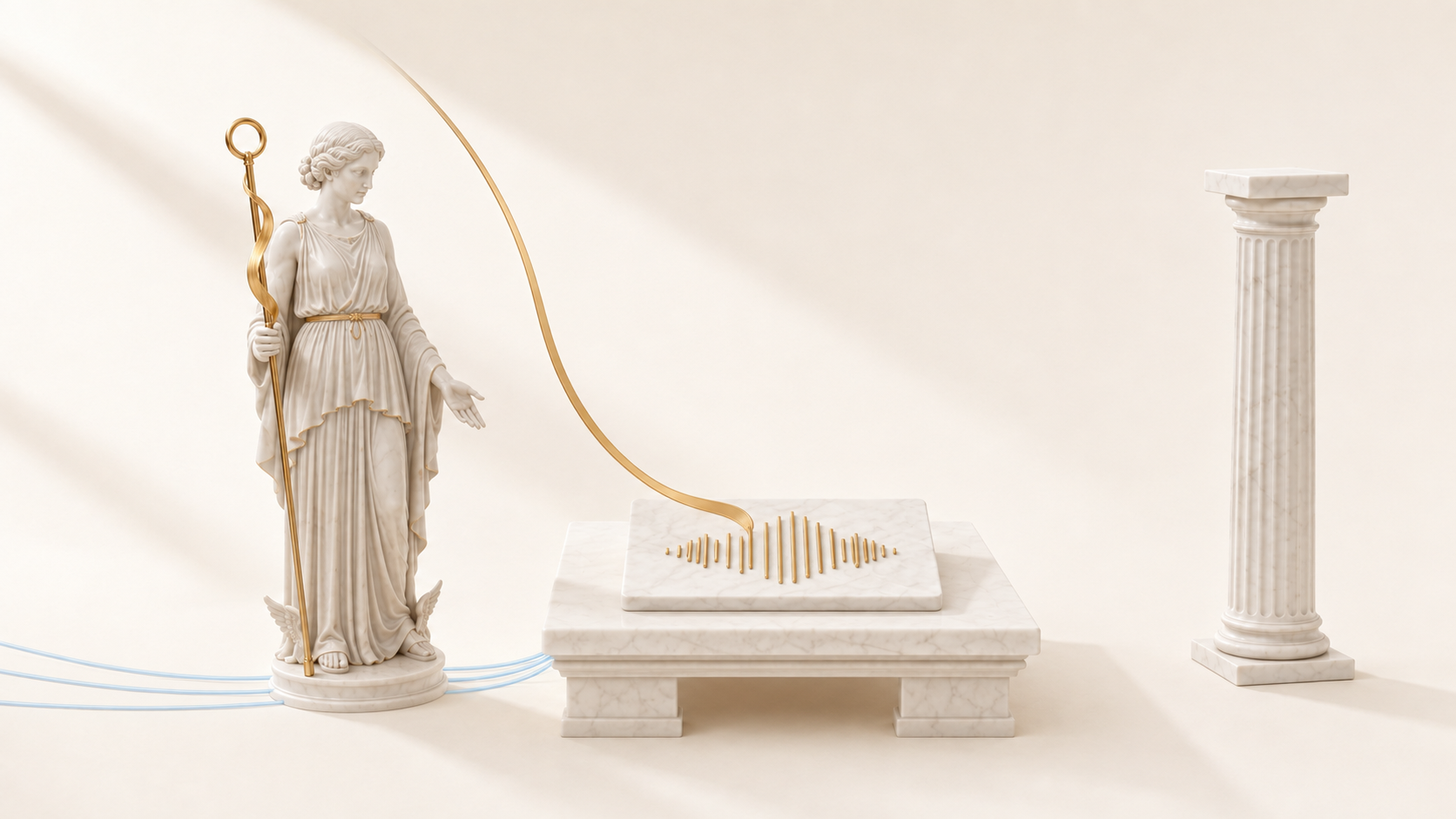
|
||||||
|
|
||||||
|
## English
|
||||||
|
|
||||||
|
This release makes the public documentation match the app and the way I use it.
|
||||||
|
|
||||||
|
- The model name in Settings is now exact: **Whisper large-v3-turbo**.
|
||||||
|
- A new model guide explains the three profiles that work today, why I chose Turbo for mixed Russian-English technical speech on my M3, and which benchmark measured full large-v3 instead of Turbo. It also links pinned downloads and seven unsupported candidates.
|
||||||
|
- Meeting processing and the model guide are available in English, Russian and Simplified Chinese.
|
||||||
|
- The main README now uses only Pantheon illustrations. Localized interface screenshots remain in the full walkthrough.
|
||||||
|
- The Chinese first-run screen now correctly says that translation listens for Russian and returns English.
|
||||||
|
|
||||||
|
Only Parakeet has automatic installation. Whisper large-v3 and Whisper large-v3-turbo still require manual installation. iriz now verifies their pinned SHA-256 before loading them; the recognition algorithm has not changed.
|
||||||
|
|
||||||
|
The download still requires Apple Silicon and macOS 14 or newer. It uses an ad-hoc signature and is not notarized by Apple. Intel remains unverified.
|
||||||
|
|
||||||
|
If iriz already works for you, there is no urgent reason to replace the app. Update when you want the corrected model label; read the new guides online at any time.
|
||||||
|
|
||||||
|
## Русский
|
||||||
|
|
||||||
|
В этом выпуске публичная документация приведена в соответствие с приложением и с тем, как я сам им пользуюсь.
|
||||||
|
|
||||||
|
- В настройках теперь указано точное имя: **Whisper large-v3-turbo**.
|
||||||
|
- Новая инструкция описывает три работающих профиля, почему для смешанной русско-английской технической речи на M3 я выбрал Turbo и какие замеры относятся к полной large-v3, а не к Turbo. Там же есть закрепленные загрузки и семь неподдерживаемых кандидатов.
|
||||||
|
- Страницы про встречи и модели доступны на русском, английском и упрощенном китайском.
|
||||||
|
- В главном README остались только иллюстрации Пантеона. Локализованные скриншоты интерфейса сохранены в полном знакомстве.
|
||||||
|
- Китайский экран первого запуска теперь правильно говорит: перевод слушает русскую речь и возвращает английский текст.
|
||||||
|
|
||||||
|
Автоматическая установка есть только у Parakeet. Whisper large-v3 и Whisper large-v3-turbo по-прежнему ставятся вручную. Перед загрузкой iriz теперь сверяет их закрепленный SHA-256; сам алгоритм распознавания не менялся.
|
||||||
|
|
||||||
|
Для загрузки по-прежнему нужен Мак с Apple Silicon и macOS 14 или новее. У приложения ad hoc подпись, нотаризации Apple нет. Intel не проверен.
|
||||||
|
|
||||||
|
Если iriz уже работает, срочно заменять приложение не нужно. Обновись, когда захочешь увидеть исправленное имя модели; новые инструкции можно читать онлайн уже сейчас.
|
||||||
|
|
||||||
|
## 简体中文
|
||||||
|
|
||||||
|
本次发布让公开文档与应用现状及我的实际用法保持一致。
|
||||||
|
|
||||||
|
- 设置中现在显示准确的模型名称:**Whisper large-v3-turbo**。
|
||||||
|
- 新模型指南说明当前可用的三个配置、我为何在 M3 上为俄英混合技术语音选择 Turbo,以及哪些实测属于完整 large-v3 而非 Turbo。指南还提供固定下载和七个不受支持的候选模型。
|
||||||
|
- 会议处理与模型指南均提供英语、俄语和简体中文版本。
|
||||||
|
- 主 README 只保留潘忒翁插画;本地化界面截图继续放在完整上手指南中。
|
||||||
|
- 中文首次启动页面现已正确说明:翻译接收俄语语音并输出英语文字。
|
||||||
|
|
||||||
|
只有 Parakeet 支持自动安装。Whisper large-v3 和 Whisper large-v3-turbo 仍需手动安装。iriz 现在会在加载前核对固定的 SHA-256;识别算法没有改变。
|
||||||
|
|
||||||
|
下载仍要求 Apple Silicon 和 macOS 14 或更新版本。应用采用 ad hoc 签名,尚未通过 Apple 公证。Intel 尚未验证。
|
||||||
|
|
||||||
|
如果 iriz 已经正常工作,无需立即替换应用。想看到修正后的模型名称时再更新;新指南可随时在线阅读。
|
||||||
@@ -78,6 +78,11 @@ jobs:
|
|||||||
- name: Check workflow guards offline
|
- name: Check workflow guards offline
|
||||||
run: ruby scripts/macos_release_workflow_test.rb --selftest
|
run: ruby scripts/macos_release_workflow_test.rb --selftest
|
||||||
|
|
||||||
|
- name: Verify generated GitHub Release notes
|
||||||
|
env:
|
||||||
|
RELEASE_VERSION: ${{ steps.version.outputs.version }}
|
||||||
|
run: node scripts/render_github_release_notes.mjs --check --version "$RELEASE_VERSION"
|
||||||
|
|
||||||
- name: Prepare hosted macOS integration environment
|
- name: Prepare hosted macOS integration environment
|
||||||
run: |
|
run: |
|
||||||
set -euo pipefail
|
set -euo pipefail
|
||||||
@@ -109,7 +114,12 @@ jobs:
|
|||||||
shasum -a 256 -c SHA256SUMS.txt
|
shasum -a 256 -c SHA256SUMS.txt
|
||||||
cmp "iriz-$RELEASE_VERSION-arm64.dmg" iriz-macos-arm64.dmg
|
cmp "iriz-$RELEASE_VERSION-arm64.dmg" iriz-macos-arm64.dmg
|
||||||
|
|
||||||
- name: Keep the four release files
|
- name: Stage release notes for the draft
|
||||||
|
env:
|
||||||
|
RELEASE_VERSION: ${{ steps.version.outputs.version }}
|
||||||
|
run: cp ".github/release-notes/v$RELEASE_VERSION.md" "release/dist/release-notes-v$RELEASE_VERSION.md"
|
||||||
|
|
||||||
|
- name: Keep the release inputs
|
||||||
id: upload
|
id: upload
|
||||||
uses: actions/upload-artifact@043fb46d1a93c77aae656e7c1c64a875d1fc6a0a # v7.0.1
|
uses: actions/upload-artifact@043fb46d1a93c77aae656e7c1c64a875d1fc6a0a # v7.0.1
|
||||||
with:
|
with:
|
||||||
@@ -119,6 +129,7 @@ jobs:
|
|||||||
release/dist/iriz-macos-arm64.dmg
|
release/dist/iriz-macos-arm64.dmg
|
||||||
release/dist/SHA256SUMS.txt
|
release/dist/SHA256SUMS.txt
|
||||||
release/dist/release-manifest.json
|
release/dist/release-manifest.json
|
||||||
|
release/dist/release-notes-v${{ steps.version.outputs.version }}.md
|
||||||
if-no-files-found: error
|
if-no-files-found: error
|
||||||
compression-level: 0
|
compression-level: 0
|
||||||
retention-days: 14
|
retention-days: 14
|
||||||
@@ -150,7 +161,7 @@ jobs:
|
|||||||
set -euo pipefail
|
set -euo pipefail
|
||||||
[[ "$RELEASE_VERSION" =~ ^[0-9]+\.[0-9]+\.[0-9]+$ ]]
|
[[ "$RELEASE_VERSION" =~ ^[0-9]+\.[0-9]+\.[0-9]+$ ]]
|
||||||
[[ "$SOURCE_SHA" =~ ^[0-9a-f]{40}$ ]]
|
[[ "$SOURCE_SHA" =~ ^[0-9a-f]{40}$ ]]
|
||||||
for file in "iriz-$RELEASE_VERSION-arm64.dmg" iriz-macos-arm64.dmg SHA256SUMS.txt release-manifest.json; do
|
for file in "iriz-$RELEASE_VERSION-arm64.dmg" iriz-macos-arm64.dmg SHA256SUMS.txt release-manifest.json "release-notes-v$RELEASE_VERSION.md"; do
|
||||||
[[ -f "$file" && ! -L "$file" && -s "$file" ]]
|
[[ -f "$file" && ! -L "$file" && -s "$file" ]]
|
||||||
done
|
done
|
||||||
jq -e --arg version "$RELEASE_VERSION" --arg sha "$SOURCE_SHA" '
|
jq -e --arg version "$RELEASE_VERSION" --arg sha "$SOURCE_SHA" '
|
||||||
@@ -233,5 +244,5 @@ jobs:
|
|||||||
SHA256SUMS.txt release-manifest.json \
|
SHA256SUMS.txt release-manifest.json \
|
||||||
--repo "$GH_REPO" --target "$SOURCE_SHA" --draft --latest=false \
|
--repo "$GH_REPO" --target "$SOURCE_SHA" --draft --latest=false \
|
||||||
--title "iriz $RELEASE_VERSION" \
|
--title "iriz $RELEASE_VERSION" \
|
||||||
--notes "Draft for manual review. Apple Silicon / macOS 14+. Ad-hoc signed, not notarized by Apple. Speech models are downloaded separately in the app. Verify the checksums, installation and first-run flow before publishing. Source: $SOURCE_SHA."
|
--notes-file "release-notes-v$RELEASE_VERSION.md"
|
||||||
printf 'Created draft %s. Publishing and marking Latest require manual review.\n' "$tag" >> "$GITHUB_STEP_SUMMARY"
|
printf 'Created draft %s. Publishing and marking Latest require manual review.\n' "$tag" >> "$GITHUB_STEP_SUMMARY"
|
||||||
|
|||||||
@@ -0,0 +1,27 @@
|
|||||||
|
# iriz changelog
|
||||||
|
|
||||||
|
[Русский](CHANGELOG.ru.md) · [简体中文](CHANGELOG.zh.md) · [README](README.md)
|
||||||
|
|
||||||
|
**Result:** start with the newest version. Open its release notes for limits and verification details.
|
||||||
|
|
||||||
|
## 0.2.4
|
||||||
|
|
||||||
|
Model names and multilingual guides now match the app. The main README keeps Pantheon art; interface screenshots live in the walkthrough. Supported Whisper files use pinned downloads and SHA-256 verification. [Release notes](docs/releases/v0.2.4.md).
|
||||||
|
|
||||||
|
## 0.2.3 · 14 September 2026
|
||||||
|
|
||||||
|
Secure Keyboard Entry in another app no longer causes an immediate false refusal. Password fields and uncertain states still fail closed. [Release notes](docs/releases/v0.2.3.md).
|
||||||
|
|
||||||
|
## 0.2.2 · 13 September 2026
|
||||||
|
|
||||||
|
Meeting exports gained the built-in DOCX template, retained source material and explicit consent before agent processing. [Release notes](docs/releases/v0.2.2.md).
|
||||||
|
|
||||||
|
## 0.2.1 · 13 September 2026
|
||||||
|
|
||||||
|
The public DMG gained guided model installation, packaged translations, checksums and a build manifest. [Release notes](docs/releases/v0.2.1.md).
|
||||||
|
|
||||||
|
## 0.2.0 · 7 September 2026
|
||||||
|
|
||||||
|
First public release. [GitHub Release](https://github.com/zarubinvibe/iriz/releases/tag/v0.2.0).
|
||||||
|
|
||||||
|
Next: read the notes for the version you plan to install.
|
||||||
@@ -0,0 +1,27 @@
|
|||||||
|
# История iriz
|
||||||
|
|
||||||
|
[English](CHANGELOG.md) · [简体中文](CHANGELOG.zh.md) · [README](README.ru.md)
|
||||||
|
|
||||||
|
**Результат:** начинай с новой версии. В ее примечаниях указаны ограничения и проверки.
|
||||||
|
|
||||||
|
## 0.2.4
|
||||||
|
|
||||||
|
Названия моделей и инструкции на трех языках теперь совпадают с приложением. В главном README остались иллюстрации Пантеона, скриншоты интерфейса живут в знакомстве. Для поддерживаемых файлов Whisper закреплены загрузки и SHA-256. [Примечания к выпуску](docs/releases/v0.2.4.md).
|
||||||
|
|
||||||
|
## 0.2.3 · 14 сентября 2026
|
||||||
|
|
||||||
|
Secure Keyboard Entry в другой программе больше не вызывает немедленный ложный отказ. Парольные поля и неподтвержденные состояния по-прежнему блокируются. [Примечания к выпуску](docs/releases/v0.2.3.md).
|
||||||
|
|
||||||
|
## 0.2.2 · 13 сентября 2026
|
||||||
|
|
||||||
|
Экспорт встреч получил встроенный шаблон DOCX, сохранение исходников и отдельное согласие перед обработкой агентом. [Примечания к выпуску](docs/releases/v0.2.2.md).
|
||||||
|
|
||||||
|
## 0.2.1 · 13 сентября 2026
|
||||||
|
|
||||||
|
В публичном DMG появились пошаговая установка модели, переводы внутри приложения, контрольные суммы и манифест сборки. [Примечания к выпуску](docs/releases/v0.2.1.md).
|
||||||
|
|
||||||
|
## 0.2.0 · 7 сентября 2026
|
||||||
|
|
||||||
|
Первый публичный выпуск. [GitHub Release](https://github.com/zarubinvibe/iriz/releases/tag/v0.2.0).
|
||||||
|
|
||||||
|
Дальше: открой примечания к версии, которую собираешься установить.
|
||||||
@@ -0,0 +1,27 @@
|
|||||||
|
# iriz 更新记录
|
||||||
|
|
||||||
|
[English](CHANGELOG.md) · [Русский](CHANGELOG.ru.md) · [README](README.zh.md)
|
||||||
|
|
||||||
|
**结果:** 从最新版本开始。打开对应发布说明,查看限制与验证细节。
|
||||||
|
|
||||||
|
## 0.2.4
|
||||||
|
|
||||||
|
模型名称和三语指南现已与应用一致。主 README 只保留潘忒翁插画,界面截图放在完整上手指南中。受支持的 Whisper 文件使用固定下载和 SHA-256 校验。[发布说明](docs/releases/v0.2.4.md)。
|
||||||
|
|
||||||
|
## 0.2.3 · 2026 年 9 月 14 日
|
||||||
|
|
||||||
|
其他应用启用 Secure Keyboard Entry 时,iriz 不再立即误判并拒绝录音。密码输入框和无法确认的状态仍会阻止操作。[发布说明](docs/releases/v0.2.3.md)。
|
||||||
|
|
||||||
|
## 0.2.2 · 2026 年 9 月 13 日
|
||||||
|
|
||||||
|
会议导出加入内置 DOCX 模板、原始资料保留,以及代理处理前的单独同意。[发布说明](docs/releases/v0.2.2.md)。
|
||||||
|
|
||||||
|
## 0.2.1 · 2026 年 9 月 13 日
|
||||||
|
|
||||||
|
公开 DMG 加入引导式模型安装、应用内翻译资源、校验和与构建清单。[发布说明](docs/releases/v0.2.1.md)。
|
||||||
|
|
||||||
|
## 0.2.0 · 2026 年 9 月 7 日
|
||||||
|
|
||||||
|
首次公开发布。[GitHub Release](https://github.com/zarubinvibe/iriz/releases/tag/v0.2.0)。
|
||||||
|
|
||||||
|
下一步:打开你准备安装版本的发布说明。
|
||||||
@@ -2,6 +2,10 @@
|
|||||||
|
|
||||||
[Русский](CONTRIBUTING.ru.md) · [中文](CONTRIBUTING.zh.md)
|
[Русский](CONTRIBUTING.ru.md) · [中文](CONTRIBUTING.zh.md)
|
||||||
|
|
||||||
|
Start here: read [What you need](#what-you-need) and use [Before you send a change](#before-you-send-a-change) as the checklist.
|
||||||
|
|
||||||
|
Status: ready for contributions; current priorities are under [What is needed most right now](#what-is-needed-most-right-now).
|
||||||
|
|
||||||
<p align="center"><img src="docs/assets/pantheon/doc-contributing.png" alt="Two identical marble tablets on a low table, the left one holding the gold ribbon of voice, the right one empty and waiting, the herald staff standing beside them" width="100%"></p>
|
<p align="center"><img src="docs/assets/pantheon/doc-contributing.png" alt="Two identical marble tablets on a low table, the left one holding the gold ribbon of voice, the right one empty and waiting, the herald staff standing beside them" width="100%"></p>
|
||||||
|
|
||||||
The second tablet in that frame is empty on purpose. There is room here for somebody else's work, and it is the same size as mine.
|
The second tablet in that frame is empty on purpose. There is room here for somebody else's work, and it is the same size as mine.
|
||||||
|
|||||||
@@ -2,6 +2,10 @@
|
|||||||
|
|
||||||
[English](CONTRIBUTING.md) · [中文](CONTRIBUTING.zh.md)
|
[English](CONTRIBUTING.md) · [中文](CONTRIBUTING.zh.md)
|
||||||
|
|
||||||
|
С чего начать: прочитай [что нужно на машине](#что-нужно-на-машине), а [проверку перед отправкой](#прежде-чем-присылать-правку) используй как чек-лист.
|
||||||
|
|
||||||
|
Статус: руководство готово к приёму правок; текущие приоритеты перечислены в [разделе «Что сейчас нужнее всего»](#что-сейчас-нужнее-всего).
|
||||||
|
|
||||||
<p align="center"><img src="docs/assets/pantheon/doc-contributing.png" alt="Две одинаковые мраморные таблички на низком столе, в левой лежит золотая лента голоса, правая пустая и ждет, рядом стоит жезл вестницы" width="100%"></p>
|
<p align="center"><img src="docs/assets/pantheon/doc-contributing.png" alt="Две одинаковые мраморные таблички на низком столе, в левой лежит золотая лента голоса, правая пустая и ждет, рядом стоит жезл вестницы" width="100%"></p>
|
||||||
|
|
||||||
Вторая табличка на этом кадре пустая намеренно. Место под чужую работу тут есть, и оно того же размера, что и под мою.
|
Вторая табличка на этом кадре пустая намеренно. Место под чужую работу тут есть, и оно того же размера, что и под мою.
|
||||||
|
|||||||
@@ -2,6 +2,10 @@
|
|||||||
|
|
||||||
[Русский](CONTRIBUTING.ru.md) · [English](CONTRIBUTING.md)
|
[Русский](CONTRIBUTING.ru.md) · [English](CONTRIBUTING.md)
|
||||||
|
|
||||||
|
如何阅读:先看「你需要什么」,再按「提交之前」的检查项准备改动。
|
||||||
|
|
||||||
|
状态:已更新,适用于当前仓库。
|
||||||
|
|
||||||
<p align="center"><img src="docs/assets/pantheon/doc-contributing.png" alt="矮桌上并排放着两块一模一样的大理石板,左边那块上落着金色的声音丝带,右边那块空着等人来写,旁边立着传令杖" width="100%"></p>
|
<p align="center"><img src="docs/assets/pantheon/doc-contributing.png" alt="矮桌上并排放着两块一模一样的大理石板,左边那块上落着金色的声音丝带,右边那块空着等人来写,旁边立着传令杖" width="100%"></p>
|
||||||
|
|
||||||
那张图里右边的石板是故意空着的。这里给别人的活留了位置,而且和给我自己的一样大。
|
那张图里右边的石板是故意空着的。这里给别人的活留了位置,而且和给我自己的一样大。
|
||||||
|
|||||||
@@ -1,6 +1,6 @@
|
|||||||
# iriz
|
# iriz
|
||||||
|
|
||||||
Speak out loud and the text appears. Speech recognition runs on your Mac; sending text to an agent is a separate choice.
|
Result: speak out loud and the text appears. Speech recognition runs on your Mac; sending text to an agent is a separate choice.
|
||||||
|
|
||||||
[Русский](README.ru.md) · [中文](README.zh.md)
|
[Русский](README.ru.md) · [中文](README.zh.md)
|
||||||
|
|
||||||
@@ -16,22 +16,25 @@ Speak out loud and the text appears. Speech recognition runs on your Mac; sendin
|
|||||||
>
|
>
|
||||||
> And the small thing this all started from: I forget to switch the language and type a sentence in the wrong layout. Here that repairs itself.
|
> And the small thing this all started from: I forget to switch the language and type a sentence in the wrong layout. Here that repairs itself.
|
||||||
>
|
>
|
||||||
> — Filipp Zarubin
|
> Filipp Zarubin
|
||||||
|
|
||||||
<!-- owner-welcome:end -->
|
<!-- owner-welcome:end -->
|
||||||
|
|
||||||
## Contents
|
## Contents
|
||||||
|
|
||||||
- [What This Is](#what-this-is)
|
- [What this is](#what-this-is)
|
||||||
- [Why It Helps](#why-it-helps)
|
- [Why it helps](#why-it-helps)
|
||||||
- [The Main Advantage](#the-main-advantage)
|
- [The main advantage](#the-main-advantage)
|
||||||
- [How It Works](#how-it-works)
|
- [How it works](#how-it-works)
|
||||||
- [Quickstart](#quickstart)
|
- [Quickstart](#quickstart)
|
||||||
- [Simple Comparison](#simple-comparison)
|
|
||||||
- [Simple Words](#simple-words)
|
**Also:**
|
||||||
- [Safety And Privacy](#safety-and-privacy)
|
|
||||||
|
- [Simple comparison](#simple-comparison)
|
||||||
|
- [Simple words](#simple-words)
|
||||||
|
- [Safety and privacy](#safety-and-privacy)
|
||||||
- [Limits](#limits)
|
- [Limits](#limits)
|
||||||
- [Star And Contribute](#star-and-contribute)
|
- [Star and contribute](#star-and-contribute)
|
||||||
|
|
||||||
<!-- application-downloads:start -->
|
<!-- application-downloads:start -->
|
||||||
|
|
||||||
@@ -40,9 +43,9 @@ Speak out loud and the text appears. Speech recognition runs on your Mac; sendin
|
|||||||
|
|
||||||
<p align="center">macOS · Apple Silicon — macOS 14+ · DMG</p>
|
<p align="center">macOS · Apple Silicon — macOS 14+ · DMG</p>
|
||||||
|
|
||||||
<p align="center">Setup: At first launch, choose Download and install Parakeet to download the speech model (about 500 MB).</p>
|
<p align="center">Setup: Fastest first run: install Parakeet (about 500 MB). The author uses Whisper large-v3-turbo; read the model guide before choosing.</p>
|
||||||
|
|
||||||
<p align="center">Security: Self-signed; not notarized by Apple. Intel is not supported by this download.</p>
|
<p align="center">Security: Ad-hoc signed; not notarized by Apple. Intel is not supported by this download.</p>
|
||||||
|
|
||||||
<p align="center"><a href="docs/DOWNLOAD.md">Install & first dictation</a> · <a href="https://github.com/zarubinvibe/iriz/releases/latest">All releases</a> · <a href="https://github.com/zarubinvibe/iriz/releases/latest/download/SHA256SUMS.txt">Checksums</a></p>
|
<p align="center"><a href="docs/DOWNLOAD.md">Install & first dictation</a> · <a href="https://github.com/zarubinvibe/iriz/releases/latest">All releases</a> · <a href="https://github.com/zarubinvibe/iriz/releases/latest/download/SHA256SUMS.txt">Checksums</a></p>
|
||||||
|
|
||||||
@@ -50,7 +53,7 @@ Speak out loud and the text appears. Speech recognition runs on your Mac; sendin
|
|||||||
|
|
||||||
<!-- beginner-readme:start -->
|
<!-- beginner-readme:start -->
|
||||||
|
|
||||||
## What This Is
|
## What this is
|
||||||
|
|
||||||
This is a Mac app that types for you while you talk.
|
This is a Mac app that types for you while you talk.
|
||||||
|
|
||||||
@@ -58,20 +61,13 @@ Here is how it goes. You press one key, speak in your normal voice, press it aga
|
|||||||
|
|
||||||
What sets it apart from similar apps is where the speech is decoded. Usually your voice travels to somebody's server, turns into text there and comes back. Here your Mac does the work, and the audio never leaves the machine.
|
What sets it apart from similar apps is where the speech is decoded. Usually your voice travels to somebody's server, turns into text there and comes back. Here your Mac does the work, and the audio never leaves the machine.
|
||||||
|
|
||||||
**Why «iriz».** Iris was the messenger of the Greek gods and the rainbow — a bridge between the sky and the ground. She does not invent the message, she carries it whole. The name reflects the job: carrying speech into text. Automatic recognition can still mishear words, so check the result.
|
**Why «iriz».** Iris was the messenger of the Greek gods and the rainbow, a bridge between the sky and the ground. She does not invent the message, she carries it whole. The name reflects the job: carrying speech into text. Automatic recognition can still mishear words, so check the result.
|
||||||
|
|
||||||

|
|
||||||
|
|
||||||
It does more. It fixes a phrase typed in the wrong keyboard layout. Correct a word after pasting and the app offers to remember the replacement. Ordinary dictation can remove hesitations and repetitions.
|
It does more. It fixes a phrase typed in the wrong keyboard layout. Correct a word after pasting and the app offers to remember the replacement. Ordinary dictation can remove hesitations and repetitions.
|
||||||
|
|
||||||
Meetings keep the original recognition text and the audio. The DOCX contains minutes first, then the full available transcript on a new page; the same folder includes JSON and a list of details to check. Filling decisions and action items through your selected agent requires separate consent to send the text. Unknown details stay explicit, and the result remains a draft. [Processing a meeting](docs/MEETINGS.md).
|
||||||
|
|
||||||

|
## Why it helps
|
||||||
|
|
||||||

|
|
||||||
|
|
||||||
|
|
||||||
## Why It Helps
|
|
||||||
|
|
||||||
Anyone who writes for a living loses hours to typing. The same thought comes out faster and whole when spoken: typing, you hunt for words; speaking, you do not.
|
Anyone who writes for a living loses hours to typing. The same thought comes out faster and whole when spoken: typing, you hunt for words; speaking, you do not.
|
||||||
|
|
||||||
@@ -79,31 +75,22 @@ One thing gets in the way. Cloud dictation cleans speech better than anything lo
|
|||||||
|
|
||||||
So here your Mac does the decoding, and the app reaches the network only when you press the button.
|
So here your Mac does the decoding, and the app reaches the network only when you press the button.
|
||||||
|
|
||||||

|
## The main advantage
|
||||||
|
|
||||||
|
|
||||||
## The Main Advantage
|
|
||||||
|
|
||||||
**Main advantage:** speech recognition runs on your Mac without sending audio to a cloud recognizer.
|
**Main advantage:** speech recognition runs on your Mac without sending audio to a cloud recognizer.
|
||||||
|
|
||||||
**Why this is better:** The recognition library keeps its own model downloader off during recognition. That setting is not a system firewall: model downloads and CLI agents use separate network paths.
|
**Why this is better:** The recognition library keeps its own model downloader off during recognition. That setting is not a system firewall: model downloads and CLI agents use separate network paths.
|
||||||
|
|
||||||
## How It Works
|
## How it works
|
||||||
|
|
||||||
Press the key, say your sentence, press again. The text lands where the cursor was blinking.
|
Press the key, say your sentence, press again. The text lands where the cursor was blinking.
|
||||||
|
|
||||||
A glass drop sits at the bottom of the screen the whole time. While you are silent it stays small. Start talking and a wave runs inside it: that is the answer to «can it hear me».
|
A glass drop sits at the bottom of the screen the whole time. While you are silent it stays small. Start talking and a wave runs inside it: that is the answer to «can it hear me».
|
||||||
|
|
||||||

|
Point at it with the mouse and the drop opens into a row of buttons: record, prompt, translate, language, history, settings. The language switches there, a second before you speak.
|
||||||
|
|
||||||
Point at it with the mouse and the drop opens into a row of buttons: record, prompt, translate, language, history, settings. The language switches right there, a second before you speak — no need to walk to the settings for it.
|
|
||||||
|
|
||||||

|
|
||||||
|
|
||||||
If pasting did not work, nothing is lost: the same plate opens into a panel and you take the text from there.
|
If pasting did not work, nothing is lost: the same plate opens into a panel and you take the text from there.
|
||||||
|
|
||||||

|
|
||||||
|
|
||||||
<!-- workflow-diagram:start -->
|
<!-- workflow-diagram:start -->
|
||||||
|
|
||||||
<p align="center"><img src="docs/assets/pantheon/takt-en.png" alt="Four marble plates in a row, each carved with one step of the work, linked by a gold ribbon of voice that runs from the left edge" width="100%"></p>
|
<p align="center"><img src="docs/assets/pantheon/takt-en.png" alt="Four marble plates in a row, each carved with one step of the work, linked by a gold ribbon of voice that runs from the left edge" width="100%"></p>
|
||||||
@@ -135,7 +122,7 @@ A small plate appears near the cursor and its wave follows your voice, so you ca
|
|||||||
|
|
||||||
### Step 3: The Mac decodes it
|
### Step 3: The Mac decodes it
|
||||||
|
|
||||||
Recognition runs on the Neural Engine of your Mac: seven seconds of speech take about a tenth of a second. Audio is decoded locally, and the recognition library keeps its own downloader off. Optional agent processing of the resulting text requires your consent.
|
Recognition runs locally on your Mac. Speed and hardware use depend on the model: Parakeet is fast and installs automatically, while Whisper models need a manual model file. Audio stays on the machine. Optional agent processing of the resulting text requires your consent.
|
||||||
|
|
||||||
<p align="center"><img src="docs/assets/pantheon/workflow/03-decode.png" alt="Iriz stage 3: the Mac decodes it, drawn as a wide Pantheon marble scene" width="100%"></p>
|
<p align="center"><img src="docs/assets/pantheon/workflow/03-decode.png" alt="Iriz stage 3: the Mac decodes it, drawn as a wide Pantheon marble scene" width="100%"></p>
|
||||||
|
|
||||||
@@ -153,16 +140,14 @@ It goes into the field you were already in: an email, a chat, a terminal. If the
|
|||||||
|
|
||||||
Download the [macOS DMG](https://github.com/zarubinvibe/iriz/releases/latest/download/iriz-macos-arm64.dmg), open it, and drag iriz into Applications. This build needs Apple Silicon and macOS 14 or newer. No Xcode or Terminal is needed.
|
Download the [macOS DMG](https://github.com/zarubinvibe/iriz/releases/latest/download/iriz-macos-arm64.dmg), open it, and drag iriz into Applications. This build needs Apple Silicon and macOS 14 or newer. No Xcode or Terminal is needed.
|
||||||
|
|
||||||
Open iriz and choose Download and install Parakeet in onboarding (about 500 MB). Grant the permissions in the following steps. Wait for readiness, focus a text field, and try your dictation key.
|
For the quickest first run, choose Download and install Parakeet in onboarding (about 500 MB). It is the only model iriz installs automatically. The author instead uses manually installed Whisper large-v3-turbo on a MacBook Air M3 with 24 GB of memory. [Choose a speech model](docs/MODELS.md), then grant the requested permissions and try your dictation key.
|
||||||
|
|
||||||
[Installation, model recovery and updates](docs/DOWNLOAD.md). To build from source instead, use the tested Xcode 26.6 toolchain (macOS 26 SDK, Swift 6.3.3) and one of the paths below.
|
[Installation, model recovery and updates](docs/DOWNLOAD.md). To build from source instead, use the tested Xcode 26.6 toolchain (macOS 26 SDK, Swift 6.3.3) and one of the paths below.
|
||||||
|
|
||||||
```bash
|
```bash
|
||||||
git clone https://github.com/zarubinvibe/iriz.git ~/iriz
|
git clone https://github.com/zarubinvibe/iriz.git ~/iriz
|
||||||
cd ~/iriz
|
cd ~/iriz
|
||||||
bash install.sh # просто терминал, без единого агента
|
bash install.sh
|
||||||
code . # или открой папку в редакторе
|
|
||||||
claude # или пусти агента: он проведет установку разговором
|
|
||||||
```
|
```
|
||||||
|
|
||||||
Without Git, download [the source ZIP](https://github.com/zarubinvibe/iriz/archive/refs/heads/main.zip), unpack it and run the same installer there. Or open the project in Claude Code and run `/iriz-setup` for a guided install. It asks before installing.
|
Without Git, download [the source ZIP](https://github.com/zarubinvibe/iriz/archive/refs/heads/main.zip), unpack it and run the same installer there. Or open the project in Claude Code and run `/iriz-setup` for a guided install. It asks before installing.
|
||||||
@@ -171,7 +156,7 @@ Never done this before? [The onboarding](docs/ONBOARDING.md) walks the whole fir
|
|||||||
|
|
||||||
**You get:** the installer says what this is, looks at what your machine is missing, runs the tree selfcheck, and names the next step. It installs nothing until you ask.
|
**You get:** the installer says what this is, looks at what your machine is missing, runs the tree selfcheck, and names the next step. It installs nothing until you ask.
|
||||||
|
|
||||||
## Simple Comparison
|
## Simple comparison
|
||||||
|
|
||||||
| Choice | Best when | What you get | Where speech goes | Layout repair | Trade-off |
|
| Choice | Best when | What you get | Where speech goes | Layout repair | Trade-off |
|
||||||
|---|---|---|---|---|---|
|
|---|---|---|---|---|---|
|
||||||
@@ -182,7 +167,7 @@ Never done this before? [The onboarding](docs/ONBOARDING.md) walks the whole fir
|
|||||||
| Wispr Flow and the like | Rambling speech into smooth text | The best cleanup there is | Their server | No | Your client names travel with it |
|
| Wispr Flow and the like | Rambling speech into smooth text | The best cleanup there is | Their server | No | Your client names travel with it |
|
||||||
| Local Whisper apps | Dictation without a cloud | Also decodes on your machine | Nowhere | No | No layout repair, no task from speech |
|
| Local Whisper apps | Dictation without a cloud | Also decodes on your machine | Nowhere | No | No layout repair, no task from speech |
|
||||||
|
|
||||||
## Simple Words
|
## Simple words
|
||||||
|
|
||||||
| Word | Simple meaning |
|
| Word | Simple meaning |
|
||||||
|---|---|
|
|---|---|
|
||||||
@@ -191,14 +176,13 @@ Never done this before? [The onboarding](docs/ONBOARDING.md) walks the whole fir
|
|||||||
| Command | One instruction you give the computer |
|
| Command | One instruction you give the computer |
|
||||||
| Branch | A separate line of changes that does not touch `main` |
|
| Branch | A separate line of changes that does not touch `main` |
|
||||||
| Pull Request | A request to review your change and accept it |
|
| Pull Request | A request to review your change and accept it |
|
||||||
| Neural Engine | A separate part of the Apple chip for neural networks: it keeps recognition fast and the machine cool |
|
| Neural Engine | A part of Apple Silicon used by some local models. Other models can use Metal or the CPU |
|
||||||
| Speech model | The weight files that turn sound into letters. It lives on your disk and downloads once |
|
| Speech model | The weight files that turn sound into letters. It lives on your disk and downloads once |
|
||||||
|
|
||||||
## Safety And Privacy
|
## Safety and privacy
|
||||||
|
|
||||||
- Ordinary dictation does not save audio. Meetings keep a copy of the recording in the iriz archive.
|
- Ordinary dictation does not save audio. Meetings keep a copy of the recording in the iriz archive.
|
||||||
- The screen is not read. No ScreenCaptureKit, no window captures.
|
- The screen is not read: no ScreenCaptureKit and no window captures. To suggest corrections after dictation, iriz reads only the focused text field through Accessibility and does not save its full contents.
|
||||||
- To suggest corrections after dictation, iriz reads the focused text field through Accessibility. It does not save the full contents of that field.
|
|
||||||
- Where you dictated is not recorded. Otherwise the disk would collect metadata about who you work with and when.
|
- Where you dictated is not recorded. Otherwise the disk would collect metadata about who you work with and when.
|
||||||
- The clipboard is put back after the paste.
|
- The clipboard is put back after the paste.
|
||||||
- Saved transcripts use owner-only permissions: 0700 for folders and 0600 for files. They are plaintext, not encrypted by the app.
|
- Saved transcripts use owner-only permissions: 0700 for folders and 0600 for files. They are plaintext, not encrypted by the app.
|
||||||
@@ -211,17 +195,17 @@ Status: working. The author dictates with it every day.
|
|||||||
|
|
||||||
- This download supports Apple Silicon Macs on macOS 14 or newer. Intel is unverified; Windows, Linux and iPad are not supported.
|
- This download supports Apple Silicon Macs on macOS 14 or newer. Intel is unverified; Windows, Linux and iPad are not supported.
|
||||||
- Automatic layout repair covers English and Russian. The interface has Russian, English and Simplified Chinese.
|
- Automatic layout repair covers English and Russian. The interface has Russian, English and Simplified Chinese.
|
||||||
- The app is self-signed and not notarized by Apple. Read the first-launch security warning in the download guide.
|
- The app uses an ad-hoc signature, without a Developer ID certificate, and is not notarized by Apple. Read the first-launch security warning in the download guide.
|
||||||
- The default Parakeet model needs a separate download of about 500 MB and does not recognize Chinese. Other models have different language coverage.
|
- iriz currently supports three speech profiles. Only Parakeet installs automatically; Whisper model files are installed manually. Language coverage, disk use and speed differ.
|
||||||
- Updates are manual: download the new DMG, quit iriz and replace the application. Models and local history remain outside the app bundle.
|
- Updates are manual: download the new DMG, quit iriz and replace the application. Models and local history remain outside the app bundle.
|
||||||
|
|
||||||
Deeper: [the step-by-step walkthrough with a frame of every surface](docs/ONBOARDING.md), [how to help](CONTRIBUTING.md), [security](SECURITY.md).
|
Deeper: [choose a speech model](docs/MODELS.md), [open the step-by-step walkthrough with interface screenshots](docs/ONBOARDING.md), [read the changelog](CHANGELOG.md), [help the project](CONTRIBUTING.md), [read the security notes](SECURITY.md).
|
||||||
|
|
||||||
## Star And Contribute
|
## Star and contribute
|
||||||
|
|
||||||
Useful? Give iriz a star: [https://github.com/zarubinvibe/iriz](https://github.com/zarubinvibe/iriz). It takes a second and it decides whether other people ever find the project.
|
Useful? Give iriz a star: [https://github.com/zarubinvibe/iriz](https://github.com/zarubinvibe/iriz). It takes a second and it decides whether other people ever find the project.
|
||||||
|
|
||||||
Want to change something? The path is short: fork the repository, create a branch, commit your change, push the branch, then open a Pull Request. Do not push directly to `main`; the release gate rejects it.
|
Want to change something? The path is short: fork the repository, create a branch, commit your change, push the branch, then open a Pull Request. Do not push directly to `main`.
|
||||||
|
|
||||||
Found a problem instead? Open an issue at [https://github.com/zarubinvibe/iriz/issues](https://github.com/zarubinvibe/iriz/issues) and say what you ran and what happened.
|
Found a problem instead? Open an issue at [https://github.com/zarubinvibe/iriz/issues](https://github.com/zarubinvibe/iriz/issues) and say what you ran and what happened.
|
||||||
|
|
||||||
@@ -230,7 +214,7 @@ Found a problem instead? Open an issue at [https://github.com/zarubinvibe/iriz/i
|
|||||||
<!-- pantheon-family:start -->
|
<!-- pantheon-family:start -->
|
||||||
## Olympuz family
|
## Olympuz family
|
||||||
|
|
||||||
This is one of the public [Olympuz projects](https://github.com/zarubinvibe/athena#olympuz-family). Each row opens the repository or downloads its source as a ZIP.
|
Public [Olympuz family projects](https://github.com/zarubinvibe/athena#olympuz-family) are listed below. Each row opens the repository or downloads its source as a ZIP.
|
||||||
|
|
||||||
| Type | Name | What it does | How it helps this house | Source |
|
| Type | Name | What it does | How it helps this house | Source |
|
||||||
|---|---|---|---|---|
|
|---|---|---|---|---|
|
||||||
@@ -248,3 +232,5 @@ This is one of the public [Olympuz projects](https://github.com/zarubinvibe/athe
|
|||||||
## License
|
## License
|
||||||
|
|
||||||
MIT. See [LICENSE](LICENSE).
|
MIT. See [LICENSE](LICENSE).
|
||||||
|
|
||||||
|
Next: [download the macOS DMG](https://github.com/zarubinvibe/iriz/releases/latest/download/iriz-macos-arm64.dmg) and try your first dictation.
|
||||||
|
|||||||
+30
-44
@@ -1,6 +1,6 @@
|
|||||||
# iriz
|
# iriz
|
||||||
|
|
||||||
Говори вслух, на экране появляется текст. Речь разбирает твой Мак. Передачу текста агенту ты разрешаешь отдельно.
|
Результат: говоришь вслух, на экране появляется текст. Речь разбирает твой Мак. Передачу текста агенту ты разрешаешь отдельно.
|
||||||
|
|
||||||
[English](README.md) · [中文](README.zh.md)
|
[English](README.md) · [中文](README.zh.md)
|
||||||
|
|
||||||
@@ -16,7 +16,7 @@
|
|||||||
>
|
>
|
||||||
> И мелочь, из которой все начиналось: я забываю переключить язык и набираю фразу не в той раскладке. Тут это чинится само.
|
> И мелочь, из которой все начиналось: я забываю переключить язык и набираю фразу не в той раскладке. Тут это чинится само.
|
||||||
>
|
>
|
||||||
> — Филипп Зарубин
|
> Филипп Зарубин
|
||||||
|
|
||||||
<!-- owner-welcome:end -->
|
<!-- owner-welcome:end -->
|
||||||
|
|
||||||
@@ -27,6 +27,9 @@
|
|||||||
- [Главное преимущество](#главное-преимущество)
|
- [Главное преимущество](#главное-преимущество)
|
||||||
- [Как это работает](#как-это-работает)
|
- [Как это работает](#как-это-работает)
|
||||||
- [Быстрый старт](#быстрый-старт)
|
- [Быстрый старт](#быстрый-старт)
|
||||||
|
|
||||||
|
**Ещё:**
|
||||||
|
|
||||||
- [Простое сравнение](#простое-сравнение)
|
- [Простое сравнение](#простое-сравнение)
|
||||||
- [Простые слова](#простые-слова)
|
- [Простые слова](#простые-слова)
|
||||||
- [Безопасность и приватность](#безопасность-и-приватность)
|
- [Безопасность и приватность](#безопасность-и-приватность)
|
||||||
@@ -40,9 +43,9 @@
|
|||||||
|
|
||||||
<p align="center">macOS · Apple Silicon — macOS 14+ · DMG</p>
|
<p align="center">macOS · Apple Silicon — macOS 14+ · DMG</p>
|
||||||
|
|
||||||
<p align="center">Настройка: При первом запуске нажми «Скачать и установить Parakeet»: модель речи скачивается отдельно, около 500 МБ.</p>
|
<p align="center">Настройка: Быстрый первый запуск: установи Parakeet, около 500 МБ. Автор использует Whisper large-v3-turbo; перед выбором открой инструкцию по моделям.</p>
|
||||||
|
|
||||||
<p align="center">Безопасность: Самоподпись, без нотаризации Apple. Этот выпуск не поддерживает Intel.</p>
|
<p align="center">Безопасность: Подпись ad hoc, без сертификата Developer ID и нотаризации Apple. Этот выпуск не поддерживает Intel.</p>
|
||||||
|
|
||||||
<p align="center"><a href="docs/DOWNLOAD.ru.md">Установка и первая диктовка</a> · <a href="https://github.com/zarubinvibe/iriz/releases/latest">Все версии</a> · <a href="https://github.com/zarubinvibe/iriz/releases/latest/download/SHA256SUMS.txt">Контрольные суммы</a></p>
|
<p align="center"><a href="docs/DOWNLOAD.ru.md">Установка и первая диктовка</a> · <a href="https://github.com/zarubinvibe/iriz/releases/latest">Все версии</a> · <a href="https://github.com/zarubinvibe/iriz/releases/latest/download/SHA256SUMS.txt">Контрольные суммы</a></p>
|
||||||
|
|
||||||
@@ -58,18 +61,11 @@
|
|||||||
|
|
||||||
Главное отличие от похожих программ в том, где разбирается речь. Обычно голос уезжает на чужой сервер, там превращается в текст и возвращается. Здесь считает твой Мак, и звук с машины не уходит.
|
Главное отличие от похожих программ в том, где разбирается речь. Обычно голос уезжает на чужой сервер, там превращается в текст и возвращается. Здесь считает твой Мак, и звук с машины не уходит.
|
||||||
|
|
||||||
**Почему «iriz».** Ирида у греков - вестница богов и радуга, мост между небом и землей. Она не сочиняет послание, а доносит его целым. Отсюда и задача программы: переносить речь в текст. Распознавание может ошибаться, поэтому результат нужно проверить.
|
**Почему «iriz».** Ирида у греков была вестницей богов и радугой, мостом между небом и землей. Она не сочиняла послание, а доносила его целым. Отсюда задача программы: переносить речь в текст. Распознавание может ошибаться, поэтому результат нужно проверить.
|
||||||
|
|
||||||

|
|
||||||
|
|
||||||
Умеет и другое. Чинит фразу, набранную не в той раскладке. Поправишь слово после вставки, и программа предложит запомнить замену. В обычной диктовке может убрать запинки и повторы.
|
Умеет и другое. Чинит фразу, набранную не в той раскладке. Поправишь слово после вставки, и программа предложит запомнить замену. В обычной диктовке может убрать запинки и повторы.
|
||||||
|
|
||||||
У встреч другой порядок: исходная расшифровка не редактируется, звук сохраняется рядом. DOCX содержит сначала протокол, затем полную доступную расшифровку с новой страницы; рядом лежат JSON и список уточнений. Заполнение решений и поручений через выбранного агента требует отдельного согласия на передачу текста. Неизвестные сведения отмечаются явно, результат остается черновиком. [Как обработать встречу](docs/MEETINGS.md).
|
У встреч другой порядок: исходная расшифровка не редактируется, звук сохраняется рядом. DOCX содержит сначала протокол, затем полную доступную расшифровку с новой страницы; рядом лежат JSON и список уточнений. Заполнение решений и поручений через выбранного агента требует отдельного согласия на передачу текста. Неизвестные сведения отмечаются явно, результат остается черновиком. [Как обработать встречу](docs/MEETINGS.ru.md).
|
||||||
|
|
||||||

|
|
||||||
|
|
||||||

|
|
||||||
|
|
||||||
|
|
||||||
## Зачем это нужно
|
## Зачем это нужно
|
||||||
|
|
||||||
@@ -79,9 +75,6 @@
|
|||||||
|
|
||||||
Поэтому тут разбирает Мак, а в сеть программа ходит только по твоей кнопке.
|
Поэтому тут разбирает Мак, а в сеть программа ходит только по твоей кнопке.
|
||||||
|
|
||||||

|
|
||||||
|
|
||||||
|
|
||||||
## Главное преимущество
|
## Главное преимущество
|
||||||
|
|
||||||
**Главное преимущество:** речь распознается на твоем Маке, без передачи аудио облачному распознавателю.
|
**Главное преимущество:** речь распознается на твоем Маке, без передачи аудио облачному распознавателю.
|
||||||
@@ -92,18 +85,12 @@
|
|||||||
|
|
||||||
Нажимаешь клавишу, говоришь фразу, нажимаешь еще раз. Текст встает туда, где мигал курсор.
|
Нажимаешь клавишу, говоришь фразу, нажимаешь еще раз. Текст встает туда, где мигал курсор.
|
||||||
|
|
||||||
Внизу экрана все это время висит стеклянная капля. Пока ты молчишь, она маленькая. Заговоришь - внутри бежит волна: это и есть ответ на вопрос «слышит ли меня».
|
Внизу экрана все это время висит стеклянная капля. Пока ты молчишь, она маленькая. Заговоришь, внутри бежит волна: это и есть ответ на вопрос «слышит ли меня».
|
||||||
|
|
||||||

|
Наведи на нее мышь, и капля раскроется в ряд кнопок: запись, промпт, перевод, язык, история, настройки. Язык переключается здесь же, за секунду до того, как заговорить.
|
||||||
|
|
||||||
Наведи на нее мышь - капля раскроется в ряд кнопок: запись, промпт, перевод, язык, история, настройки. Язык переключается здесь же, за секунду до того, как заговорить, и ходить за этим в настройки незачем.
|
|
||||||
|
|
||||||

|
|
||||||
|
|
||||||
Если вставить не удалось, ничего не потеряно: та же плашка раскроется в панель, и текст можно забрать оттуда.
|
Если вставить не удалось, ничего не потеряно: та же плашка раскроется в панель, и текст можно забрать оттуда.
|
||||||
|
|
||||||

|
|
||||||
|
|
||||||
<!-- workflow-diagram:start -->
|
<!-- workflow-diagram:start -->
|
||||||
|
|
||||||
<p align="center"><img src="docs/assets/pantheon/takt-ru.png" alt="Четыре мраморные плиты в ряд, на каждой высечен один шаг работы, их связывает золотая лента голоса, идущая от левой кромки" width="100%"></p>
|
<p align="center"><img src="docs/assets/pantheon/takt-ru.png" alt="Четыре мраморные плиты в ряд, на каждой высечен один шаг работы, их связывает золотая лента голоса, идущая от левой кромки" width="100%"></p>
|
||||||
@@ -135,7 +122,7 @@
|
|||||||
|
|
||||||
### Шаг 3: Мак разбирает сказанное
|
### Шаг 3: Мак разбирает сказанное
|
||||||
|
|
||||||
Распознавание идет на Neural Engine твоего Мака: семь секунд речи разбираются примерно за десятую долю секунды. Аудио обрабатывается локально, загрузчик самой библиотеки распознавания выключен. Дальнейшая обработка текста агентом требует твоего согласия.
|
Распознавание идет локально на твоем Маке. Скорость и используемое железо зависят от модели: Parakeet работает быстро и ставится автоматически, а моделям Whisper нужен файл, установленный вручную. Аудио остается на машине. Дальнейшая обработка текста агентом требует твоего согласия.
|
||||||
|
|
||||||
<p align="center"><img src="docs/assets/pantheon/workflow/03-decode.png" alt="Этап 3 iriz: Мак разбирает сказанное, снятый широким кадром канона Пантеона" width="100%"></p>
|
<p align="center"><img src="docs/assets/pantheon/workflow/03-decode.png" alt="Этап 3 iriz: Мак разбирает сказанное, снятый широким кадром канона Пантеона" width="100%"></p>
|
||||||
|
|
||||||
@@ -153,21 +140,19 @@
|
|||||||
|
|
||||||
[Скачай DMG для macOS](https://github.com/zarubinvibe/iriz/releases/latest/download/iriz-macos-arm64.dmg), открой и перетащи iriz в Applications. Нужен Мак с Apple Silicon на macOS 14 или новее. Xcode и терминал не нужны.
|
[Скачай DMG для macOS](https://github.com/zarubinvibe/iriz/releases/latest/download/iriz-macos-arm64.dmg), открой и перетащи iriz в Applications. Нужен Мак с Apple Silicon на macOS 14 или новее. Xcode и терминал не нужны.
|
||||||
|
|
||||||
Открой iriz и нажми «Скачать и установить Parakeet» в знакомстве. На следующих шагах выдай разрешения. Загрузка займет около 500 МБ. Дождись готовности, поставь курсор в текстовое поле и попробуй клавишу диктовки.
|
Для самого короткого первого запуска нажми «Скачать и установить Parakeet» в знакомстве. Это единственная модель, которую iriz ставит автоматически; загрузка занимает около 500 МБ. Автор вместо нее использует установленную вручную Whisper large-v3-turbo на MacBook Air M3 с 24 ГБ памяти. [Выбери модель распознавания](docs/MODELS.ru.md), затем выдай разрешения и попробуй клавишу диктовки.
|
||||||
|
|
||||||
[Установка, восстановление модели и обновления](docs/DOWNLOAD.ru.md). Для сборки из исходников используй проверенный Xcode 26.6 (macOS 26 SDK, Swift 6.3.3). Ниже команды и другие способы установки.
|
[Установка, восстановление модели и обновления](docs/DOWNLOAD.ru.md). Для сборки из исходников используй проверенный Xcode 26.6 (macOS 26 SDK, Swift 6.3.3). Ниже команды и другие способы установки.
|
||||||
|
|
||||||
```bash
|
```bash
|
||||||
git clone https://github.com/zarubinvibe/iriz.git ~/iriz
|
git clone https://github.com/zarubinvibe/iriz.git ~/iriz
|
||||||
cd ~/iriz
|
cd ~/iriz
|
||||||
bash install.sh # просто терминал, без единого агента
|
bash install.sh
|
||||||
code . # или открой папку в редакторе
|
|
||||||
claude # или пусти агента: он проведет установку разговором
|
|
||||||
```
|
```
|
||||||
|
|
||||||
Нет Git? Скачай [ZIP с исходниками](https://github.com/zarubinvibe/iriz/archive/refs/heads/main.zip), распакуй и запусти в нем тот же установщик. Или открой проект в Claude Code и запусти `/iriz-setup`: агент проведет установку по шагам и спросит перед изменениями.
|
Нет Git? Скачай [ZIP с исходниками](https://github.com/zarubinvibe/iriz/archive/refs/heads/main.zip), распакуй и запусти в нем тот же установщик. Или открой проект в Claude Code и запусти `/iriz-setup`: агент проведет установку по шагам и спросит перед изменениями.
|
||||||
|
|
||||||
Делаете это впервые? [Онбординг](docs/ONBOARDING.ru.md) проводит весь первый запуск по шагам и говорит, что видно после каждой команды.
|
Делаешь это впервые? [Онбординг](docs/ONBOARDING.ru.md) проводит весь первый запуск по шагам и говорит, что видно после каждой команды.
|
||||||
|
|
||||||
**Что получится:** установщик объясняет, что это, смотрит, чего не хватает на машине, гоняет самопроверку дерева и называет следующий шаг. Ничего не ставит, пока ты не попросишь.
|
**Что получится:** установщик объясняет, что это, смотрит, чего не хватает на машине, гоняет самопроверку дерева и называет следующий шаг. Ничего не ставит, пока ты не попросишь.
|
||||||
|
|
||||||
@@ -187,18 +172,17 @@ claude # или пусти агента: он проведет
|
|||||||
| Слово | Простое значение |
|
| Слово | Простое значение |
|
||||||
|---|---|
|
|---|---|
|
||||||
| Repository | Папка проекта, которую хранит и версионирует Git |
|
| Repository | Папка проекта, которую хранит и версионирует Git |
|
||||||
| Terminal | Окно, куда вы вводите команды |
|
| Terminal | Окно, куда ты вводишь команды |
|
||||||
| Command | Одна инструкция компьютеру |
|
| Command | Одна инструкция, которую ты даешь компьютеру |
|
||||||
| Branch | Отдельная линия изменений, которая не трогает `main` |
|
| Branch | Отдельная линия изменений, которая не трогает `main` |
|
||||||
| Pull Request | Просьба проверить ваше изменение и принять его |
|
| Pull Request | Просьба проверить твое изменение и принять его |
|
||||||
| Neural Engine | Отдельный кусок процессора Apple под нейросети: держит распознавание быстрым и не греет машину |
|
| Neural Engine | Часть Apple Silicon, которую используют некоторые местные модели. Другие могут работать через Metal или процессор |
|
||||||
| Модель распознавания | Файлы весов, по которым звук превращается в буквы. Живет у тебя на диске, скачивается один раз |
|
| Модель распознавания | Файлы весов, по которым звук превращается в буквы. Живет у тебя на диске, скачивается один раз |
|
||||||
|
|
||||||
## Безопасность и приватность
|
## Безопасность и приватность
|
||||||
|
|
||||||
- Обычная диктовка не сохраняет звук. У встреч копия записи остается в архиве iriz.
|
- Обычная диктовка не сохраняет звук. У встреч копия записи остается в архиве iriz.
|
||||||
- Экран не читается. Ни ScreenCaptureKit, ни снимков окон.
|
- Экран не читается: ни ScreenCaptureKit, ни снимков окон. Чтобы предложить исправления после диктовки, iriz через Accessibility читает только поле в фокусе и не сохраняет его полное содержимое.
|
||||||
- Чтобы предложить исправления после диктовки, iriz читает текст поля в фокусе через Accessibility. Полное содержимое поля не сохраняется.
|
|
||||||
- Место диктовки не записывается. Иначе на диске копились бы метаданные о том, с кем и когда ты работаешь.
|
- Место диктовки не записывается. Иначе на диске копились бы метаданные о том, с кем и когда ты работаешь.
|
||||||
- Буфер обмена возвращается на место после вставки.
|
- Буфер обмена возвращается на место после вставки.
|
||||||
- Сохраненные расшифровки доступны владельцу: права 0700 у папок и 0600 у файлов. Это открытый текст, приложение его не шифрует.
|
- Сохраненные расшифровки доступны владельцу: права 0700 у папок и 0600 у файлов. Это открытый текст, приложение его не шифрует.
|
||||||
@@ -211,26 +195,26 @@ claude # или пусти агента: он проведет
|
|||||||
|
|
||||||
- Этот выпуск рассчитан на Apple Silicon и macOS 14 или новее. Intel не проверен; Windows, Linux и iPad не поддерживаются.
|
- Этот выпуск рассчитан на Apple Silicon и macOS 14 или новее. Intel не проверен; Windows, Linux и iPad не поддерживаются.
|
||||||
- Раскладка исправляется для пары английский и русский. Интерфейс доступен на русском, английском и китайском.
|
- Раскладка исправляется для пары английский и русский. Интерфейс доступен на русском, английском и китайском.
|
||||||
- У приложения самоподпись, нотаризации Apple нет. Предупреждение о первом запуске есть в инструкции скачивания.
|
- Приложение подписано ad hoc, без сертификата Developer ID и нотаризации Apple. Предупреждение о первом запуске есть в инструкции скачивания.
|
||||||
- Модель Parakeet скачивается отдельно, занимает около 500 МБ и не распознает китайскую речь. У других моделей свой набор языков.
|
- Сейчас iriz поддерживает три профиля распознавания. Автоматически ставится только Parakeet; файлы Whisper устанавливаются вручную. Языки, место на диске и скорость отличаются.
|
||||||
- Обновление ручное: скачай новый DMG, закрой iriz и замени приложение. Модели и история хранятся вне его пакета.
|
- Обновление ручное: скачай новый DMG, закрой iriz и замени приложение. Модели и история хранятся вне его пакета.
|
||||||
|
|
||||||
Глубже: [пошаговое знакомство с кадрами каждой поверхности](docs/ONBOARDING.ru.md), [как помочь](CONTRIBUTING.ru.md), [безопасность](SECURITY.ru.md).
|
Дальше: [выбрать модель распознавания](docs/MODELS.ru.md), [открыть пошаговое знакомство со скриншотами интерфейса](docs/ONBOARDING.ru.md), [прочитать историю выпусков](CHANGELOG.ru.md), [помочь проекту](CONTRIBUTING.ru.md), [прочитать о безопасности](SECURITY.ru.md).
|
||||||
|
|
||||||
## Звезда и вклад
|
## Звезда и вклад
|
||||||
|
|
||||||
Пригодилось? Поставьте iriz звезду: [https://github.com/zarubinvibe/iriz](https://github.com/zarubinvibe/iriz). Это секунда, а от нее зависит, найдут ли проект другие люди.
|
Пригодилось? Поставь iriz звезду: [https://github.com/zarubinvibe/iriz](https://github.com/zarubinvibe/iriz). Это секунда, а от нее зависит, найдут ли проект другие люди.
|
||||||
|
|
||||||
Хотите что-то поправить? Путь короткий: сделайте fork, заведите ветку, оформите commit, отправьте push и откройте Pull Request. Не отправляйте push прямо в `main`: релизный gate его отклонит.
|
Хочешь что-то поправить? Путь короткий: сделай fork, заведи ветку, оформи commit, отправь push и открой Pull Request. Не отправляй push прямо в `main`.
|
||||||
|
|
||||||
Нашли ошибку? Заведите issue на [https://github.com/zarubinvibe/iriz/issues](https://github.com/zarubinvibe/iriz/issues) и напишите, что запускали и что получилось.
|
Нашел ошибку? Заведи issue на [https://github.com/zarubinvibe/iriz/issues](https://github.com/zarubinvibe/iriz/issues) и напиши, что запускал и что получилось.
|
||||||
|
|
||||||
<!-- beginner-readme:end -->
|
<!-- beginner-readme:end -->
|
||||||
|
|
||||||
<!-- pantheon-family:start -->
|
<!-- pantheon-family:start -->
|
||||||
## Семья Olympuz
|
## Семья Olympuz
|
||||||
|
|
||||||
Это один из публичных [проектов семьи Olympuz](https://github.com/zarubinvibe/athena#olympuz-family). Из таблицы можно открыть репозиторий или сразу скачать исходники в ZIP.
|
Публичные [проекты семьи Olympuz](https://github.com/zarubinvibe/athena#olympuz-family) собраны ниже. Из таблицы можно открыть репозиторий или сразу скачать исходники в ZIP.
|
||||||
|
|
||||||
| Тип | Название | Что внутри | Чем помогает этому дому | Скачать |
|
| Тип | Название | Что внутри | Чем помогает этому дому | Скачать |
|
||||||
|---|---|---|---|---|
|
|---|---|---|---|---|
|
||||||
@@ -240,7 +224,7 @@ claude # или пусти агента: он проведет
|
|||||||
| проект | Themiz | Многоагентный помощник по российским судебным делам с локальным OCR и советом из пяти юристов. | Ведет российские судебные дела многоагентно, с локальным хранением материалов. | [Репозиторий](https://github.com/zarubinvibe/themiz) · [ZIP](https://github.com/zarubinvibe/themiz/archive/refs/heads/main.zip) |
|
||||||
| проект | Zeuz | Фабрика многоагентных workflow: собирает систему с правилами, гейтами, наблюдаемостью и replay. | Собирает многоагентный workflow с правилами, воротами, наблюдаемостью и повтором прогона. | [Репозиторий](https://github.com/zarubinvibe/zeuz) · [ZIP](https://github.com/zarubinvibe/zeuz/archive/refs/heads/main.zip) |
|
||||||
| проект | Lynceuz | Собирает доказательства из открытого веба за ноль рублей и честно останавливается, когда безопасные пути кончились. | Собирает доказательства из открытого веба бесплатно и честно останавливается на границе. | [Репозиторий](https://github.com/zarubinvibe/lynceuz) · [ZIP](https://github.com/zarubinvibe/lynceuz/archive/refs/heads/main.zip) |
|
||||||
| проект | Iriz | Диктовка в строке меню macOS: речь разбирается на вашем Маке, раскладка чинится сама, надиктовка превращается в готовое задание для агента. | Диктовка в строке меню macOS: речь разбирается на вашем Маке, раскладка чинится сама. | [Репозиторий](https://github.com/zarubinvibe/iriz) · [ZIP](https://github.com/zarubinvibe/iriz/archive/refs/heads/main.zip) |
|
| проект | Iriz | Диктовка в строке меню macOS: речь разбирается на твоем Маке, раскладка чинится сама, надиктовка превращается в готовое задание для агента. | Диктовка в строке меню macOS: речь разбирается на твоем Маке, раскладка чинится сама. | [Репозиторий](https://github.com/zarubinvibe/iriz) · [ZIP](https://github.com/zarubinvibe/iriz/archive/refs/heads/main.zip) |
|
||||||
| проект | Mantoz | Ставит идею перед пятьюстами людьми, которых не существует, и показывает, как ответила каждая группа. | Ставит идею перед сотнями сгенерированных людей до того, как ее увидят живые. | [Репозиторий](https://github.com/zarubinvibe/mantoz) · [ZIP](https://github.com/zarubinvibe/mantoz/archive/refs/heads/main.zip) |
|
||||||
| проект | Koiz | Одна база уроков на все проекты. Каждый провал доводится до причины, и причина висит открытой, пока ее не закроет хук, ворота или тест. | Держит одну базу уроков на все проекты и требует механизм, а не обещание. | [Репозиторий](https://github.com/zarubinvibe/koiz) · [ZIP](https://github.com/zarubinvibe/koiz/archive/refs/heads/main.zip) |
|
||||||
<!-- pantheon-family:end -->
|
<!-- pantheon-family:end -->
|
||||||
@@ -248,3 +232,5 @@ claude # или пусти агента: он проведет
|
|||||||
## Лицензия
|
## Лицензия
|
||||||
|
|
||||||
MIT. Текст в файле [LICENSE](LICENSE).
|
MIT. Текст в файле [LICENSE](LICENSE).
|
||||||
|
|
||||||
|
Дальше: [скачай DMG для macOS](https://github.com/zarubinvibe/iriz/releases/latest/download/iriz-macos-arm64.dmg) и попробуй первую диктовку.
|
||||||
|
|||||||
+23
-37
@@ -1,6 +1,6 @@
|
|||||||
# iriz
|
# iriz
|
||||||
|
|
||||||
你说出来,屏幕上就有字。语音识别在你的 Mac 上完成;向代理发送文本需要你另行同意。
|
结果:你说出来,屏幕上就有字。语音识别在你的 Mac 上完成;向代理发送文本需要你另行同意。
|
||||||
|
|
||||||
[English](README.md) · [Русский](README.ru.md)
|
[English](README.md) · [Русский](README.ru.md)
|
||||||
|
|
||||||
@@ -16,7 +16,7 @@
|
|||||||
>
|
>
|
||||||
> 还有最开始那件小事:我总忘了切输入语言,一句话敲成了另一套布局。在这儿它自己会改回来。
|
> 还有最开始那件小事:我总忘了切输入语言,一句话敲成了另一套布局。在这儿它自己会改回来。
|
||||||
>
|
>
|
||||||
> — Filipp Zarubin
|
> Filipp Zarubin
|
||||||
|
|
||||||
<!-- owner-welcome:end -->
|
<!-- owner-welcome:end -->
|
||||||
|
|
||||||
@@ -27,6 +27,9 @@
|
|||||||
- [最大的优势](#最大的优势)
|
- [最大的优势](#最大的优势)
|
||||||
- [工作流程](#工作流程)
|
- [工作流程](#工作流程)
|
||||||
- [快速开始](#快速开始)
|
- [快速开始](#快速开始)
|
||||||
|
|
||||||
|
**其他:**
|
||||||
|
|
||||||
- [简单对比](#简单对比)
|
- [简单对比](#简单对比)
|
||||||
- [简单词汇](#简单词汇)
|
- [简单词汇](#简单词汇)
|
||||||
- [安全与隐私](#安全与隐私)
|
- [安全与隐私](#安全与隐私)
|
||||||
@@ -40,9 +43,9 @@
|
|||||||
|
|
||||||
<p align="center">macOS · Apple Silicon — macOS 14+ · DMG</p>
|
<p align="center">macOS · Apple Silicon — macOS 14+ · DMG</p>
|
||||||
|
|
||||||
<p align="center">设置: 首次启动时,选择下载并安装 Parakeet。语音模型需另行下载,约 500 MB。</p>
|
<p align="center">设置: 最快的首次设置方式是安装 Parakeet,约 500 MB。作者使用 Whisper large-v3-turbo;选择前请先看模型指南。</p>
|
||||||
|
|
||||||
<p align="center">安全: 应用使用自签名,尚未通过 Apple 公证。此下载不支持 Intel。</p>
|
<p align="center">安全: 应用使用 ad hoc 签名,没有 Developer ID 证书,也未通过 Apple 公证。此下载不支持 Intel。</p>
|
||||||
|
|
||||||
<p align="center"><a href="docs/DOWNLOAD.zh.md">安装与首次听写</a> · <a href="https://github.com/zarubinvibe/iriz/releases/latest">所有版本</a> · <a href="https://github.com/zarubinvibe/iriz/releases/latest/download/SHA256SUMS.txt">校验和</a></p>
|
<p align="center"><a href="docs/DOWNLOAD.zh.md">安装与首次听写</a> · <a href="https://github.com/zarubinvibe/iriz/releases/latest">所有版本</a> · <a href="https://github.com/zarubinvibe/iriz/releases/latest/download/SHA256SUMS.txt">校验和</a></p>
|
||||||
|
|
||||||
@@ -58,30 +61,20 @@
|
|||||||
|
|
||||||
和同类应用最大的区别在于语音在哪里被解码。通常你的声音会被送到别人的服务器,在那里变成文字再回来。这里是你的 Mac 在计算,声音不会离开这台机器。
|
和同类应用最大的区别在于语音在哪里被解码。通常你的声音会被送到别人的服务器,在那里变成文字再回来。这里是你的 Mac 在计算,声音不会离开这台机器。
|
||||||
|
|
||||||
**为什么叫「iriz」。** 伊里斯是希腊神话里众神的信使,也是彩虹——连接天与地的桥。她不编造消息,只把它完整地带到。这个名字对应的是把语音转成文字的工作。自动识别仍会听错词,结果需要你核查。
|
**为什么叫「iriz」。** 伊里斯是希腊神话里众神的信使,也是彩虹,是连接天与地的桥。她不编造消息,只把它完整地带到。这个名字对应的是把语音转成文字的工作。自动识别仍会听错词,结果需要你核查。
|
||||||
|
|
||||||

|
|
||||||
|
|
||||||
它还会别的。它能修好用错键盘布局打出来的句子。粘贴之后你改了一个词,它会问要不要记住这个替换。普通口述可以去掉犹豫和重复。
|
它还会别的。它能修好用错键盘布局打出来的句子。粘贴之后你改了一个词,它会问要不要记住这个替换。普通口述可以去掉犹豫和重复。
|
||||||
|
|
||||||
会议处理会保留原始识别文本和录音。DOCX 先放纪要,再另起一页放完整的可用转写;同一文件夹还包含 JSON 和待核实事项。通过所选代理填写决策和任务前,会单独征求发送文本的同意。未知信息会明确标注,结果仍是草稿。[会议处理说明](docs/MEETINGS.md)。
|
会议处理会保留原始识别文本和录音。DOCX 先放纪要,再另起一页放完整的可用转写;同一文件夹还包含 JSON 和待核实事项。通过所选代理填写决策和任务前,会单独征求发送文本的同意。未知信息会明确标注,结果仍是草稿。[会议处理说明](docs/MEETINGS.zh.md)。
|
||||||
|
|
||||||

|
|
||||||
|
|
||||||

|
|
||||||
|
|
||||||
|
|
||||||
## 它解决什么问题
|
## 它解决什么问题
|
||||||
|
|
||||||
靠写字吃饭的人,每天都有几个小时花在打字上。同一个想法,说出来更快也更完整:打字时人在挑词,说话时不挑。
|
靠写字吃饭的人,很多时间花在打字上。同一个想法,说出来更快也更完整:打字时人在挑词,说话时不挑。
|
||||||
|
|
||||||
只有一件事挡在前面。云端听写把口语整理得比任何本地方案都干净,可你说的内容也随之离开了这台机器:和客户的通话、文件草稿、人名和金额。对医生、律师、心理咨询师来说,这笔交换怎么算都不划算。
|
只有一件事挡在前面。云端听写把口语整理得比任何本地方案都干净,可你说的内容也随之离开了这台机器:和客户的通话、文件草稿、人名和金额。对医生、律师、心理咨询师来说,这笔交换怎么算都不划算。
|
||||||
|
|
||||||
所以这里由你的 Mac 来识别,只有你按下按钮时,程序才会联网。
|
所以这里由你的 Mac 来识别,只有你按下按钮时,程序才会联网。
|
||||||
|
|
||||||

|
|
||||||
|
|
||||||
|
|
||||||
## 最大的优势
|
## 最大的优势
|
||||||
|
|
||||||
**最大的优势:** 语音识别在你的 Mac 上完成,无需把音频发送到云端识别服务。
|
**最大的优势:** 语音识别在你的 Mac 上完成,无需把音频发送到云端识别服务。
|
||||||
@@ -94,16 +87,10 @@
|
|||||||
|
|
||||||
这段时间里,屏幕下方一直有一颗玻璃水滴。你不说话时它很小。一开口,里面就有声波流动:这就是“它有没有听见我”的答案。
|
这段时间里,屏幕下方一直有一颗玻璃水滴。你不说话时它很小。一开口,里面就有声波流动:这就是“它有没有听见我”的答案。
|
||||||
|
|
||||||

|
把鼠标移上去,水滴会展开成一排按钮:录音、提示词、翻译、语言、历史、设置。语言就在这里切换,开口前一秒就能换。
|
||||||
|
|
||||||
把鼠标移上去,水滴会展开成一排按钮:录音、提示词、翻译、语言、历史、设置。语言就在这里切换,开口前一秒就能换,不用专门去设置里找。
|
|
||||||
|
|
||||||

|
|
||||||
|
|
||||||
如果没能粘贴上,什么也不会丢:同一个浮窗会展开成面板,文字从那里拿走。
|
如果没能粘贴上,什么也不会丢:同一个浮窗会展开成面板,文字从那里拿走。
|
||||||
|
|
||||||

|
|
||||||
|
|
||||||
<!-- workflow-diagram:start -->
|
<!-- workflow-diagram:start -->
|
||||||
|
|
||||||
<p align="center"><img src="docs/assets/pantheon/takt-zh.png" alt="四块大理石板排成一行,每块刻着一个步骤,一条从左边进来的金色声音丝带把它们串起来" width="100%"></p>
|
<p align="center"><img src="docs/assets/pantheon/takt-zh.png" alt="四块大理石板排成一行,每块刻着一个步骤,一条从左边进来的金色声音丝带把它们串起来" width="100%"></p>
|
||||||
@@ -135,7 +122,7 @@
|
|||||||
|
|
||||||
### 第 3 步:Mac 本机识别
|
### 第 3 步:Mac 本机识别
|
||||||
|
|
||||||
识别跑在这台 Mac 的 Neural Engine 上:七秒话大约零点一秒就出结果。音频在本机处理,识别库自身的下载器保持关闭。后续若由代理处理文本,需要你的同意。
|
语音识别在你的 Mac 本机运行。速度和所用硬件取决于模型:Parakeet 速度快且可自动安装,Whisper 模型则需要手动放置模型文件。音频留在本机。后续若由代理处理文本,需要你的同意。
|
||||||
|
|
||||||
<p align="center"><img src="docs/assets/pantheon/workflow/03-decode.png" alt="iriz 第三步:Mac 本机识别,用潘忒翁大理石宽幅场景表现" width="100%"></p>
|
<p align="center"><img src="docs/assets/pantheon/workflow/03-decode.png" alt="iriz 第三步:Mac 本机识别,用潘忒翁大理石宽幅场景表现" width="100%"></p>
|
||||||
|
|
||||||
@@ -153,16 +140,14 @@
|
|||||||
|
|
||||||
[下载 macOS DMG](https://github.com/zarubinvibe/iriz/releases/latest/download/iriz-macos-arm64.dmg),打开后将 iriz 拖入 Applications。需要 Apple Silicon Mac 和 macOS 14 或更新版本,不需要 Xcode 或终端。
|
[下载 macOS DMG](https://github.com/zarubinvibe/iriz/releases/latest/download/iriz-macos-arm64.dmg),打开后将 iriz 拖入 Applications。需要 Apple Silicon Mac 和 macOS 14 或更新版本,不需要 Xcode 或终端。
|
||||||
|
|
||||||
打开 iriz,在引导中点击「下载并安装 Parakeet」(约 500 MB),然后按后续步骤授予权限。等模型就绪,将光标放入文本框,再试用听写快捷键。
|
最快的首次设置方式是在引导中点击「下载并安装 Parakeet」,下载约 500 MB。这是 iriz 唯一能自动安装的模型。作者本人使用手动安装的 Whisper large-v3-turbo,机器是配备 24 GB 内存的 M3 MacBook Air。先看[语音模型选择指南](docs/MODELS.zh.md),再授予权限并试用听写快捷键。
|
||||||
|
|
||||||
[安装、恢复模型和更新](docs/DOWNLOAD.zh.md)。从源码构建请使用已验证的 Xcode 26.6(macOS 26 SDK、Swift 6.3.3),命令及其他安装方式见下方。
|
[安装、恢复模型和更新](docs/DOWNLOAD.zh.md)。从源码构建请使用已验证的 Xcode 26.6(macOS 26 SDK、Swift 6.3.3),命令及其他安装方式见下方。
|
||||||
|
|
||||||
```bash
|
```bash
|
||||||
git clone https://github.com/zarubinvibe/iriz.git ~/iriz
|
git clone https://github.com/zarubinvibe/iriz.git ~/iriz
|
||||||
cd ~/iriz
|
cd ~/iriz
|
||||||
bash install.sh # просто терминал, без единого агента
|
bash install.sh
|
||||||
code . # или открой папку в редакторе
|
|
||||||
claude # или пусти агента: он проведет установку разговором
|
|
||||||
```
|
```
|
||||||
|
|
||||||
没有 Git?下载[源码 ZIP](https://github.com/zarubinvibe/iriz/archive/refs/heads/main.zip),解压后运行同一个安装脚本。也可以在 Claude Code 中打开项目并运行 `/iriz-setup`,让智能体逐步引导安装,每次安装前都会先询问。
|
没有 Git?下载[源码 ZIP](https://github.com/zarubinvibe/iriz/archive/refs/heads/main.zip),解压后运行同一个安装脚本。也可以在 Claude Code 中打开项目并运行 `/iriz-setup`,让智能体逐步引导安装,每次安装前都会先询问。
|
||||||
@@ -191,14 +176,13 @@ claude # или пусти агента: он проведет
|
|||||||
| Command | 命令:给电脑的一条指令 |
|
| Command | 命令:给电脑的一条指令 |
|
||||||
| Branch | 分支:不影响 `main` 的另一条修改线 |
|
| Branch | 分支:不影响 `main` 的另一条修改线 |
|
||||||
| Pull Request | 合并请求:请别人审阅并接受你的修改 |
|
| Pull Request | 合并请求:请别人审阅并接受你的修改 |
|
||||||
| Neural Engine | 苹果芯片里只管神经网络的那一块:识别快,机器也不发烫 |
|
| Neural Engine | Apple Silicon 中供部分本地模型使用的单元。其他模型可能使用 Metal 或 CPU |
|
||||||
| 语音模型 | 把声音转成文字的模型权重,保存在你的磁盘上。Parakeet 需单独下载,约 500 MB,由你按按钮启动。 |
|
| 语音模型 | 把声音转成文字的模型权重,保存在你的磁盘上。Parakeet 需单独下载,约 500 MB,由你按按钮启动。 |
|
||||||
|
|
||||||
## 安全与隐私
|
## 安全与隐私
|
||||||
|
|
||||||
- 普通听写不会保存录音。会议录音的副本会保留在 iriz 归档中。
|
- 普通听写不会保存录音。会议录音的副本会保留在 iriz 归档中。
|
||||||
- 不读屏幕。没有 ScreenCaptureKit,也不截窗口。
|
- 不读屏幕,不使用 ScreenCaptureKit,也不截取窗口。为了在听写后建议词语更正,iriz 只会通过辅助功能读取当前焦点输入框,并且不会保存其中的完整内容。
|
||||||
- 为了在听写后建议词语更正,iriz 会通过辅助功能读取当前焦点输入框的文本,但不会保存该输入框的完整内容。
|
|
||||||
- 你在哪里听写过,不记录。否则磁盘上会攒起你和谁、在什么时候工作的痕迹。
|
- 你在哪里听写过,不记录。否则磁盘上会攒起你和谁、在什么时候工作的痕迹。
|
||||||
- 粘贴之后,剪贴板放回原样。
|
- 粘贴之后,剪贴板放回原样。
|
||||||
- 保存的转录仅允许所有者访问:文件夹权限为 0700,文件为 0600。文件是明文,应用不会加密。
|
- 保存的转录仅允许所有者访问:文件夹权限为 0700,文件为 0600。文件是明文,应用不会加密。
|
||||||
@@ -211,17 +195,17 @@ claude # или пусти агента: он проведет
|
|||||||
|
|
||||||
- 此下载面向 Apple Silicon 和 macOS 14 及以上。Intel 未经验证;不支持 Windows、Linux 或 iPad。
|
- 此下载面向 Apple Silicon 和 macOS 14 及以上。Intel 未经验证;不支持 Windows、Linux 或 iPad。
|
||||||
- 自动修正键盘布局只支持英语和俄语。界面支持俄语、英语和简体中文。
|
- 自动修正键盘布局只支持英语和俄语。界面支持俄语、英语和简体中文。
|
||||||
- 应用使用自签名,尚未通过 Apple 公证。首次启动的安全提示见下载指南。
|
- 应用使用 ad hoc 签名,没有 Developer ID 证书,也未通过 Apple 公证。首次启动的安全提示见下载指南。
|
||||||
- 默认 Parakeet 模型需要单独下载,约 500 MB,不识别中文语音。其他模型支持的语言不同。
|
- iriz 目前支持三个语音识别配置。只有 Parakeet 可自动安装;Whisper 模型文件需要手动放置。语言覆盖、磁盘占用和速度各不相同。
|
||||||
- 更新需手动完成:下载新 DMG,退出 iriz,再替换应用。模型与历史记录保存在应用包之外。
|
- 更新需手动完成:下载新 DMG,退出 iriz,再替换应用。模型与历史记录保存在应用包之外。
|
||||||
|
|
||||||
更深入:[逐步上手,每个界面都有截图](docs/ONBOARDING.zh.md)、[如何参与](CONTRIBUTING.zh.md)、[安全](SECURITY.zh.md)。
|
继续了解:[选择语音模型](docs/MODELS.zh.md)、[查看带界面截图的逐步上手指南](docs/ONBOARDING.zh.md)、[查看更新记录](CHANGELOG.zh.md)、[参与项目](CONTRIBUTING.zh.md)、[阅读安全说明](SECURITY.zh.md)。
|
||||||
|
|
||||||
## 点亮星标与参与
|
## 点亮星标与参与
|
||||||
|
|
||||||
觉得有用?给 iriz 点亮星标:[https://github.com/zarubinvibe/iriz](https://github.com/zarubinvibe/iriz)。这只要一秒,却决定别人能不能找到这个项目。
|
觉得有用?给 iriz 点亮星标:[https://github.com/zarubinvibe/iriz](https://github.com/zarubinvibe/iriz)。这只要一秒,却决定别人能不能找到这个项目。
|
||||||
|
|
||||||
想改点什么?流程很短:先 fork 仓库,建一个分支 branch,提交 commit,推送 push,然后开一个 Pull Request。请不要直接向 `main` 推送,发布闸门会拒绝。
|
想改点什么?流程很短:先 fork 仓库,建一个分支 branch,提交 commit,推送 push,然后开一个 Pull Request。请不要直接向 `main` 推送变更。
|
||||||
|
|
||||||
发现问题?到 [https://github.com/zarubinvibe/iriz/issues](https://github.com/zarubinvibe/iriz/issues) 开一个 issue,写清楚你运行了什么、发生了什么。
|
发现问题?到 [https://github.com/zarubinvibe/iriz/issues](https://github.com/zarubinvibe/iriz/issues) 开一个 issue,写清楚你运行了什么、发生了什么。
|
||||||
|
|
||||||
@@ -230,7 +214,7 @@ claude # или пусти агента: он проведет
|
|||||||
<!-- pantheon-family:start -->
|
<!-- pantheon-family:start -->
|
||||||
## Olympuz 家族
|
## Olympuz 家族
|
||||||
|
|
||||||
这是 [Olympuz 家族](https://github.com/zarubinvibe/athena#olympuz-family) 的公开项目之一。表格里的每一行都可以打开仓库,或者直接下载源码压缩包。
|
下面列出 [Olympuz 家族](https://github.com/zarubinvibe/athena#olympuz-family) 的公开项目。表格里的每一行都可以打开仓库,或者直接下载源码压缩包。
|
||||||
|
|
||||||
| 类型 | 名称 | 做什么 | 如何帮到这个项目 | 获取 |
|
| 类型 | 名称 | 做什么 | 如何帮到这个项目 | 获取 |
|
||||||
|---|---|---|---|---|
|
|---|---|---|---|---|
|
||||||
@@ -248,3 +232,5 @@ claude # или пусти агента: он проведет
|
|||||||
## 许可证
|
## 许可证
|
||||||
|
|
||||||
MIT。见 [LICENSE](LICENSE)。
|
MIT。见 [LICENSE](LICENSE)。
|
||||||
|
|
||||||
|
下一步:[下载 macOS DMG](https://github.com/zarubinvibe/iriz/releases/latest/download/iriz-macos-arm64.dmg),然后试一次听写。
|
||||||
|
|||||||
+1
-1
@@ -1 +1 @@
|
|||||||
0.2.3
|
0.2.4
|
||||||
|
|||||||
+6
-2
@@ -2,6 +2,10 @@
|
|||||||
|
|
||||||
[Русский](SECURITY.ru.md) · [中文](SECURITY.zh.md)
|
[Русский](SECURITY.ru.md) · [中文](SECURITY.zh.md)
|
||||||
|
|
||||||
|
Start here: read [What is actually valuable here](#what-is-actually-valuable-here) and report a problem under [If you found a hole](#if-you-found-a-hole).
|
||||||
|
|
||||||
|
Status: ready for the current local-first, ad-hoc signed, unnotarized build.
|
||||||
|
|
||||||
<p align="center"><img src="docs/assets/pantheon/window-wash-source.png" alt="Iris in white marble wiping a pane of glass by a classical column: you can see through, nothing is hidden" width="100%"></p>
|
<p align="center"><img src="docs/assets/pantheon/window-wash-source.png" alt="Iris in white marble wiping a pane of glass by a classical column: you can see through, nothing is hidden" width="100%"></p>
|
||||||
|
|
||||||
## What is actually valuable here
|
## What is actually valuable here
|
||||||
@@ -48,7 +52,7 @@ on mine.
|
|||||||
## What this project does not promise
|
## What this project does not promise
|
||||||
|
|
||||||
- No protection against someone already sitting at your Mac under your account.
|
- No protection against someone already sitting at your Mac under your account.
|
||||||
- No Apple notarization: the build is signed with a self-signed certificate, and macOS will
|
- No Apple notarization: the public build uses an ad-hoc signature without a Developer ID
|
||||||
honestly warn you about that on the first launch.
|
certificate, and macOS will honestly warn you about that on the first launch.
|
||||||
- No promise that a third-party agent in prompt mode behaves decently. It is a third party.
|
- No promise that a third-party agent in prompt mode behaves decently. It is a third party.
|
||||||
That is exactly why prompt mode is off by default and turned on by you.
|
That is exactly why prompt mode is off by default and turned on by you.
|
||||||
|
|||||||
+6
-2
@@ -2,6 +2,10 @@
|
|||||||
|
|
||||||
[English](SECURITY.md) · [中文](SECURITY.zh.md)
|
[English](SECURITY.md) · [中文](SECURITY.zh.md)
|
||||||
|
|
||||||
|
С чего начать: прочитай [о ценных данных](#что-здесь-вообще-есть-ценного), затем [как сообщить о дыре](#если-вы-нашли-дыру).
|
||||||
|
|
||||||
|
Статус: руководство обновлено для текущей локальной сборки с подписью ad hoc и без нотаризации Apple.
|
||||||
|
|
||||||
<p align="center"><img src="docs/assets/pantheon/window-wash-source.png" alt="Ирида из белого мрамора протирает стекло у классической колонны: видно насквозь и ничего не спрятано" width="100%"></p>
|
<p align="center"><img src="docs/assets/pantheon/window-wash-source.png" alt="Ирида из белого мрамора протирает стекло у классической колонны: видно насквозь и ничего не спрятано" width="100%"></p>
|
||||||
|
|
||||||
## Что здесь вообще есть ценного
|
## Что здесь вообще есть ценного
|
||||||
@@ -45,7 +49,7 @@ bash scripts/verify.sh # все вместе: тесты и во
|
|||||||
## Чего этот проект не обещает
|
## Чего этот проект не обещает
|
||||||
|
|
||||||
- Не обещает защиты от того, кто уже сидит за вашим Маком с вашей учетной записью.
|
- Не обещает защиты от того, кто уже сидит за вашим Маком с вашей учетной записью.
|
||||||
- Не обещает нотаризации Apple: сборка подписана самоподписанным сертификатом, и macOS честно
|
- Не обещает нотаризации Apple: публичная сборка подписана ad hoc, без сертификата Developer ID,
|
||||||
предупредит об этом при первом запуске.
|
и macOS честно предупредит об этом при первом запуске.
|
||||||
- Не обещает, что чужой агент в промпт-режиме поведет себя порядочно. Он чужой. Именно поэтому
|
- Не обещает, что чужой агент в промпт-режиме поведет себя порядочно. Он чужой. Именно поэтому
|
||||||
промпт-режим выключен по умолчанию и включается вами.
|
промпт-режим выключен по умолчанию и включается вами.
|
||||||
|
|||||||
+5
-1
@@ -2,6 +2,10 @@
|
|||||||
|
|
||||||
[English](SECURITY.md) · [Русский](SECURITY.ru.md)
|
[English](SECURITY.md) · [Русский](SECURITY.ru.md)
|
||||||
|
|
||||||
|
如何阅读:先看数据边界,再看验证方式和漏洞报告流程。
|
||||||
|
|
||||||
|
状态:已更新,记录当前的隐私边界和已知限制。
|
||||||
|
|
||||||
<p align="center"><img src="docs/assets/pantheon/window-wash-source.png" alt="白色大理石的伊里斯在古典柱旁擦拭玻璃:一眼看穿,什么都没藏" width="100%"></p>
|
<p align="center"><img src="docs/assets/pantheon/window-wash-source.png" alt="白色大理石的伊里斯在古典柱旁擦拭玻璃:一眼看穿,什么都没藏" width="100%"></p>
|
||||||
|
|
||||||
## 这里真正值钱的是什么
|
## 这里真正值钱的是什么
|
||||||
@@ -42,7 +46,7 @@ bash scripts/verify.sh # 全部一起:测试和闸门
|
|||||||
## 这个项目不承诺什么
|
## 这个项目不承诺什么
|
||||||
|
|
||||||
- 不承诺能防住已经用你的账户坐在你 Mac 前的人。
|
- 不承诺能防住已经用你的账户坐在你 Mac 前的人。
|
||||||
- 不承诺 Apple 公证:构建使用自签名证书,macOS 会在首次启动时如实警告。
|
- 不承诺 Apple 公证:公开构建使用 ad hoc 签名,没有 Developer ID 证书;macOS 会在首次启动时如实警告。
|
||||||
- 不承诺第三方代理在提示词模式下会规矩。它是第三方。正因如此,提示词模式默认关闭,由你打开。
|
- 不承诺第三方代理在提示词模式下会规矩。它是第三方。正因如此,提示词模式默认关闭,由你打开。
|
||||||
|
|
||||||
## 为什么这条界线画在这里
|
## 为什么这条界线画在这里
|
||||||
|
|||||||
@@ -207,7 +207,7 @@
|
|||||||
"settings.knopkiOchistitVseZdes" = "There is no «clear everything» button here on purpose: pressed without looking, it costs more than the gigabyte it saves. Picking what to delete lives where you can see what you are deleting — in the history window.";
|
"settings.knopkiOchistitVseZdes" = "There is no «clear everything» button here on purpose: pressed without looking, it costs more than the gigabyte it saves. Picking what to delete lives where you can see what you are deleting — in the history window.";
|
||||||
"settings.modelLokalnogoAgenta" = "Model of the local agent";
|
"settings.modelLokalnogoAgenta" = "Model of the local agent";
|
||||||
"settings.nazhmiteSohranitChtobyZapisat" = " Press Save to write it down.";
|
"settings.nazhmiteSohranitChtobyZapisat" = " Press Save to write it down.";
|
||||||
"settings.parakeetBystreeV11" = "Parakeet is 11–15 times faster, but it transliterates English terms inside a non-English phrase: git rebase comes back spelled the way it sounded. Whisper large-v3 keeps them in Latin (19 percent errors on mixed speech against 44), but a half-minute dictation waits about 16 seconds. Both compute on this Mac; nothing leaves it.";
|
"settings.parakeetBystreeV11" = "Parakeet installs with one click and is the fast option. I use Whisper large-v3-turbo on an M3 with 24 GB of memory because it recognizes Russian and suits my speech with English technical terms. Both options run locally; the audio stays on this Mac.";
|
||||||
"settings.perelivyTriTonaVokrug" = "Shimmer — three tones around the mode color. Calm — the same tones, half the spread. Mono — no shimmer at all. The palette does not change the mode color: plain dictation stays warm, prompt stays cold, otherwise the plate would not tell you what is being recorded.";
|
||||||
"settings.perelivyTriTonaVokrug2" = "Shimmer: three tones around the mode color. Calm: the same tones, half the spread. Mono: no shimmer. The palette does not change the mode color — dictation stays warm, prompt stays cold";
|
"settings.perelivyTriTonaVokrug2" = "Shimmer: three tones around the mode color. Calm: the same tones, half the spread. Mono: no shimmer. The palette does not change the mode color — dictation stays warm, prompt stays cold";
|
||||||
"settings.perenesiteZapisVstrechi" = "Drop the meeting recording here";
|
"settings.perenesiteZapisVstrechi" = "Drop the meeting recording here";
|
||||||
|
|||||||
@@ -35,11 +35,11 @@
|
|||||||
"firstrun.skip" = "暂时跳过";
|
"firstrun.skip" = "暂时跳过";
|
||||||
"firstrun.translate.body" = "第二个键和听写一样,只是出来的文字是另一种语言。";
|
"firstrun.translate.body" = "第二个键和听写一样,只是出来的文字是另一种语言。";
|
||||||
"firstrun.translate.note" = "翻译走的是跑任务的那个智能体:没有它,这个键就没反应。";
|
"firstrun.translate.note" = "翻译走的是跑任务的那个智能体:没有它,这个键就没反应。";
|
||||||
"firstrun.translate.title" = "说中文,出英文";
|
"firstrun.translate.title" = "说俄语,出英文";
|
||||||
"firstrun.translateEnable" = "开启翻译";
|
"firstrun.translateEnable" = "开启翻译";
|
||||||
"firstrun.translateFieldPlaceholder" = "译文会出现在这里";
|
"firstrun.translateFieldPlaceholder" = "译文会出现在这里";
|
||||||
"firstrun.translateNeedsAgent" = "先回上一步接上智能体。";
|
"firstrun.translateNeedsAgent" = "先回上一步接上智能体。";
|
||||||
"firstrun.translatePressKey" = "按住这个键,用中文说句话";
|
"firstrun.translatePressKey" = "按一下这个键,用俄语说句话";
|
||||||
"firstrun.trialBackToPermission" = "返回授权那步";
|
"firstrun.trialBackToPermission" = "返回授权那步";
|
||||||
"firstrun.trialDeaf" = "我还听不见这个键:按键权限还没给。";
|
"firstrun.trialDeaf" = "我还听不见这个键:按键权限还没给。";
|
||||||
"firstrun.trialDone" = "成了。凡是光标在闪的地方,都这样。";
|
"firstrun.trialDone" = "成了。凡是光标在闪的地方,都这样。";
|
||||||
@@ -209,7 +209,7 @@
|
|||||||
"settings.knopkiOchistitVseZdes" = "这里故意没有“全部清除”按钮:不看就按,代价比省下的那点空间高得多。要挑着删,去看得见删的是什么的地方——历史窗口。";
|
"settings.knopkiOchistitVseZdes" = "这里故意没有“全部清除”按钮:不看就按,代价比省下的那点空间高得多。要挑着删,去看得见删的是什么的地方——历史窗口。";
|
||||||
"settings.modelLokalnogoAgenta" = "本地代理使用的模型";
|
"settings.modelLokalnogoAgenta" = "本地代理使用的模型";
|
||||||
"settings.nazhmiteSohranitChtobyZapisat" = " 点“存储”写入。";
|
"settings.nazhmiteSohranitChtobyZapisat" = " 点“存储”写入。";
|
||||||
"settings.parakeetBystreeV11" = "Parakeet 快 11–15 倍,但会把非英语句子里的英文术语按读音音译掉:git rebase 会被写成它听起来的样子。Whisper large-v3 保留拉丁字母(混合语音错误率 19% 对 44%),代价是半分钟的口述要等约 16 秒。两者都在这台 Mac 上计算,什么都不会外传。";
|
"settings.parakeetBystreeV11" = "Parakeet 可以一键安装,也是速度更快的选项。我在一台 24 GB 内存的 M3 上使用 Whisper large-v3-turbo,因为它能识别俄语,更适合我夹有英文技术词的语音。两种选项都在本机运行,音频不会离开这台 Mac。";
|
||||||
"settings.perelivyTriTonaVokrug" = "流光——围绕模式颜色的三个色调。平静——同样的色调,幅度减半。单色——完全没有流光。调色板不改变模式颜色:普通口述保持暖色,提示词保持冷色,否则光看浮窗就分不清在录什么。";
|
"settings.perelivyTriTonaVokrug" = "流光——围绕模式颜色的三个色调。平静——同样的色调,幅度减半。单色——完全没有流光。调色板不改变模式颜色:普通口述保持暖色,提示词保持冷色,否则光看浮窗就分不清在录什么。";
|
||||||
"settings.perelivyTriTonaVokrug2" = "流光:围绕模式颜色的三个色调。平静:同样的色调,幅度减半。单色:没有流光。调色板不改变模式颜色——口述保持暖色,提示词保持冷色";
|
"settings.perelivyTriTonaVokrug2" = "流光:围绕模式颜色的三个色调。平静:同样的色调,幅度减半。单色:没有流光。调色板不改变模式颜色——口述保持暖色,提示词保持冷色";
|
||||||
"settings.perenesiteZapisVstrechi" = "把会议录音拖到这里";
|
"settings.perenesiteZapisVstrechi" = "把会议录音拖到这里";
|
||||||
|
|||||||
@@ -288,23 +288,18 @@ public final class DictationSettings: @unchecked Sendable {
|
|||||||
set { defaults.set(newValue, forKey: Self.keyPromptModeEnabled) }
|
set { defaults.set(newValue, forKey: Self.keyPromptModeEnabled) }
|
||||||
}
|
}
|
||||||
|
|
||||||
/// Codex — владельческий дефолт. Неизвестное сохранённое значение
|
/// Личный выбор владельца - Whisper large-v3-turbo с подсказкой декодеру.
|
||||||
/// не должно молча менять поведение на более общее.
|
/// Свежая установка сначала предлагает Parakeet: только для него есть
|
||||||
/// Какой распознаватель стоит. По умолчанию - Whisper turbo с подсказкой
|
/// автоматический установщик.
|
||||||
/// декодеру: замер 03.09.2026 (`bench/BENCH-CANDIDATES-2026-09-03.md`) показал,
|
|
||||||
/// что он чинит главный дефект прежнего движка и при этом достаточно быстр.
|
|
||||||
///
|
///
|
||||||
/// Чем оплачено. Parakeet транслитерировал английские термины внутри русской
|
/// Замер 03.09.2026 сравнивал Parakeet с полной Whisper large-v3,
|
||||||
/// фразы: `git rebase` в «гид репейс», `MCP` в «Мсипи», - на смешанной речи
|
/// а не с Turbo. Полная large-v3 лучше распознала смешанную русскую
|
||||||
/// 44,05 процента ошибок против 19,05 у turbo. На честной шкале (без записей,
|
/// и английскую техническую речь. Это доказывает выбор семейства
|
||||||
/// где числа выписаны словами, - там прежний движок совпадал с эталоном по
|
/// Whisper, но равноценных цифр WER и скорости для Turbo в репозитории нет.
|
||||||
/// соглашению записи, а не по слуху) turbo лучше и на всем русском: 21,24
|
|
||||||
/// против 31,42. Английский 13,28 против 18,75.
|
|
||||||
///
|
///
|
||||||
/// Плата - скорость: около 2,7 раза быстрее записи на коротких русских
|
/// Turbo выбрана как меньшая модель того же семейства: её `.bin` занимает 1,5 ГиБ
|
||||||
/// репликах против 21-29 у Parakeet, то есть примерно 1,5 секунды ожидания
|
/// против 2,9 ГиБ у полной large-v3. Прежний движок остается в том же бинарнике
|
||||||
/// на четырехсекундную надиктовку вместо 0,2. Прежний движок остается в том
|
/// и выбирается здесь же.
|
||||||
/// же бинарнике и выбирается здесь же.
|
|
||||||
public var speechEngine: SpeechModelProfile {
|
public var speechEngine: SpeechModelProfile {
|
||||||
get {
|
get {
|
||||||
defaults.string(forKey: Self.keySpeechEngine)
|
defaults.string(forKey: Self.keySpeechEngine)
|
||||||
|
|||||||
@@ -68,35 +68,36 @@ public enum DictationLanguage: String, CaseIterable, Sendable {
|
|||||||
|
|
||||||
public enum SpeechModelProfile: String, CaseIterable, Sendable {
|
public enum SpeechModelProfile: String, CaseIterable, Sendable {
|
||||||
case multilingualV3 = "multilingual_v3"
|
case multilingualV3 = "multilingual_v3"
|
||||||
/// Кандидат волны 2. Берет латиницу внутри русской фразы (19,05 процента
|
/// В замере full large-v3 берет латиницу внутри русской фразы: 19,05 процента
|
||||||
/// против 44,05 у Parakeet на смешанной речи), но в 11-15 раз медленнее -
|
/// ошибки против 44,05 у Parakeet. На коротких русских файлах она работала
|
||||||
/// разбор в `bench/BENCH-CANDIDATES-2026-09-03.md`. Оба живут в одном
|
/// в 1,3 раза быстрее записи, Parakeet - в 21-29. Полный разбор лежит в
|
||||||
/// бинарнике, выбор за владельцем.
|
/// `bench/BENCH-CANDIDATES-2026-09-03.md`.
|
||||||
case whisperLargeV3 = "whisper_large_v3"
|
case whisperLargeV3 = "whisper_large_v3"
|
||||||
/// Тот же словарь и тот же рычаг, вдвое меньше вес. Канон 25.07.2026 советовал
|
/// Личный выбор владельца: русский, смешанная RU/EN техречь и файл модели
|
||||||
/// turbo НЕ брать, но канон уже подтвержденно устарел в двух других местах, а
|
/// около 1,5 ГиБ подходят его M3 с 24 ГБ памяти. Turbo отдельно не мерили:
|
||||||
/// решает здесь замер, а не совет.
|
/// цифры замера полной large-v3 к нему не относятся.
|
||||||
case whisperTurbo = "whisper_large_v3_turbo"
|
case whisperTurbo = "whisper_large_v3_turbo"
|
||||||
|
|
||||||
public var shortName: String {
|
public var shortName: String {
|
||||||
switch self {
|
switch self {
|
||||||
case .multilingualV3: return "Parakeet TDT v3"
|
case .multilingualV3: return "Parakeet TDT v3"
|
||||||
case .whisperLargeV3: return "Whisper large-v3"
|
case .whisperLargeV3: return "Whisper large-v3"
|
||||||
case .whisperTurbo: return "Whisper large-v3 turbo"
|
case .whisperTurbo: return "Whisper large-v3-turbo"
|
||||||
}
|
}
|
||||||
}
|
}
|
||||||
|
|
||||||
/// Движок продукта по умолчанию. ОДНО место на всё: настройки берут его как
|
/// Движок продукта по умолчанию. ОДНО место на всё: настройки берут его как
|
||||||
/// значение по умолчанию, CLI - как значение флага. Иначе приложение и CLI
|
/// значение по умолчанию, CLI - как значение флага. Иначе приложение и CLI
|
||||||
/// расходятся, и владелец видит разное качество на одной записи.
|
/// расходятся, и владелец видит разное качество на одной записи.
|
||||||
/// ПРЕДПОЧТИТЕЛЬНЫЙ движок. Выбран не по скорости: замер показал, что именно
|
/// ПРЕДПОЧТИТЕЛЬНЫЙ движок владельца. Turbo выбран для русского, смешанной
|
||||||
/// он берёт термины владельца, а Parakeet их теряет.
|
/// RU/EN техречи и разумного размера на M3 с 24 ГБ памяти. Замер подтвердил
|
||||||
|
/// преимущество семейства Whisper на смешанной речи только для full large-v3,
|
||||||
|
/// а не для Turbo.
|
||||||
///
|
///
|
||||||
/// Но предпочтение - это не то же самое, что «взять и запустить». Образ
|
/// Но предпочтение - это не то же самое, что «взять и запустить». Свежий DMG
|
||||||
/// (`scripts/make_release.sh`) кладёт только parakeet-tdt-0.6b-v3, и свежая
|
/// не содержит моделей, а автоматический установщик умеет поставить только
|
||||||
/// установка искала на диске файл whisper, которого там нет: приложение не
|
/// Parakeet. Если сразу выбрать отсутствующий Whisper, приложение не сможет
|
||||||
/// диктовало ВООБЩЕ, молча, без единого сообщения. Найдено разбором путей
|
/// диктовать. Найдено разбором путей пользователей 04.09.2026.
|
||||||
/// пользователей 04.09.2026.
|
|
||||||
///
|
///
|
||||||
/// Поэтому рядом стоит `installedDefault`: он и решает, с чем работать.
|
/// Поэтому рядом стоит `installedDefault`: он и решает, с чем работать.
|
||||||
public static let productDefault: SpeechModelProfile = .whisperTurbo
|
public static let productDefault: SpeechModelProfile = .whisperTurbo
|
||||||
@@ -114,14 +115,14 @@ public enum SpeechModelProfile: String, CaseIterable, Sendable {
|
|||||||
probe: (SpeechModelProfile) -> Bool = speechModelCacheExists
|
probe: (SpeechModelProfile) -> Bool = speechModelCacheExists
|
||||||
) -> SpeechModelProfile {
|
) -> SpeechModelProfile {
|
||||||
if probe(productDefault) { return productDefault }
|
if probe(productDefault) { return productDefault }
|
||||||
// Порядок падения назван явно: сперва то, что кладётся в образ.
|
// Порядок падения назван явно: сперва профиль со встроенным установщиком.
|
||||||
for fallback in [SpeechModelProfile.multilingualV3, .whisperLargeV3, .whisperTurbo]
|
for fallback in [SpeechModelProfile.multilingualV3, .whisperLargeV3, .whisperTurbo]
|
||||||
where probe(fallback) {
|
where probe(fallback) {
|
||||||
return fallback
|
return fallback
|
||||||
}
|
}
|
||||||
// На диске нет ничего. Возвращаем то, что едет в образе: приложение
|
// На диске нет ничего. Возвращаем профиль, для которого есть встроенный
|
||||||
// покажет «модель не установлена» про НЕЁ, и человек пойдёт ставить то,
|
// установщик: приложение покажет «модель не установлена» и даст рабочую
|
||||||
// что у него и так есть в DMG.
|
// кнопку загрузки.
|
||||||
return .multilingualV3
|
return .multilingualV3
|
||||||
}
|
}
|
||||||
|
|
||||||
@@ -131,11 +132,7 @@ public enum SpeechModelProfile: String, CaseIterable, Sendable {
|
|||||||
|
|
||||||
/// Файл модели на диске. У Parakeet модель - каталог, поэтому nil.
|
/// Файл модели на диске. У Parakeet модель - каталог, поэтому nil.
|
||||||
var whisperModelFile: String? {
|
var whisperModelFile: String? {
|
||||||
switch self {
|
ModelIntegrity.whisperFile(for: self)?.relativePath
|
||||||
case .multilingualV3: return nil
|
|
||||||
case .whisperLargeV3: return "ggml-large-v3.bin"
|
|
||||||
case .whisperTurbo: return "ggml-large-v3-turbo.bin"
|
|
||||||
}
|
|
||||||
}
|
}
|
||||||
|
|
||||||
var productionProfile: SpeechModelProfile { self }
|
var productionProfile: SpeechModelProfile { self }
|
||||||
@@ -213,8 +210,21 @@ enum ModelIntegrityError: LocalizedError {
|
|||||||
public enum ModelIntegrity {
|
public enum ModelIntegrity {
|
||||||
static let parakeetV3Repository = "FluidInference/parakeet-tdt-0.6b-v3-coreml"
|
static let parakeetV3Repository = "FluidInference/parakeet-tdt-0.6b-v3-coreml"
|
||||||
static let parakeetV3RepositoryCommit = "aed02740059203c4a87495924f685de3722ae9ce"
|
static let parakeetV3RepositoryCommit = "aed02740059203c4a87495924f685de3722ae9ce"
|
||||||
|
static let whisperRepository = "ggerganov/whisper.cpp"
|
||||||
|
static let whisperRepositoryCommit = "5359861c739e955e79d9a303bcbc70fb988958b1"
|
||||||
private static let sha256Characters = Set("0123456789abcdefABCDEF")
|
private static let sha256Characters = Set("0123456789abcdefABCDEF")
|
||||||
|
|
||||||
|
private static let whisperFiles: [SpeechModelProfile: ModelFileDigest] = [
|
||||||
|
.whisperLargeV3: ModelFileDigest(
|
||||||
|
relativePath: "ggml-large-v3.bin",
|
||||||
|
sha256: "64d182b440b98d5203c4f9bd541544d84c605196c4f7b845dfa11fb23594d1e2"
|
||||||
|
),
|
||||||
|
.whisperTurbo: ModelFileDigest(
|
||||||
|
relativePath: "ggml-large-v3-turbo.bin",
|
||||||
|
sha256: "1fc70f774d38eb169993ac391eea357ef47c88757ef72ee5943879b7e8e2bc69"
|
||||||
|
),
|
||||||
|
]
|
||||||
|
|
||||||
private static let parakeetV3StrictDirectories = [
|
private static let parakeetV3StrictDirectories = [
|
||||||
"Decoder.mlmodelc",
|
"Decoder.mlmodelc",
|
||||||
"Encoder.mlmodelc",
|
"Encoder.mlmodelc",
|
||||||
@@ -250,6 +260,10 @@ public enum ModelIntegrity {
|
|||||||
|
|
||||||
static var parakeetV3DownloadFiles: [ModelFileDigest] { parakeetV3Files }
|
static var parakeetV3DownloadFiles: [ModelFileDigest] { parakeetV3Files }
|
||||||
|
|
||||||
|
static func whisperFile(for profile: SpeechModelProfile) -> ModelFileDigest? {
|
||||||
|
whisperFiles[profile]
|
||||||
|
}
|
||||||
|
|
||||||
static func parakeetV3CacheIsComplete(at directory: URL) -> Bool {
|
static func parakeetV3CacheIsComplete(at directory: URL) -> Bool {
|
||||||
do {
|
do {
|
||||||
let directories = Set(parakeetV3Files.flatMap { parentDirectories(of: $0.relativePath) })
|
let directories = Set(parakeetV3Files.flatMap { parentDirectories(of: $0.relativePath) })
|
||||||
@@ -274,6 +288,14 @@ public enum ModelIntegrity {
|
|||||||
log("ASR: verified \(parakeetV3Files.count) model files from \(parakeetV3Repository) @ \(parakeetV3RepositoryCommit)")
|
log("ASR: verified \(parakeetV3Files.count) model files from \(parakeetV3Repository) @ \(parakeetV3RepositoryCommit)")
|
||||||
}
|
}
|
||||||
|
|
||||||
|
static func verifyWhisperModel(for profile: SpeechModelProfile, at directory: URL) throws {
|
||||||
|
guard let file = whisperFile(for: profile) else {
|
||||||
|
throw ModelIntegrityError.invalidManifestPath("no Whisper manifest for \(profile.rawValue)")
|
||||||
|
}
|
||||||
|
try verifyFiles(root: directory, expectedFiles: [file], strictDirectories: [])
|
||||||
|
log("ASR: verified \(file.relativePath) from \(whisperRepository) @ \(whisperRepositoryCommit)")
|
||||||
|
}
|
||||||
|
|
||||||
static func verifyFiles(root: URL,
|
static func verifyFiles(root: URL,
|
||||||
expectedFiles: [ModelFileDigest],
|
expectedFiles: [ModelFileDigest],
|
||||||
strictDirectories: [String]) throws {
|
strictDirectories: [String]) throws {
|
||||||
@@ -549,6 +571,7 @@ actor TranscriptionWorker {
|
|||||||
switch profile {
|
switch profile {
|
||||||
case .multilingualV3: engine = .parakeetV3(try await loadParakeetV3())
|
case .multilingualV3: engine = .parakeetV3(try await loadParakeetV3())
|
||||||
case .whisperLargeV3, .whisperTurbo:
|
case .whisperLargeV3, .whisperTurbo:
|
||||||
|
try ModelIntegrity.verifyWhisperModel(for: profile, at: whisperModelCacheDirectory())
|
||||||
engine = .whisper(try WhisperEngine(modelURL: whisperModelURL(profile.whisperModelFile ?? "")))
|
engine = .whisper(try WhisperEngine(modelURL: whisperModelURL(profile.whisperModelFile ?? "")))
|
||||||
}
|
}
|
||||||
loadedProfile = profile
|
loadedProfile = profile
|
||||||
|
|||||||
@@ -1,10 +1,11 @@
|
|||||||
// Кандидат в движки распознавания: Whisper large-v3 через whisper.cpp.
|
// Движок моделей Whisper через whisper.cpp.
|
||||||
//
|
//
|
||||||
// Зачем второй движок. Замер 03.09.2026 (`bench/BENCH-CANDIDATES-2026-09-03.md`)
|
// Зачем второй движок. Замер 03.09.2026 (`bench/BENCH-CANDIDATES-2026-09-03.md`)
|
||||||
// показал, что Parakeet транслитерирует английские термины внутри русской фразы:
|
// показал, что Parakeet транслитерирует английские термины внутри русской фразы:
|
||||||
// `git rebase` слышится как «гид репейс», `MCP` как «Мсипи». На смешанной речи это
|
// `git rebase` слышится как «гид репейс», `MCP` как «Мсипи». На смешанной речи это
|
||||||
// 44,05 процента ошибок против 19,05 у этого движка с промтом. Взамен он в 11-15 раз
|
// 44,05 процента ошибок против 19,05 у полной Whisper large-v3 с промтом. На коротких
|
||||||
// медленнее, поэтому оба живут в одном бинарнике и выбираются переключателем (REQ-08).
|
// русских файлах Parakeet работал в 21-29 раз быстрее записи, а full large-v3 - в 1,3.
|
||||||
|
// Turbo этот замер не покрывал, поэтому его скорость и качество из цифр не выводим.
|
||||||
//
|
//
|
||||||
// Офлайн (REQ-07) держится ЗДЕСЬ по построению, а не флагом: whisper.cpp не имеет
|
// Офлайн (REQ-07) держится ЗДЕСЬ по построению, а не флагом: whisper.cpp не имеет
|
||||||
// сетевого кода вообще - загрузка идет через whisper_init_from_file_with_params, то
|
// сетевого кода вообще - загрузка идет через whisper_init_from_file_with_params, то
|
||||||
@@ -13,8 +14,7 @@
|
|||||||
import Foundation
|
import Foundation
|
||||||
import whisper
|
import whisper
|
||||||
|
|
||||||
/// Куда положена модель кандидата. Каталог рядом с моделями остальных движков,
|
/// Общий каталог моделей Whisper. Большие файлы весов лежат вне репозитория.
|
||||||
/// вне репозитория: вес 3,1 ГБ, в git такому места нет.
|
|
||||||
func whisperModelCacheDirectory() -> URL {
|
func whisperModelCacheDirectory() -> URL {
|
||||||
URL(fileURLWithPath: NSHomeDirectory())
|
URL(fileURLWithPath: NSHomeDirectory())
|
||||||
.appendingPathComponent("Library/Application Support/iriz/Models/whisper", isDirectory: true)
|
.appendingPathComponent("Library/Application Support/iriz/Models/whisper", isDirectory: true)
|
||||||
@@ -35,8 +35,8 @@ func whisperCoreMLEncoderURL(for modelFile: String = "ggml-large-v3.bin") -> URL
|
|||||||
/// Подсказка декодеру по умолчанию для ЖИВОЙ диктовки.
|
/// Подсказка декодеру по умолчанию для ЖИВОЙ диктовки.
|
||||||
///
|
///
|
||||||
/// Без нее рычаг не работает там, где он нужнее всего: в приложении, а не в CLI.
|
/// Без нее рычаг не работает там, где он нужнее всего: в приложении, а не в CLI.
|
||||||
/// Замер 03.09.2026 дал с этой строкой 19,05 процента ошибок на смешанной речи
|
/// Замер 03.09.2026 дал на полной large-v3 с этой строкой 19,05 процента ошибок
|
||||||
/// против 26,19 без нее.
|
/// на смешанной речи против 26,19 без нее.
|
||||||
///
|
///
|
||||||
/// Терминов проверочного корпуса здесь НЕТ намеренно: строка задает СТИЛЬ
|
/// Терминов проверочного корпуса здесь НЕТ намеренно: строка задает СТИЛЬ
|
||||||
/// («латиница остается латиницей»), и выигрыш получен обобщением правила, а не
|
/// («латиница остается латиницей»), и выигрыш получен обобщением правила, а не
|
||||||
@@ -129,8 +129,8 @@ func whisperTokenTimings(from pieces: [WhisperTimingPiece], matching rawText: St
|
|||||||
/// внутри актора TranscriptionWorker и границу изоляции не пересекает.
|
/// внутри актора TranscriptionWorker и границу изоляции не пересекает.
|
||||||
final class WhisperEngine {
|
final class WhisperEngine {
|
||||||
private let ctx: OpaquePointer
|
private let ctx: OpaquePointer
|
||||||
/// Подсказка декодеру. Рычаг под смешанную речь: замер дал 26,19 в 19,05 на
|
/// Подсказка декодеру. На полной large-v3 замер дал 26,19 в 19,05 на срезе
|
||||||
/// срезе с английскими терминами. Промт задает СТИЛЬ, а не словарь ответов -
|
/// с английскими терминами. Промт задает СТИЛЬ, а не словарь ответов -
|
||||||
/// в замере он не содержал ни одного термина корпуса, и выигрыш получен
|
/// в замере он не содержал ни одного термина корпуса, и выигрыш получен
|
||||||
/// обобщением правила «латиница остается латиницей».
|
/// обобщением правила «латиница остается латиницей».
|
||||||
var initialPrompt: String?
|
var initialPrompt: String?
|
||||||
|
|||||||
@@ -503,7 +503,7 @@ public struct IrizSettingsView: View {
|
|||||||
speechRecognitionControls
|
speechRecognitionControls
|
||||||
|
|
||||||
settingsNote {
|
settingsNote {
|
||||||
Text(L("settings.parakeetBystreeV11", "Parakeet быстрее в 11-15 раз, но транслитерирует английские термины внутри русской фразы: git rebase слышится как «гид репейс». Whisper large-v3 берет их латиницей (19 процентов ошибок на смешанной речи против 44), зато надиктовка в полминуты ждет расшифровки около 16 секунд. Оба считают на этом Маке, наружу не уходит ничего."))
|
Text(L("settings.parakeetBystreeV11", "Parakeet быстро ставится одной кнопкой. Я использую Whisper large-v3-turbo на M3 с 24 ГБ памяти: она распознаёт русский и лучше подходит моей речи с английскими техническими терминами. Оба варианта работают локально, аудио остаётся на Маке."))
|
||||||
.font(.footnote)
|
.font(.footnote)
|
||||||
.foregroundStyle(IRIZ_SUBTLE)
|
.foregroundStyle(IRIZ_SUBTLE)
|
||||||
}
|
}
|
||||||
|
|||||||
@@ -191,9 +191,10 @@ final class SettingsModel: ObservableObject {
|
|||||||
/// Примеры «как сказал - какой промпт хочу».
|
/// Примеры «как сказал - какой промпт хочу».
|
||||||
@Published var promptGuidanceExamples: [PromptUserExample]
|
@Published var promptGuidanceExamples: [PromptUserExample]
|
||||||
@Published var promptModeEnabled: Bool
|
@Published var promptModeEnabled: Bool
|
||||||
/// Какой распознаватель стоит. Выбор с ценой на обеих сторонах, поэтому он
|
/// Какой распознаватель стоит. Владелец выбирает Turbo для русского и
|
||||||
/// у владельца, а не зашит: Whisper берет английские термины внутри русской
|
/// смешанной RU/EN техречи на M3 с 24 ГБ памяти. Замер сравнивает Parakeet
|
||||||
/// фразы, Parakeet быстрее в 11-15 раз. Разбор - `bench/BENCH-CANDIDATES-2026-09-03.md`.
|
/// только с полной large-v3: 44,05 против 19,05 ошибки на смешанной речи;
|
||||||
|
/// Turbo отдельно не мерили. Разбор - `bench/BENCH-CANDIDATES-2026-09-03.md`.
|
||||||
@Published var speechEngine: SpeechModelProfile {
|
@Published var speechEngine: SpeechModelProfile {
|
||||||
didSet { refreshSpeechModelReadiness() }
|
didSet { refreshSpeechModelReadiness() }
|
||||||
}
|
}
|
||||||
|
|||||||
@@ -75,6 +75,15 @@ struct LocalizationTablesTests {
|
|||||||
#expect(value.range(of: "[а-яА-Я]", options: .regularExpression) == nil)
|
#expect(value.range(of: "[а-яА-Я]", options: .regularExpression) == nil)
|
||||||
}
|
}
|
||||||
|
|
||||||
|
@Test("китайское знакомство просит говорить по-русски для перевода в английский")
|
||||||
|
func китайскийПереводНазываетОбаЯзыка() throws {
|
||||||
|
let bundle = try #require(table(.zh))
|
||||||
|
#expect(bundle.localizedString(forKey: "firstrun.translate.title", value: "", table: nil)
|
||||||
|
== "说俄语,出英文")
|
||||||
|
#expect(bundle.localizedString(forKey: "firstrun.translatePressKey", value: "", table: nil)
|
||||||
|
== "按一下这个键,用俄语说句话")
|
||||||
|
}
|
||||||
|
|
||||||
@Test("имя продукта не переводится ни в одной таблице")
|
@Test("имя продукта не переводится ни в одной таблице")
|
||||||
func имяПродуктаНеПереводится() throws {
|
func имяПродуктаНеПереводится() throws {
|
||||||
// «iriz» строчными и без склонения - решение владельца. Переводчик,
|
// «iriz» строчными и без склонения - решение владельца. Переводчик,
|
||||||
|
|||||||
@@ -5,32 +5,30 @@ import Testing
|
|||||||
|
|
||||||
@Suite("движок по умолчанию решается диском, а не константой")
|
@Suite("движок по умолчанию решается диском, а не константой")
|
||||||
struct ShippedEngineTests {
|
struct ShippedEngineTests {
|
||||||
/// Найдено разбором путей пользователей 04.09.2026. Заводским стоял
|
/// В DMG нет модели. Встроенный установщик умеет поставить Parakeet. Если на
|
||||||
/// whisperTurbo, а образ кладёт только Parakeet: свежая установка искала на
|
/// диске есть только он, выбор отсутствующего Turbo оставит диктовку без
|
||||||
/// диске файл, которого нет, и не диктовала ВООБЩЕ - молча, без единого
|
/// движка. Поэтому решает диск, а не одна константа.
|
||||||
/// сообщения. Константа не годится ни в одну сторону, поэтому решает диск.
|
@Test func installWithOnlyParakeetUsesIt() {
|
||||||
@Test func freshInstallGetsTheEngineThatIsActuallyThere() {
|
|
||||||
let choice = SpeechModelProfile.installedDefault { $0 == .multilingualV3 }
|
let choice = SpeechModelProfile.installedDefault { $0 == .multilingualV3 }
|
||||||
#expect(choice == .multilingualV3, "свежая установка из образа осталась без движка")
|
#expect(choice == .multilingualV3, "установка с одним Parakeet осталась без движка")
|
||||||
}
|
}
|
||||||
|
|
||||||
/// А владелец, скачавший whisper ради терминов, получает именно его: замер
|
/// Владелец, установивший Turbo для русского и смешанной RU/EN техречи,
|
||||||
/// показал, что Parakeet теряет его термины, и тихая подмена была бы
|
/// получает именно его. Это проверка предпочтения, не качества модели.
|
||||||
/// ухудшением, которого никто не заметит.
|
|
||||||
@Test func preferredEngineWinsWhenItIsInstalled() {
|
@Test func preferredEngineWinsWhenItIsInstalled() {
|
||||||
let choice = SpeechModelProfile.installedDefault { _ in true }
|
let choice = SpeechModelProfile.installedDefault { _ in true }
|
||||||
#expect(choice == SpeechModelProfile.productDefault)
|
#expect(choice == SpeechModelProfile.productDefault)
|
||||||
#expect(choice == .whisperTurbo)
|
#expect(choice == .whisperTurbo)
|
||||||
}
|
}
|
||||||
|
|
||||||
/// На диске нет ничего: называем тот движок, который у человека и так есть
|
/// На диске нет ничего. Выбираем профиль со встроенным установщиком, чтобы
|
||||||
/// в образе, чтобы «модель не установлена» вело к решаемой задаче.
|
/// «модель не установлена» вело к рабочей кнопке загрузки.
|
||||||
@Test func emptyDiskPointsAtTheEngineFromTheImage() {
|
@Test func emptyDiskPointsAtTheEngineWithInstaller() {
|
||||||
#expect(SpeechModelProfile.installedDefault { _ in false } == .multilingualV3)
|
#expect(SpeechModelProfile.installedDefault { _ in false } == .multilingualV3)
|
||||||
}
|
}
|
||||||
|
|
||||||
/// Порядок падения назван явно и проверяется: сперва то, что в образе.
|
/// Порядок падения назван явно: сначала профиль со встроенным установщиком.
|
||||||
@Test func fallbackPrefersTheShippedEngine() {
|
@Test func fallbackPrefersTheEngineWithInstaller() {
|
||||||
let choice = SpeechModelProfile.installedDefault { $0 != .whisperTurbo }
|
let choice = SpeechModelProfile.installedDefault { $0 != .whisperTurbo }
|
||||||
#expect(choice == .multilingualV3)
|
#expect(choice == .multilingualV3)
|
||||||
}
|
}
|
||||||
|
|||||||
@@ -67,6 +67,18 @@ struct SpeechModelRecoveryTests {
|
|||||||
#expect(speechModelCacheIsComplete(for: .whisperTurbo, at: root))
|
#expect(speechModelCacheIsComplete(for: .whisperTurbo, at: root))
|
||||||
}
|
}
|
||||||
|
|
||||||
|
@Test("Whisper загружается только по закреплённым именам и SHA-256")
|
||||||
|
func whisperUsesPinnedManifest() throws {
|
||||||
|
#expect(ModelIntegrity.whisperRepositoryCommit == "5359861c739e955e79d9a303bcbc70fb988958b1")
|
||||||
|
let turbo = try #require(ModelIntegrity.whisperFile(for: .whisperTurbo))
|
||||||
|
#expect(turbo.relativePath == "ggml-large-v3-turbo.bin")
|
||||||
|
#expect(turbo.sha256 == "1fc70f774d38eb169993ac391eea357ef47c88757ef72ee5943879b7e8e2bc69")
|
||||||
|
let large = try #require(ModelIntegrity.whisperFile(for: .whisperLargeV3))
|
||||||
|
#expect(large.relativePath == "ggml-large-v3.bin")
|
||||||
|
#expect(large.sha256 == "64d182b440b98d5203c4f9bd541544d84c605196c4f7b845dfa11fb23594d1e2")
|
||||||
|
#expect(ModelIntegrity.whisperFile(for: .multilingualV3) == nil)
|
||||||
|
}
|
||||||
|
|
||||||
@Test("адреса скачивания ограничены файлами закреплённого манифеста")
|
@Test("адреса скачивания ограничены файлами закреплённого манифеста")
|
||||||
func downloadsUsePinnedAllowlist() throws {
|
func downloadsUsePinnedAllowlist() throws {
|
||||||
for file in ModelIntegrity.parakeetV3DownloadFiles {
|
for file in ModelIntegrity.parakeetV3DownloadFiles {
|
||||||
|
|||||||
@@ -74,11 +74,11 @@ struct SpeechEngineSwitchTests {
|
|||||||
return defaults
|
return defaults
|
||||||
}
|
}
|
||||||
|
|
||||||
@Test("Предпочтительный движок - Whisper turbo, он взял термины владельца")
|
@Test("Предпочтительный движок - Whisper large-v3-turbo")
|
||||||
func defaultsToTurbo() {
|
func defaultsToTurbo() {
|
||||||
// Дефолт сменен осознанно 03.09.2026 по замеру: прежний движок
|
// Замер 03.09.2026 показал преимущество полной large-v3 на смешанной русской
|
||||||
// транслитерировал английские термины внутри русской фразы, и это
|
// и английской технической речи. Turbo выбрана как меньшая модель того же семейства;
|
||||||
// делало диктовку непригодной ровно в рабочем словаре владельца.
|
// равноценного замера WER и скорости для Turbo не было.
|
||||||
let settings = DictationSettings(defaults: freshDefaults())
|
let settings = DictationSettings(defaults: freshDefaults())
|
||||||
// Настройка без значения решается ДИСКОМ, а не константой: под тестом
|
// Настройка без значения решается ДИСКОМ, а не константой: под тестом
|
||||||
// на машине сборки whisper может не стоять. Проверяем предпочтение.
|
// на машине сборки whisper может не стоять. Проверяем предпочтение.
|
||||||
@@ -136,6 +136,7 @@ struct SpeechEngineSwitchTests {
|
|||||||
func namesAreDistinct() {
|
func namesAreDistinct() {
|
||||||
let names = Set(SpeechModelProfile.allCases.map(\.shortName))
|
let names = Set(SpeechModelProfile.allCases.map(\.shortName))
|
||||||
#expect(names.count == SpeechModelProfile.allCases.count)
|
#expect(names.count == SpeechModelProfile.allCases.count)
|
||||||
#expect(SpeechModelProfile.whisperLargeV3.shortName.contains("large-v3"))
|
#expect(SpeechModelProfile.whisperLargeV3.shortName == "Whisper large-v3")
|
||||||
|
#expect(SpeechModelProfile.whisperTurbo.shortName == "Whisper large-v3-turbo")
|
||||||
}
|
}
|
||||||
}
|
}
|
||||||
|
|||||||
+5
-5
@@ -4,19 +4,19 @@
|
|||||||
|
|
||||||
[](https://github.com/zarubinvibe/iriz/releases/latest/download/iriz-macos-arm64.dmg)
|
[](https://github.com/zarubinvibe/iriz/releases/latest/download/iriz-macos-arm64.dmg)
|
||||||
|
|
||||||
This download needs an Apple Silicon Mac (M1 or newer) and macOS 14 or newer. This download does not support Intel Macs. The app is free under MIT; you do not need an account, API key, Xcode or Terminal. The default speech model downloads separately, about 500 MB. Allow extra disk space for its temporary download and installation.
|
This download needs an Apple Silicon Mac (M1 or newer) and macOS 14 or newer. This download does not support Intel Macs. The app is free under MIT; you do not need an account, API key, Xcode or Terminal. The one-click Parakeet model downloads separately, about 500 MB. Allow extra disk space for its temporary download and installation.
|
||||||
|
|
||||||
## First launch
|
## First launch
|
||||||
|
|
||||||
<img src="assets/pantheon/doc-onboarding.png" alt="Iris guides a gold voice ribbon onto a marble tablet beside the family column" width="100%">
|
<img src="assets/pantheon/doc-onboarding.png" alt="Iris guides a gold voice ribbon onto a marble tablet beside the family column" width="100%">
|
||||||
|
|
||||||
1. Open the DMG and drag **iriz** onto **Applications**. Eject the disk image. Launch iriz from Applications, not from the mounted image.
|
1. Open the DMG and drag **iriz** onto **Applications**. Eject the disk image. Launch iriz from Applications, not from the mounted image.
|
||||||
2. This release is self-signed, **not notarized by Apple**. macOS cannot verify its publisher. If you trust this repository and have checked the download, try opening the app, then use System Settings → Privacy & Security → Open Anyway. Read [Apple's explanation](https://support.apple.com/en-us/102445). Do not disable Gatekeeper or override a malware warning.
|
2. This release uses an ad-hoc signature, without a Developer ID certificate, and is **not notarized by Apple**. macOS cannot verify its publisher. If you trust this repository and have checked the download, try opening the app, then use System Settings → Privacy & Security → Open Anyway. Read [Apple's explanation](https://support.apple.com/en-us/102445). Do not disable Gatekeeper or override a malware warning.
|
||||||
3. After the welcome, choose **Download and install Parakeet** on the model step. Parakeet downloads over the internet, about 500 MB. iriz installs and selects it automatically. The screen shows progress and offers **Try again** after an error. Keep the Mac online until it says the model is ready; the DMG does not include the model.
|
3. For the shortest setup, choose **Download and install Parakeet** on the model step. Parakeet downloads over the internet, about 500 MB. iriz installs and selects it automatically. The screen shows progress and offers **Try again** after an error. Keep the Mac online until it says the model is ready; the DMG does not include the model.
|
||||||
4. Continue through the onboarding permissions for Microphone, Accessibility and Input Monitoring. They let iriz hear your voice, insert text and respond to the dictation key. Reopen the app if macOS asks you to. You can complete these steps while the model downloads; wait for readiness before dictating.
|
||||||
5. Focus an empty text field. Press the dictation key shown in onboarding (right Command by default), say a short sentence, then press it again. The text should appear in that field.
|
5. Focus an empty text field. Press the dictation key shown in onboarding (right Command by default), say a short sentence, then press it again. The text should appear in that field.
|
||||||
|
|
||||||
If you skip the model step, layout repair still works, but dictation needs a model. Open **iriz → Settings → Dictation → Download Parakeet model…** to return to model setup. If a model is already installed, the button reads **Set up speech recognition…**. Parakeet is the only model the app installs automatically. The recognition picker also lists other engines, but their model files need separate installation, which this guide does not cover. Parakeet does not recognize Chinese. Interface language and speech language are separate settings.
|
If you skip the model step, layout repair still works, but dictation needs a model. Open **iriz → Settings → Dictation → Download Parakeet model…** to return to model setup. If a model is already installed, the button reads **Set up speech recognition…**. Parakeet is the only model the app installs automatically. The author uses Whisper large-v3-turbo instead; its file is installed manually. [Compare the three supported profiles and ten download candidates](MODELS.md). Parakeet does not recognize Chinese. Interface language and speech language are separate settings.
|
||||||
|
|
||||||
## If something stops
|
## If something stops
|
||||||
|
|
||||||
@@ -38,4 +38,4 @@ The release includes **SHA256SUMS.txt** and **release-manifest.json** (version,
|
|||||||
shasum -a 256 ~/Downloads/iriz-macos-arm64.dmg
|
shasum -a 256 ~/Downloads/iriz-macos-arm64.dmg
|
||||||
```
|
```
|
||||||
|
|
||||||
A matching checksum detects corruption; it does not replace Apple's publisher verification. For building and releasing from source, see [RELEASING.md](RELEASING.md). The [full walkthrough](ONBOARDING.md) explains the other app surfaces.
|
A matching checksum detects corruption; it does not replace Apple's publisher verification. The [full walkthrough](ONBOARDING.md) explains the other app surfaces.
|
||||||
|
|||||||
+5
-5
@@ -4,19 +4,19 @@
|
|||||||
|
|
||||||
[](https://github.com/zarubinvibe/iriz/releases/latest/download/iriz-macos-arm64.dmg)
|
[](https://github.com/zarubinvibe/iriz/releases/latest/download/iriz-macos-arm64.dmg)
|
||||||
|
|
||||||
Нужен Мак с Apple Silicon (M1 или новее) на macOS 14 или новее. Этот файл не поддерживает Маки с Intel. Приложение бесплатное, лицензия MIT. Аккаунт, API-ключ, Xcode и терминал не нужны. Модель распознавания скачивается отдельно, около 500 МБ. Оставь запас места для временных файлов загрузки и установки.
|
Нужен Мак с Apple Silicon (M1 или новее) на macOS 14 или новее. Этот файл не поддерживает Маки с Intel. Приложение бесплатное, лицензия MIT. Аккаунт, API-ключ, Xcode и терминал не нужны. Parakeet для установки одной кнопкой скачивается отдельно, около 500 МБ. Оставь запас места для временных файлов загрузки и установки.
|
||||||
|
|
||||||
## Первый запуск
|
## Первый запуск
|
||||||
|
|
||||||
<img src="assets/pantheon/doc-onboarding.png" alt="Ирида направляет золотую ленту голоса на мраморную табличку рядом с колонной семьи" width="100%">
|
<img src="assets/pantheon/doc-onboarding.png" alt="Ирида направляет золотую ленту голоса на мраморную табличку рядом с колонной семьи" width="100%">
|
||||||
|
|
||||||
1. Открой DMG и перетащи **iriz** в **Applications**. Извлеки образ. Запускай iriz из папки приложений, а не со смонтированного диска.
|
1. Открой DMG и перетащи **iriz** в **Applications**. Извлеки образ. Запускай iriz из папки приложений, а не со смонтированного диска.
|
||||||
2. У этого выпуска самоподпись, **нотаризации Apple нет**. macOS не подтверждает издателя. Если доверяешь репозиторию и проверил файл, попробуй открыть приложение, затем выбери «Системные настройки → Конфиденциальность и безопасность → Все равно открыть». [Объяснение Apple](https://support.apple.com/en-us/102445). Не отключай Gatekeeper и не обходи предупреждение о вредоносном ПО.
|
2. Этот выпуск подписан ad hoc, без сертификата Developer ID, и **не прошёл нотаризацию Apple**. macOS не подтверждает издателя. Если доверяешь репозиторию и проверил файл, попробуй открыть приложение, затем выбери «Системные настройки → Конфиденциальность и безопасность → Все равно открыть». [Объяснение Apple](https://support.apple.com/en-us/102445). Не отключай Gatekeeper и не обходи предупреждение о вредоносном ПО.
|
||||||
3. После приветствия на шаге модели нажми **«Скачать и установить Parakeet»**. Parakeet загрузится через интернет, около 500 МБ. iriz сам установит и выберет модель. На экране виден прогресс; после ошибки есть кнопка **«Попробовать снова»**. Дождись готовности модели. Внутри DMG ее нет.
|
3. Для самого короткого запуска после приветствия нажми **«Скачать и установить Parakeet»**. Parakeet загрузится через интернет, около 500 МБ. iriz сам установит и выберет модель. На экране виден прогресс; после ошибки есть кнопка **«Попробовать снова»**. Дождись готовности модели. Внутри DMG ее нет.
|
||||||
4. Дальше в знакомстве выдай доступ к микрофону, универсальному доступу и мониторингу ввода. Они нужны, чтобы слышать речь, вставлять текст и реагировать на клавишу диктовки. Перезапусти приложение, если macOS попросит. Разрешения можно выдать, пока модель скачивается; перед диктовкой дождись ее готовности.
|
||||||
5. Поставь курсор в пустое текстовое поле. Нажми клавишу из знакомства (по умолчанию правый Command), скажи короткую фразу и нажми еще раз. Текст должен появиться в этом поле.
|
5. Поставь курсор в пустое текстовое поле. Нажми клавишу из знакомства (по умолчанию правый Command), скажи короткую фразу и нажми еще раз. Текст должен появиться в этом поле.
|
||||||
|
|
||||||
Пропустил модель? Исправление раскладки работает и без нее, диктовка нет. Открой **iriz → Настройки → Диктовка → Скачать модель Parakeet…**, чтобы вернуться к установке. Если модель уже установлена, кнопка называется **«Настроить распознавание…»**. Автоматически приложение устанавливает только Parakeet. В списке распознавателей есть другие движки, но их модели нужно установить отдельно; эта инструкция такой установки не описывает. Parakeet не распознает китайскую речь. Язык интерфейса и язык речи настраиваются отдельно.
|
Пропустил модель? Исправление раскладки работает и без нее, диктовка нет. Открой **iriz → Настройки → Диктовка → Скачать модель Parakeet…**, чтобы вернуться к установке. Если модель уже установлена, кнопка называется **«Настроить распознавание…»**. Автоматически приложение устанавливает только Parakeet. Автор вместо него использует Whisper large-v3-turbo; ее файл ставится вручную. [Сравни три поддерживаемых профиля и десять кандидатов для скачивания](MODELS.ru.md). Parakeet не распознает китайскую речь. Язык интерфейса и язык речи настраиваются отдельно.
|
||||||
|
|
||||||
## Если что-то не работает
|
## Если что-то не работает
|
||||||
|
|
||||||
@@ -38,4 +38,4 @@
|
|||||||
shasum -a 256 ~/Downloads/iriz-macos-arm64.dmg
|
shasum -a 256 ~/Downloads/iriz-macos-arm64.dmg
|
||||||
```
|
```
|
||||||
|
|
||||||
Совпадение суммы выявляет повреждение файла, но не заменяет проверку издателя Apple. Сборка из исходников описана в [RELEASING.md](RELEASING.md). Остальные экраны приложения разобраны в [пошаговом знакомстве](ONBOARDING.ru.md).
|
Совпадение суммы выявляет повреждение файла, но не заменяет проверку издателя Apple. Остальные экраны приложения разобраны в [пошаговом знакомстве](ONBOARDING.ru.md).
|
||||||
|
|||||||
+5
-5
@@ -4,19 +4,19 @@
|
|||||||
|
|
||||||
[](https://github.com/zarubinvibe/iriz/releases/latest/download/iriz-macos-arm64.dmg)
|
[](https://github.com/zarubinvibe/iriz/releases/latest/download/iriz-macos-arm64.dmg)
|
||||||
|
|
||||||
需要 Apple Silicon Mac(M1 或更新)和 macOS 14 或更新版本。此下载不支持 Intel Mac。应用采用 MIT 许可证,免费使用,不需要账号、API 密钥、Xcode 或终端。语音模型另行下载,约 500 MB;还需为下载和安装的临时文件留出空间。
|
需要 Apple Silicon Mac(M1 或更新)和 macOS 14 或更新版本。此下载不支持 Intel Mac。应用采用 MIT 许可证,免费使用,不需要账号、API 密钥、Xcode 或终端。可一键安装的 Parakeet 模型需另行下载,约 500 MB;还需为下载和安装的临时文件留出空间。
|
||||||
|
|
||||||
## 首次启动
|
## 首次启动
|
||||||
|
|
||||||
<img src="assets/pantheon/doc-onboarding.png" alt="伊里斯引导金色语音丝带落在大理石板上,旁边矗立着家族石柱" width="100%">
|
<img src="assets/pantheon/doc-onboarding.png" alt="伊里斯引导金色语音丝带落在大理石板上,旁边矗立着家族石柱" width="100%">
|
||||||
|
|
||||||
1. 打开 DMG,将 **iriz** 拖入 **Applications**,然后推出磁盘映像。请从 Applications 启动,不要从已挂载的映像运行。
|
1. 打开 DMG,将 **iriz** 拖入 **Applications**,然后推出磁盘映像。请从 Applications 启动,不要从已挂载的映像运行。
|
||||||
2. 此版本使用自签名,**尚未通过 Apple 公证**,macOS 无法验证发布者。如果你信任此仓库并已核对文件,尝试打开应用后,可前往“系统设置 → 隐私与安全性 → 仍要打开”。请阅读 [Apple 的说明](https://support.apple.com/en-us/102445)。不要关闭 Gatekeeper,也不要绕过恶意软件警告。
|
2. 此版本使用 ad hoc 签名,没有 Developer ID 证书,**也未通过 Apple 公证**。macOS 无法验证发布者。如果你信任此仓库并已核对文件,尝试打开应用后,可前往“系统设置 → 隐私与安全性 → 仍要打开”。请阅读 [Apple 的说明](https://support.apple.com/en-us/102445)。不要关闭 Gatekeeper,也不要绕过恶意软件警告。
|
||||||
3. 欢迎页之后,在模型步骤点击**下载并安装 Parakeet**。Parakeet 通过网络下载,约 500 MB;iriz 会自动安装并选用它。界面显示进度,失败后可点击**重试**。保持联网直到模型就绪;DMG 不包含模型。
|
3. 如果想最快完成设置,请在欢迎页后的模型步骤点击**下载并安装 Parakeet**。Parakeet 通过网络下载,约 500 MB;iriz 会自动安装并选用它。界面显示进度,失败后可点击**重试**。保持联网直到模型就绪;DMG 不包含模型。
|
||||||
4. 继续按引导授予麦克风、辅助功能和输入监控权限,分别用于收音、插入文字和响应听写快捷键。若 macOS 要求,请重新启动应用。模型下载期间可以完成授权,开始听写前请等待模型就绪。
|
4. 继续按引导授予麦克风、辅助功能和输入监控权限,分别用于收音、插入文字和响应听写快捷键。若 macOS 要求,请重新启动应用。模型下载期间可以完成授权,开始听写前请等待模型就绪。
|
||||||
5. 将光标放入空白文本框。按引导中显示的听写键(默认右侧 Command),说一句话,再按一次,文字应出现在该文本框中。
|
5. 将光标放入空白文本框。按引导中显示的听写键(默认右侧 Command),说一句话,再按一次,文字应出现在该文本框中。
|
||||||
|
|
||||||
如果跳过模型步骤,键盘布局修正仍可使用,但听写需要模型。打开 **iriz → 设置 → 口述 → 下载 Parakeet 模型…**,即可返回模型安装页。已有模型时,按钮显示为**设置语音识别…**。应用只提供 Parakeet 的自动安装。识别引擎列表也有其他选项,但需要另行安装对应模型,本指南不介绍该过程。Parakeet 不识别中文语音。界面语言与语音语言是两项独立设置。
|
如果跳过模型步骤,键盘布局修正仍可使用,但听写需要模型。打开 **iriz → 设置 → 口述 → 下载 Parakeet 模型…**,即可返回模型安装页。已有模型时,按钮显示为**设置语音识别…**。应用只提供 Parakeet 的自动安装。作者本人使用 Whisper large-v3-turbo,其模型文件需要手动安装。请[比较三个受支持配置和十个下载候选](MODELS.zh.md)。Parakeet 不识别中文语音。界面语言与语音语言是两项独立设置。
|
||||||
|
|
||||||
## 遇到问题
|
## 遇到问题
|
||||||
|
|
||||||
@@ -38,4 +38,4 @@
|
|||||||
shasum -a 256 ~/Downloads/iriz-macos-arm64.dmg
|
shasum -a 256 ~/Downloads/iriz-macos-arm64.dmg
|
||||||
```
|
```
|
||||||
|
|
||||||
哈希一致可以检查文件是否损坏,但不能替代 Apple 对发布者的验证。从源码构建见 [RELEASING.md](RELEASING.md),其他界面的介绍见[完整引导](ONBOARDING.zh.md)。
|
哈希一致可以检查文件是否损坏,但不能替代 Apple 对发布者的验证。其他界面的介绍见[完整引导](ONBOARDING.zh.md)。
|
||||||
|
|||||||
+27
-11
@@ -1,34 +1,50 @@
|
|||||||
# Пакет шаблона протокола внутри приложения
|
# Meeting-minutes template package inside the app
|
||||||
|
|
||||||
Исходный комплект хранится в `Sources/IrizDictate/Resources/MeetingMinutes` без изменений. `Package.swift` включает его через `.copy("Resources/MeetingMinutes")` в `IrizApp_IrizDictate.bundle`.
|
[English](MEETING-RESOURCES.md) · [Русский](MEETING-RESOURCES.ru.md) · [简体中文](MEETING-RESOURCES.zh.md)
|
||||||
|
|
||||||
Установленное приложение и приложение внутри DMG содержат один и тот же путь:
|
**Result:** the packaged app carries the complete meeting-minutes template, and both builders stop if its required contents fail validation.
|
||||||
|
|
||||||
|
The source package is stored unchanged in `Sources/IrizDictate/Resources/MeetingMinutes`. `Package.swift` includes it in `IrizApp_IrizDictate.bundle` through `.copy("Resources/MeetingMinutes")`.
|
||||||
|
|
||||||
|
The installed app and the app inside the DMG contain the same path:
|
||||||
|
|
||||||
```text
|
```text
|
||||||
iriz.app/Contents/Resources/IrizApp_IrizDictate.bundle/MeetingMinutes/
|
iriz.app/Contents/Resources/IrizApp_IrizDictate.bundle/MeetingMinutes/
|
||||||
```
|
```
|
||||||
|
|
||||||
Весь комплект переносится целиком: DOCX-шаблон, `fields.json`, `data.schema.json`, manifest, документация, примеры, тесты, вспомогательные скрипты и PT Serif с лицензией OFL. `scripts/build_app.sh` и `scripts/make_release.sh` сохраняют существующее копирование всех соседних SwiftPM-бандлов. Новый обязательный ресурс не заменяет языковой `IrizApp_IrizCore.bundle`.
|
The entire package is copied: the DOCX template, `fields.json`, `data.schema.json`, the manifest, documentation, examples, tests, helper scripts, and PT Serif with its OFL license.
|
||||||
|
|
||||||
Оба сборщика останавливаются, если комплект отсутствует, содержит симлинк, обязательный файл пуст или отсутствует, либо изменён шаблон. Проверка повторяется в установленном кандидате и в смонтированном DMG. При отказе до замены установленное приложение не меняется; при отказе после замены действует существующий откат. Выпуск не попадает в `dist`, пока проверки образа не прошли.
|
`scripts/build_app.sh` and `scripts/make_release.sh` keep the existing behavior of copying every adjacent SwiftPM bundle. The new required resource does not replace the localized `IrizApp_IrizCore.bundle`.
|
||||||
|
|
||||||
SHA-256 эталонного `template.docx`:
|
Both builders stop if the package is missing, contains a symlink, has a required file that is empty or missing, or has a modified template. They repeat the check in the installed candidate and in the mounted DMG.
|
||||||
|
|
||||||
|
If a check fails before replacement, the installed app is left unchanged. If it fails after replacement, the existing rollback runs. The release does not enter `dist` until the disk-image checks pass.
|
||||||
|
|
||||||
|
SHA-256 of the reference `template.docx`:
|
||||||
|
|
||||||
```text
|
```text
|
||||||
8b4ffde7a7d09c6f3450b2de8667334fe79f544157553c3e81d77456b43807ff
|
8b4ffde7a7d09c6f3450b2de8667334fe79f544157553c3e81d77456b43807ff
|
||||||
```
|
```
|
||||||
|
|
||||||
## Работа без каталога сборки
|
## Running without the build directory
|
||||||
|
|
||||||
`MeetingTemplate` ищет ресурс относительно bundle приложения или тестового модуля. Абсолютный путь разработчика к `.build` и `Bundle.module` не нужны для запуска упакованного приложения. В `Tests/IrizDictateTests/MeetingDOCXTests.swift` есть проверка отдельно перенесённого `.app`, у которого комплект есть только в `Contents/Resources`.
|
`MeetingTemplate` looks for the resource relative to the app bundle or the test module. The packaged app does not need a developer's absolute path to `.build` or `Bundle.module`.
|
||||||
|
|
||||||
Экспорт DOCX выполняется Swift-кодом с системным `/usr/bin/ditto` для ZIP-контейнера. Вложенные `scripts/*.py` и `tests/*.py` — часть исходного комплекта для ручной проверки; приложение их не запускает. Python не является runtime-зависимостью экспорта. Это не отменяет существующее использование Python самим release-сборщиком на машине разработчика или CI.
|
`Tests/IrizDictateTests/MeetingDOCXTests.swift` checks a separately copied `.app` whose package exists only in `Contents/Resources`.
|
||||||
|
|
||||||
## Регрессии упаковки
|
DOCX export uses Swift code and the system `/usr/bin/ditto` for the ZIP container. The bundled `scripts/*.py` and `tests/*.py` belong to the source package for manual checks; the app does not run them.
|
||||||
|
|
||||||
|
Python is not a runtime dependency of export. The release builder itself still uses Python on the developer's machine or in CI.
|
||||||
|
|
||||||
|
## Packaging regressions
|
||||||
|
|
||||||
```bash
|
```bash
|
||||||
bash scripts/build_app_test.sh --selftest
|
bash scripts/build_app_test.sh --selftest
|
||||||
bash scripts/make_release_test.sh --selftest
|
bash scripts/make_release_test.sh --selftest
|
||||||
```
|
```
|
||||||
|
|
||||||
Моки работают в собственных временных каталогах, не используют общую `.build`, не подписывают настоящий код, не монтируют образы и не обращаются к `/Applications`. Проверяются полный перенос комплекта и отказы при его потере или изменении. Реальную упаковку нового комплекта и экспорт из скопированного приложения нужно проверить отдельно; зелёный CI baseline 0.2.1 до этой интеграции их не подтверждает.
|
The mocks use their own temporary directories. They do not use the shared `.build`, sign real code, mount disk images, or access `/Applications`.
|
||||||
|
|
||||||
|
The tests cover copying the complete package and rejecting a missing or modified package. Real packaging of the new package and export from a copied app still require a separate check; the green 0.2.1 CI baseline predates this integration and does not confirm either one.
|
||||||
|
|
||||||
|
Next: run the two self-tests above before packaging a release.
|
||||||
|
|||||||
@@ -0,0 +1,50 @@
|
|||||||
|
# Пакет шаблона протокола внутри приложения
|
||||||
|
|
||||||
|
[English](MEETING-RESOURCES.md) · [Русский](MEETING-RESOURCES.ru.md) · [简体中文](MEETING-RESOURCES.zh.md)
|
||||||
|
|
||||||
|
**Результат:** упакованное приложение содержит полный комплект шаблона протокола, а оба сборщика останавливаются, если обязательное содержимое не проходит проверку.
|
||||||
|
|
||||||
|
Исходный комплект хранится в `Sources/IrizDictate/Resources/MeetingMinutes` без изменений. `Package.swift` включает его через `.copy("Resources/MeetingMinutes")` в `IrizApp_IrizDictate.bundle`.
|
||||||
|
|
||||||
|
Установленное приложение и приложение внутри DMG содержат один и тот же путь:
|
||||||
|
|
||||||
|
```text
|
||||||
|
iriz.app/Contents/Resources/IrizApp_IrizDictate.bundle/MeetingMinutes/
|
||||||
|
```
|
||||||
|
|
||||||
|
Весь комплект переносится целиком: DOCX-шаблон, `fields.json`, `data.schema.json`, manifest, документация, примеры, тесты, вспомогательные скрипты и PT Serif с лицензией OFL.
|
||||||
|
|
||||||
|
`scripts/build_app.sh` и `scripts/make_release.sh` сохраняют существующее копирование всех соседних SwiftPM-бандлов. Новый обязательный ресурс не заменяет языковой `IrizApp_IrizCore.bundle`.
|
||||||
|
|
||||||
|
Оба сборщика останавливаются, если комплект отсутствует, содержит симлинк, обязательный файл пуст или отсутствует, либо изменен шаблон. Проверка повторяется в установленном кандидате и в смонтированном DMG.
|
||||||
|
|
||||||
|
При отказе до замены установленное приложение не меняется. При отказе после замены действует существующий откат. Выпуск не попадает в `dist`, пока проверки образа не прошли.
|
||||||
|
|
||||||
|
SHA-256 эталонного `template.docx`:
|
||||||
|
|
||||||
|
```text
|
||||||
|
8b4ffde7a7d09c6f3450b2de8667334fe79f544157553c3e81d77456b43807ff
|
||||||
|
```
|
||||||
|
|
||||||
|
## Работа без каталога сборки
|
||||||
|
|
||||||
|
`MeetingTemplate` ищет ресурс относительно bundle приложения или тестового модуля. Абсолютный путь разработчика к `.build` и `Bundle.module` не нужны для запуска упакованного приложения.
|
||||||
|
|
||||||
|
В `Tests/IrizDictateTests/MeetingDOCXTests.swift` есть проверка отдельно перенесенного `.app`, у которого комплект есть только в `Contents/Resources`.
|
||||||
|
|
||||||
|
Экспорт DOCX выполняется Swift-кодом с системным `/usr/bin/ditto` для ZIP-контейнера. Вложенные `scripts/*.py` и `tests/*.py` входят в исходный комплект для ручной проверки; приложение их не запускает.
|
||||||
|
|
||||||
|
Python не является runtime-зависимостью экспорта. Это не отменяет существующее использование Python самим release-сборщиком на машине разработчика или CI.
|
||||||
|
|
||||||
|
## Регрессии упаковки
|
||||||
|
|
||||||
|
```bash
|
||||||
|
bash scripts/build_app_test.sh --selftest
|
||||||
|
bash scripts/make_release_test.sh --selftest
|
||||||
|
```
|
||||||
|
|
||||||
|
Моки работают в собственных временных каталогах. Они не используют общую `.build`, не подписывают настоящий код, не монтируют образы и не обращаются к `/Applications`.
|
||||||
|
|
||||||
|
Проверяются полный перенос комплекта и отказы при его потере или изменении. Реальную упаковку нового комплекта и экспорт из скопированного приложения нужно проверить отдельно; зеленый CI baseline 0.2.1 до этой интеграции их не подтверждает.
|
||||||
|
|
||||||
|
Дальше: перед упаковкой выпуска запусти два selftest выше.
|
||||||
@@ -0,0 +1,50 @@
|
|||||||
|
# 应用内置的会议纪要模板包
|
||||||
|
|
||||||
|
[English](MEETING-RESOURCES.md) · [Русский](MEETING-RESOURCES.ru.md) · [简体中文](MEETING-RESOURCES.zh.md)
|
||||||
|
|
||||||
|
**结果:** 打包后的应用包含完整的会议纪要模板包;如果必需内容未通过检查,两个构建脚本都会停止。
|
||||||
|
|
||||||
|
原始文件包原样保存在 `Sources/IrizDictate/Resources/MeetingMinutes` 中。`Package.swift` 通过 `.copy("Resources/MeetingMinutes")` 将它加入 `IrizApp_IrizDictate.bundle`。
|
||||||
|
|
||||||
|
已安装的应用和 DMG 中的应用都包含同一路径:
|
||||||
|
|
||||||
|
```text
|
||||||
|
iriz.app/Contents/Resources/IrizApp_IrizDictate.bundle/MeetingMinutes/
|
||||||
|
```
|
||||||
|
|
||||||
|
整个文件包会完整复制,包括 DOCX 模板、`fields.json`、`data.schema.json`、manifest、文档、示例、测试、辅助脚本,以及附带 OFL 许可证的 PT Serif。
|
||||||
|
|
||||||
|
`scripts/build_app.sh` 和 `scripts/make_release.sh` 保留了原有的处理,会复制所有相邻的 SwiftPM bundle。这个新的必需资源不会取代本地化的 `IrizApp_IrizCore.bundle`。
|
||||||
|
|
||||||
|
如果文件包不存在、包含符号链接、必需文件为空或缺失,或者模板已被修改,两个构建脚本都会停止。它们还会在已安装的候选版本和已挂载的 DMG 中重复检查。
|
||||||
|
|
||||||
|
如果在替换前检查失败,已安装的应用保持不变。如果在替换后失败,现有的回滚机制会生效。在磁盘映像检查通过之前,发布包不会进入 `dist`。
|
||||||
|
|
||||||
|
基准 `template.docx` 的 SHA-256:
|
||||||
|
|
||||||
|
```text
|
||||||
|
8b4ffde7a7d09c6f3450b2de8667334fe79f544157553c3e81d77456b43807ff
|
||||||
|
```
|
||||||
|
|
||||||
|
## 不依赖构建目录运行
|
||||||
|
|
||||||
|
`MeetingTemplate` 会相对于应用 bundle 或测试模块查找资源。打包后的应用运行时不需要开发者指向 `.build` 的绝对路径,也不需要 `Bundle.module`。
|
||||||
|
|
||||||
|
`Tests/IrizDictateTests/MeetingDOCXTests.swift` 会检查一个单独复制的 `.app`,其文件包只存在于 `Contents/Resources` 中。
|
||||||
|
|
||||||
|
DOCX 导出由 Swift 代码完成,并使用系统的 `/usr/bin/ditto` 处理 ZIP 容器。内置的 `scripts/*.py` 和 `tests/*.py` 属于原始文件包,仅用于手动检查;应用不会运行它们。
|
||||||
|
|
||||||
|
Python 不是导出功能的运行时依赖。发布构建器本身仍会在开发者的机器或 CI 中使用 Python。
|
||||||
|
|
||||||
|
## 打包回归检查
|
||||||
|
|
||||||
|
```bash
|
||||||
|
bash scripts/build_app_test.sh --selftest
|
||||||
|
bash scripts/make_release_test.sh --selftest
|
||||||
|
```
|
||||||
|
|
||||||
|
Mock 会在各自的临时目录中运行。它们不使用共享的 `.build`,不对真实代码签名,不挂载磁盘映像,也不访问 `/Applications`。
|
||||||
|
|
||||||
|
测试会检查文件包是否完整复制,以及文件包缺失或被修改时是否拒绝继续。新文件包的真实打包和从已复制应用中导出仍需单独检查;绿色的 0.2.1 CI baseline 早于这次集成,无法确认这两项。
|
||||||
|
|
||||||
|
下一步:打包发布版本前,先运行上面的两个自测命令。
|
||||||
+16
-11
@@ -1,11 +1,15 @@
|
|||||||
# Meeting transcripts and minutes
|
# Meeting transcripts and minutes
|
||||||
|
|
||||||
|
[Русский](MEETINGS.ru.md) · [简体中文](MEETINGS.zh.md) · [README](../README.md)
|
||||||
|
|
||||||
|
**Result:** every processed meeting keeps its source audio and transcript. Each export creates a new draft folder instead of overwriting the previous one.
|
||||||
|
|
||||||
<p align="center"><img src="assets/pantheon/doc-contributing.png" alt="A voice waveform beside a blank tablet: retain the source, then fill the minutes" width="100%"></p>
|
<p align="center"><img src="assets/pantheon/doc-contributing.png" alt="A voice waveform beside a blank tablet: retain the source, then fill the minutes" width="100%"></p>
|
||||||
|
|
||||||
Open **Settings → Meetings**, install a speech model using the controls on that
|
1. Open **Settings → Meetings** and install a speech model using the controls on that page.
|
||||||
page, and drop a Russian-language recording into the queue. A live recording
|
2. Drop a Russian-language recording into the queue.
|
||||||
can also start from the menu bar. Meeting audio is retained; ordinary dictation
|
|
||||||
does not retain audio.
|
A live recording can also start from the menu bar. Meeting audio is retained; ordinary dictation does not retain audio.
|
||||||
|
|
||||||
Before processing, choose local transcription alone or consent to send the
|
Before processing, choose local transcription alone or consent to send the
|
||||||
transcript to the selected CLI agent. The dialog names the destination and
|
transcript to the selected CLI agent. The dialog names the destination and
|
||||||
@@ -16,13 +20,15 @@ apply. The audio file is not included in the agent request.
|
|||||||
## What is saved
|
## What is saved
|
||||||
|
|
||||||
The meeting archive contains a copy of the audio, the original recognition
|
The meeting archive contains a copy of the audio, the original recognition
|
||||||
text in Markdown, and an immutable `meeting-source.json`. Each export creates
|
text in Markdown, and `meeting-source.json`, which iriz writes once and does
|
||||||
a new version folder containing:
|
not overwrite during later exports. Each export creates a new version folder
|
||||||
|
containing four files:
|
||||||
|
|
||||||
- `meeting-minutes.docx`: part I, minutes; part II, the full available transcript
|
- `meeting-minutes.docx`: part I, minutes; part II, the full available transcript
|
||||||
starting on a new page;
|
starting on a new page;
|
||||||
- `meeting-data.json`: the exact fields and repeated blocks used for that DOCX;
|
- `meeting-data.json`: the exact fields and repeated blocks used for that DOCX;
|
||||||
- `clarifications.txt`: unknown details and checks still needed.
|
- `clarifications.txt`: unknown details and checks still needed;
|
||||||
|
- `export.json`: the export time and whether the minutes were filled.
|
||||||
|
|
||||||
All 38 common fields and seven block types are validated. Every actual card
|
All 38 common fields and seven block types are validated. Every actual card
|
||||||
must contain its required keys. Missing information is marked explicitly;
|
must contain its required keys. Missing information is marked explicitly;
|
||||||
@@ -68,16 +74,15 @@ footer numbering are retained; authoring instructions are removed from the
|
|||||||
output. A document reader may substitute fonts if PT Serif is not installed
|
output. A document reader may substitute fonts if PT Serif is not installed
|
||||||
in that reader's environment; the font files and OFL license are bundled.
|
in that reader's environment; the font files and OFL license are bundled.
|
||||||
|
|
||||||
Meeting files are stored as plaintext with owner-only file permissions, not
|
Meeting archives and exports are not encrypted by the app. Their files use
|
||||||
app-level encryption. FileVault provides disk encryption if enabled. The
|
owner-only permissions. FileVault provides disk encryption if enabled. The
|
||||||
external agent sees the transcript only after the separate consent step.
|
external agent sees the transcript only after the separate consent step.
|
||||||
Custom CLI configuration may change its actual endpoint. An argument-based
|
Custom CLI configuration may change its actual endpoint. An argument-based
|
||||||
CLI also exposes its prompt to processes running under the same account;
|
CLI also exposes its prompt to processes running under the same account;
|
||||||
the consent dialog warns about this.
|
the consent dialog warns about this.
|
||||||
|
|
||||||
The plain `iriz transcribe` command remains a text-only file transcription
|
The plain `iriz transcribe` command remains a text-only file transcription
|
||||||
command; the meeting workflow described here is in the app. See the
|
command; the meeting workflow described here is in the app.
|
||||||
[resource and packaging contract](MEETING-RESOURCES.md) for build checks.
|
|
||||||
|
|
||||||
## Speaker models
|
## Speaker models
|
||||||
|
|
||||||
|
|||||||
@@ -0,0 +1,49 @@
|
|||||||
|
# Расшифровка встреч и протоколы
|
||||||
|
|
||||||
|
[English](MEETINGS.md) · [简体中文](MEETINGS.zh.md) · [README](../README.ru.md)
|
||||||
|
|
||||||
|
**Результат:** у каждой обработанной встречи остаются исходное аудио и расшифровка. Каждый экспорт создает новую папку черновика и не перезаписывает прежнюю.
|
||||||
|
|
||||||
|
<p align="center"><img src="assets/pantheon/doc-contributing.png" alt="Голосовая волна рядом с пустой табличкой: сначала сохраните исходник, затем заполните протокол" width="100%"></p>
|
||||||
|
|
||||||
|
1. Откройте **Настройки → Встречи** и установите модель распознавания средствами этой страницы.
|
||||||
|
2. Добавьте в очередь запись встречи на русском.
|
||||||
|
|
||||||
|
Начать запись в реальном времени можно также из строки меню. Аудио встречи сохраняется, а аудио обычной диктовки нет.
|
||||||
|
|
||||||
|
Перед обработкой выберите: ограничиться локальной расшифровкой или разрешить передать текст выбранному CLI-агенту. В диалоге указаны получатель и модель. Это отдельное согласие, не связанное с разрешением на очистку диктовки. Если CLI не настроен, включите для него **режим промпта**. Провайдер может взимать плату и ограничивать доступ. Аудиофайл в запрос агенту не входит.
|
||||||
|
|
||||||
|
## Что сохраняется
|
||||||
|
|
||||||
|
Архив встречи хранит копию аудио, исходный текст распознавания в Markdown и `meeting-source.json`, который iriz создает один раз и не перезаписывает при следующих экспортах. Каждый экспорт создает новую папку версии с четырьмя файлами:
|
||||||
|
|
||||||
|
- `meeting-minutes.docx`: в первой части протокол, во второй полная доступная расшифровка с новой страницы;
|
||||||
|
- `meeting-data.json`: точные поля и повторяющиеся блоки, из которых собран этот DOCX;
|
||||||
|
- `clarifications.txt`: неизвестные детали и то, что еще нужно проверить;
|
||||||
|
- `export.json`: время экспорта и отметка, был ли протокол заполнен.
|
||||||
|
|
||||||
|
Проверяются все 38 общих полей и семь типов блоков. Каждая созданная карточка обязана содержать все нужные ключи. Если данных нет, это помечается явно. Пустые списки не выдумывают участников, решения или задачи. Агент получает явное указание отделять предложения от согласованных решений. Все равно сверьте это с записью. Документ никогда не утверждается автоматически.
|
||||||
|
|
||||||
|
При только локальной обработке вы получите расшифровку и незаполненную форму протокола. Чтобы позже заполнить протокол через агента, нажмите **Заполнить протокол**. Если агент или экспорт завершится с ошибкой, исходник останется на месте. Повторная попытка возьмет текст из этого исходника, не станет распознавать аудио заново и не перезапишет старые экспорты. Последние встречи остаются доступными после перезапуска приложения. Архивы старых версий без снимка исходника придется импортировать заново, чтобы использовать новый экспорт.
|
||||||
|
|
||||||
|
## Точность и ограничения
|
||||||
|
|
||||||
|
В расшифровке сохраняется текст, который вернул речевой движок, включая повторы и незаконченные фразы. Но автоматическое распознавание от этого не становится дословной расшифровкой, проверенной человеком. Прежде чем полагаться на имена, даты, решения или поручения, сверьте их с записью.
|
||||||
|
|
||||||
|
Временная метка создается, только если речевой движок вернул пригодные данные о времени. Неизвестные время и говорящие, а также неполное совмещение помечаются явно. Если совмещение не удалось, весь распознанный текст останется на месте: хвост не отбрасывается, метки времени не выдумываются. Метки говорящих обозначают распознанные голоса, а не подтвержденных людей. Дата импорта не подставляется как дата встречи, а полный файл не доказывает, что встреча записана целиком.
|
||||||
|
|
||||||
|
Запрос агенту сейчас принимает не более 120 000 байт текста распознавания в UTF-8. Исходник большего размера сохраняется, но не отправляется и не обрезается исподтишка. Ответ агента должен пройти проверку структуры и опоры на исходник. После недопустимого ответа делается не более одного запроса на исправление. Отказ, тайм-аут или отмена не переключают запрос на другого провайдера в фоновом режиме.
|
||||||
|
|
||||||
|
## Шаблон и приватность
|
||||||
|
|
||||||
|
Готовые шаблон, схема и шрифты уже входят в приложение. Для экспорта не нужны папка Desktop, Python, загрузка из интернета или исходный код проекта. Работа встроенного заполнителя сверена с заполнителем на Python из пакета. Исходный шаблон остается без изменений. Сохраняются PT Serif, параметры страниц, заголовки и нумерация в нижнем колонтитуле, а служебные инструкции для автора из готового документа удаляются. Если в среде программы для чтения документов нет PT Serif, она может подставить другой шрифт. Файлы шрифта и лицензия OFL входят в пакет.
|
||||||
|
|
||||||
|
Архивы встреч и экспорты не шифруются самим приложением. Доступ к файлам ограничен учетной записью владельца. Если включен FileVault, он шифрует диск. Внешний агент получает текст только после отдельного согласия. Пользовательская настройка CLI может изменить его фактический конечный адрес. CLI, который получает промпт в аргументе, также открывает его процессам, запущенным от имени того же пользователя. Об этом предупреждает диалог согласия.
|
||||||
|
|
||||||
|
## Модели говорящих
|
||||||
|
|
||||||
|
На странице «Встречи» есть отдельная кнопка **Скачать модели говорящих · 22 МБ**. Эта необязательная загрузка занимает 21 599 417 байт и состоит из 21 зафиксированного файла. На странице видны ход загрузки, отмена и повтор. После перезапуска приложение снова проверит установленные файлы. Распознавание не скачивает их незаметно. Без этих моделей расшифровка по-прежнему работает, но говорящие останутся неопределенными.
|
||||||
|
|
||||||
|
Используются [CoreML-модели диаризации говорящих от FluidInference](https://huggingface.co/FluidInference/speaker-diarization-coreml/blob/1ed7a662fdc7109e36d822db793ee6eebdaf8594/README.md), ревизия `1ed7a662fdc7109e36d822db793ee6eebdaf8594`. В карточке модели указана лицензия CC BY 4.0 и упомянута исходная [модель Pyannote Community-1](https://huggingface.co/pyannote/speaker-diarization-community-1). Лицензия модели не связана с лицензией FluidAudio SDK. Приложение скачивает точно зафиксированные байты модели без изменений, проверяет размеры и SHA-256-хеши до публикации кэша. Эти веса не входят в приложение или DMG. Их загрузка не включает сетевой доступ в речевом движке и не отправляет аудио или текст расшифровки.
|
||||||
|
|
||||||
|
Обычная команда `iriz transcribe` по-прежнему расшифровывает файл только в текст. Описанный здесь сценарий встреч работает в приложении.
|
||||||
@@ -0,0 +1,49 @@
|
|||||||
|
# 会议转写与纪要
|
||||||
|
|
||||||
|
[English](MEETINGS.md) · [Русский](MEETINGS.ru.md) · [README](../README.zh.md)
|
||||||
|
|
||||||
|
**结果:** 每场处理过的会议都会保留原始音频和转写。每次导出都会新建草稿目录,不会覆盖旧版本。
|
||||||
|
|
||||||
|
<p align="center"><img src="assets/pantheon/doc-contributing.png" alt="语音波形位于空白书写板旁:先保留原始资料,再填写会议纪要" width="100%"></p>
|
||||||
|
|
||||||
|
1. 打开**设置 → 会议**,使用页面上的控件安装语音模型。
|
||||||
|
2. 把俄语会议录音加入队列。
|
||||||
|
|
||||||
|
也可以从菜单栏开始实时录音。会议音频会被保留,普通听写则不会保留音频。
|
||||||
|
|
||||||
|
处理前,请选择仅在本地转写,或明确同意把转写文本发送给所选的 CLI 智能体。确认对话框会显示发送目标和模型。这项授权与听写文本润色的授权相互独立。如果尚未配置 CLI,请将它设为**提示词模式**。服务商可能收取费用或限制访问。发送给智能体的请求不包含音频文件。
|
||||||
|
|
||||||
|
## 保存的内容
|
||||||
|
|
||||||
|
会议归档包含音频副本、Markdown 格式的原始识别文本,以及由 iriz 写入一次、后续导出不会覆盖的 `meeting-source.json`。每次导出都会新建一个版本目录,其中包含四个文件:
|
||||||
|
|
||||||
|
- `meeting-minutes.docx`:第一部分为会议纪要;第二部分从新的一页开始,收录当前可用的完整转写;
|
||||||
|
- `meeting-data.json`:生成该 DOCX 时实际使用的全部字段和重复区块;
|
||||||
|
- `clarifications.txt`:仍不明确的信息和仍需核实的事项;
|
||||||
|
- `export.json`:导出时间,以及会议纪要是否已填写。
|
||||||
|
|
||||||
|
系统会校验全部 38 个常用字段和 7 类区块。每张实际生成的卡片都必须包含必填键。缺失信息会被明确标注;空列表不会凭空生成参会者、决定或任务。系统要求智能体区分提议和已经达成的决定;请对照录音核实这一区别。文档不会被自动批准。
|
||||||
|
|
||||||
|
仅在本地处理时,系统会生成转写文本和未填写的纪要表单。之后可选择**填写纪要**,再通过智能体补全内容。如果智能体或导出器失败,已保存的原始资料仍会保留。重试会直接读取该资料,不会重新识别音频,也不会覆盖旧版本的导出。应用重启后,最近的会议仍然可用。旧版归档如果没有原始资料快照,必须重新导入,才能使用新版导出功能。
|
||||||
|
|
||||||
|
## 准确性与限制
|
||||||
|
|
||||||
|
转写文本会原样保留语音引擎返回的内容,包括重复和未说完的句子。但自动识别结果并不等同于经过人工核对的逐字稿。依赖姓名、日期、决定或任务分配前,请先与录音核对。
|
||||||
|
|
||||||
|
只有语音引擎提供的有效时间信息才会被写成时间戳。无法确定的时间、说话人和未完整对齐的内容都会被明确标注。对齐失败时,系统会保留全部识别文本,不会丢弃末尾内容或编造时间戳。说话人标签只代表检测到的不同声音,并不代表已经确认了具体身份。导入日期不会被当作会议日期;文件完整也不能证明整场会议都被录下。
|
||||||
|
|
||||||
|
智能体请求目前最多接收 120,000 字节的 UTF-8 识别文本。更大的原始资料仍会保存,但不会发送,也不会在没有提示的情况下截断。智能体的响应必须通过结构和原始证据校验;响应无效时,最多只会再发起一次修复请求。拒绝、超时或取消都不会触发未告知用户的服务商切换。
|
||||||
|
|
||||||
|
## 说话人模型
|
||||||
|
|
||||||
|
“会议”页面有一个单独的**下载说话人模型 · 22 MB**按钮。这项可选下载包含 21 个锁定版本的文件,总大小为 21,599,417 字节。页面会显示下载进度,并支持取消和重试。应用重启后会重新检查已安装的文件;识别过程不会在后台静默下载这些模型。没有这些模型时,转写仍可正常工作,但无法确定说话人。
|
||||||
|
|
||||||
|
所用模型是 [FluidInference 的 Speaker Diarization CoreML](https://huggingface.co/FluidInference/speaker-diarization-coreml/blob/1ed7a662fdc7109e36d822db793ee6eebdaf8594/README.md),版本 `1ed7a662fdc7109e36d822db793ee6eebdaf8594`。模型卡声明采用 CC BY 4.0,并注明上游模型为 [Pyannote Community-1](https://huggingface.co/pyannote/speaker-diarization-community-1)。模型许可证与 FluidAudio SDK 许可证互不相同。应用会原样下载锁定版本的模型文件,并在写入缓存前校验文件大小和 SHA-256 哈希。这些权重不会打包进应用或 DMG。下载模型不会为语音识别器开启联网功能,也不会上传音频或转写文本。
|
||||||
|
|
||||||
|
## 模板与隐私
|
||||||
|
|
||||||
|
应用已内置模板、数据结构和字体。导出不依赖桌面文件夹、Python、在线下载或源码仓库。原生填充器已与软件包中的 Python 填充器做过对照测试。原始模板不会被修改。输出会保留 PT Serif、页面设置、标题和页脚页码,并删除供文档编写者使用的说明。如果阅读文档的环境没有安装 PT Serif,阅读器可能会替换字体;应用已随附字体文件和 OFL 许可证。
|
||||||
|
|
||||||
|
应用不会加密会议归档和导出文件,文件权限仅限当前用户访问。启用 FileVault 后,可由它提供磁盘加密。只有在单独确认授权后,外部智能体才能看到转写文本。自定义 CLI 配置可能改变数据实际发送到的端点。通过命令行参数传递提示词的 CLI 还会让同一账户下运行的进程看到提示词;授权对话框会提醒这一点。
|
||||||
|
|
||||||
|
普通的 `iriz transcribe` 命令仍然只负责把文件转写为文本;本文所述的会议工作流只能在应用内使用。
|
||||||
@@ -0,0 +1,99 @@
|
|||||||
|
# Speech recognition models
|
||||||
|
|
||||||
|
[Русский](MODELS.ru.md) · [简体中文](MODELS.zh.md) · [README](../README.md)
|
||||||
|
|
||||||
|
<p align="center"><img src="assets/pantheon/doc-onboarding.png" alt="Iris guides a gold voice ribbon into a marble tablet beside the family column" width="100%"></p>
|
||||||
|
|
||||||
|
iriz currently supports exactly three speech recognition profiles. It installs only Parakeet automatically. The two Whisper profiles work after you place their exact model files on disk yourself.
|
||||||
|
|
||||||
|
**Result:** I use Whisper large-v3-turbo for Russian speech with English technical terms. It fits my M3 MacBook Air with 24 GB of memory. The repository has no direct Turbo benchmark, so the figures below belong to full Whisper large-v3.
|
||||||
|
|
||||||
|
## What I use
|
||||||
|
|
||||||
|
I chose Whisper large-v3-turbo because it recognizes Russian and its `.bin` file is 1.5 GiB. Full Whisper large-v3 handled mixed Russian and English technical speech well in my test, so I stayed with that model family but picked the smaller Turbo for my hardware. Full large-v3 uses a 2.9 GiB `.bin`. The benchmark does not measure Turbo.
|
||||||
|
|
||||||
|
A fresh iriz installation still offers Parakeet because it is the only model with an automatic installer. If you install Whisper large-v3-turbo manually, select it under **iriz > Settings > Dictation**.
|
||||||
|
|
||||||
|
## What the benchmark actually tested
|
||||||
|
|
||||||
|
On 3 September 2026 I compared Parakeet with whisper.cpp running full Whisper large-v3. The Russian Whisper rows used a clean style prompt. The English row did not use a prompt. Lower word error rate is better; a higher real-time multiplier is faster.
|
||||||
|
|
||||||
|
| Test | Parakeet | whisper.cpp full large-v3 |
|
||||||
|
|---|---:|---:|
|
||||||
|
| All Russian WER | 23.70% | 28.61% |
|
||||||
|
| Mixed Russian and English WER | 44.05% | 19.05% |
|
||||||
|
| Russian WER, excluding numeral-format cases | 31.42% | 21.24% |
|
||||||
|
| English WER | 18.75% | 14.06% |
|
||||||
|
| Short Russian recording speed | 21-29x real time | 1.3x real time, Core ML encoder on ANE |
|
||||||
|
|
||||||
|
Parakeet won the unfiltered Russian row. Full large-v3 won the mixed-language row, the row without numeral-format cases and the English row. On one joined 134.4-second Russian file, full large-v3 reached 1.9x real time.
|
||||||
|
|
||||||
|
This is evidence for my choice of the Whisper family for mixed technical speech. It is not a Turbo versus Parakeet test. I have no equivalent Turbo WER or speed result in this repository.
|
||||||
|
|
||||||
|
The corpus contains 30 Russian and 10 English personal voice recordings, so neither it nor the private benchmark note is published. The [WER comparator](../scripts/bench_compare.py) records the method. The English prompt run was discarded because its prompt leaked test terms.
|
||||||
|
|
||||||
|
## Models supported now
|
||||||
|
|
||||||
|
| Profile in iriz | Installation | Size | Model artifact |
|
||||||
|
|---|---|---:|---|
|
||||||
|
| Whisper large-v3-turbo | Manual | about 1.5 GiB | `ggml-large-v3-turbo.bin` |
|
||||||
|
| Whisper large-v3 | Manual | about 2.9 GiB | `ggml-large-v3.bin` |
|
||||||
|
| Parakeet TDT v3 | Automatic | about 0.5 GB | Managed by iriz |
|
||||||
|
|
||||||
|
## Install a supported Whisper model manually
|
||||||
|
|
||||||
|
Quit iriz. Create this folder if it does not exist:
|
||||||
|
|
||||||
|
```text
|
||||||
|
~/Library/Application Support/iriz/Models/whisper/
|
||||||
|
```
|
||||||
|
|
||||||
|
Download either [ggml-large-v3-turbo.bin](https://huggingface.co/ggerganov/whisper.cpp/resolve/5359861c739e955e79d9a303bcbc70fb988958b1/ggml-large-v3-turbo.bin?download=true) or [ggml-large-v3.bin](https://huggingface.co/ggerganov/whisper.cpp/resolve/5359861c739e955e79d9a303bcbc70fb988958b1/ggml-large-v3.bin?download=true). Keep the filename unchanged and move the file into that folder. Open iriz, then select the matching profile under **Settings > Dictation**.
|
||||||
|
|
||||||
|
Those links are pinned to whisper.cpp model revision `5359861c739e955e79d9a303bcbc70fb988958b1`. Before loading a supported Whisper file, iriz verifies its SHA-256 and refuses a mismatch.
|
||||||
|
|
||||||
|
| File | Exact bytes | SHA-256 |
|
||||||
|
|---|---:|---|
|
||||||
|
| `ggml-large-v3-turbo.bin` | 1,624,555,275 | `1fc70f774d38eb169993ac391eea357ef47c88757ef72ee5943879b7e8e2bc69` |
|
||||||
|
| `ggml-large-v3.bin` | 3,095,033,483 | `64d182b440b98d5203c4f9bd541544d84c605196c4f7b845dfa11fb23594d1e2` |
|
||||||
|
|
||||||
|
These downloads cover only the `.bin` files. My Mac also has an optional matching Core ML encoder directory, `ggml-large-v3-turbo-encoder.mlmodelc`, which takes about 1.2 GiB. My full Turbo setup therefore takes about 2.7 GiB. iriz does not download or verify that sidecar. Without it, the current build falls back to Metal. The 1.5 GiB versus 2.9 GiB comparison applies only to the `.bin` files.
|
||||||
|
|
||||||
|
The [official whisper.cpp model list](https://github.com/ggml-org/whisper.cpp/blob/v1.9.2/models/README.md) explains the available model families. iriz does not download Whisper models for you.
|
||||||
|
|
||||||
|
Quantized and differently sized files are not tested or supported by iriz today. Keep their original filenames; renaming one does not make it an officially supported profile.
|
||||||
|
|
||||||
|
## 10 downloads to compare
|
||||||
|
|
||||||
|
This is a download shortlist, not a list of ten models that work in iriz today. Only the first three entries are selectable in the current app.
|
||||||
|
|
||||||
|
### Supported profiles and close alternatives
|
||||||
|
|
||||||
|
| # | Download | Approximate size | Current iriz status |
|
||||||
|
|---:|---|---:|---|
|
||||||
|
| 1 | [Whisper large-v3-turbo](https://huggingface.co/ggerganov/whisper.cpp/resolve/5359861c739e955e79d9a303bcbc70fb988958b1/ggml-large-v3-turbo.bin?download=true) | 1.5 GiB | Supported, manual install |
|
||||||
|
| 2 | [Whisper large-v3](https://huggingface.co/ggerganov/whisper.cpp/resolve/5359861c739e955e79d9a303bcbc70fb988958b1/ggml-large-v3.bin?download=true) | 2.9 GiB | Supported, manual install |
|
||||||
|
| 3 | [Parakeet TDT v3 Core ML](https://huggingface.co/FluidInference/parakeet-tdt-0.6b-v3-coreml/tree/aed02740059203c4a87495924f685de3722ae9ce) | 0.5 GB | Supported, automatic install |
|
||||||
|
| 4 | [Whisper large-v3-turbo q5_0](https://huggingface.co/ggerganov/whisper.cpp/resolve/5359861c739e955e79d9a303bcbc70fb988958b1/ggml-large-v3-turbo-q5_0.bin?download=true) | 547 MiB | Candidate only, not selectable |
|
||||||
|
| 5 | [Whisper large-v3 q5_0](https://huggingface.co/ggerganov/whisper.cpp/resolve/5359861c739e955e79d9a303bcbc70fb988958b1/ggml-large-v3-q5_0.bin?download=true) | 1.1 GiB | Candidate only, not selectable |
|
||||||
|
|
||||||
|
### More candidates
|
||||||
|
|
||||||
|
| # | Download | Approximate size | Current iriz status |
|
||||||
|
|---:|---|---:|---|
|
||||||
|
| 6 | [Whisper medium](https://huggingface.co/ggerganov/whisper.cpp/resolve/5359861c739e955e79d9a303bcbc70fb988958b1/ggml-medium.bin?download=true) | 1.5 GiB | Candidate only, not selectable |
|
||||||
|
| 7 | [Whisper small](https://huggingface.co/ggerganov/whisper.cpp/resolve/5359861c739e955e79d9a303bcbc70fb988958b1/ggml-small.bin?download=true) | 466 MiB | Candidate only, not selectable |
|
||||||
|
| 8 | [Whisper base](https://huggingface.co/ggerganov/whisper.cpp/resolve/5359861c739e955e79d9a303bcbc70fb988958b1/ggml-base.bin?download=true) | 142 MiB | Candidate only, not selectable |
|
||||||
|
| 9 | [Whisper tiny](https://huggingface.co/ggerganov/whisper.cpp/resolve/5359861c739e955e79d9a303bcbc70fb988958b1/ggml-tiny.bin?download=true) | 75 MiB | Candidate only, not selectable |
|
||||||
|
| 10 | [Whisper large-v2 q5_0](https://huggingface.co/ggerganov/whisper.cpp/resolve/5359861c739e955e79d9a303bcbc70fb988958b1/ggml-large-v2-q5_0.bin?download=true) | 1.1 GiB | Candidate only, not selectable |
|
||||||
|
|
||||||
|
Whisper files with `.en` in their model name are English-only. They do not recognize Russian, so they are not included here.
|
||||||
|
|
||||||
|
## Official sources
|
||||||
|
|
||||||
|
- [whisper.cpp model list](https://github.com/ggml-org/whisper.cpp/blob/v1.9.2/models/README.md)
|
||||||
|
- [Pinned whisper.cpp model files](https://huggingface.co/ggerganov/whisper.cpp/tree/5359861c739e955e79d9a303bcbc70fb988958b1)
|
||||||
|
- [OpenAI Whisper large-v3-turbo model card](https://huggingface.co/openai/whisper-large-v3-turbo/blob/main/README.md)
|
||||||
|
- [Parakeet TDT v3 Core ML files](https://huggingface.co/FluidInference/parakeet-tdt-0.6b-v3-coreml/tree/aed02740059203c4a87495924f685de3722ae9ce)
|
||||||
|
|
||||||
|
Next: choose one of the three supported profiles above. The other seven files are for comparison only.
|
||||||
@@ -0,0 +1,99 @@
|
|||||||
|
# Модели распознавания речи
|
||||||
|
|
||||||
|
[English](MODELS.md) · [简体中文](MODELS.zh.md) · [README](../README.ru.md)
|
||||||
|
|
||||||
|
<p align="center"><img src="assets/pantheon/doc-onboarding.png" alt="Ирида направляет золотую ленту голоса в мраморную табличку рядом с колонной семьи" width="100%"></p>
|
||||||
|
|
||||||
|
Сейчас iriz поддерживает ровно три профиля распознавания. Автоматически ставится только Parakeet. Две модели Whisper работают после ручной установки файлов.
|
||||||
|
|
||||||
|
**Результат:** я использую Whisper large-v3-turbo для русской речи с английскими техническими терминами. Модель подходит моему MacBook Air M3 с 24 ГБ памяти. Прямого замера Turbo в репозитории нет, поэтому цифры ниже относятся к полной Whisper large-v3.
|
||||||
|
|
||||||
|
## Что использую я
|
||||||
|
|
||||||
|
Я выбрал Whisper large-v3-turbo, потому что она распознаёт русский, а её файл `.bin` занимает 1,5 ГиБ. Полная Whisper large-v3 хорошо справилась со смешанной русской и английской технической речью в моём тесте. Я остался на этом семействе, но выбрал меньшую Turbo под своё железо. Файл `.bin` полной large-v3 занимает 2,9 ГиБ. Саму Turbo этот замер не проверяет.
|
||||||
|
|
||||||
|
При первой установке iriz всё равно предлагает Parakeet, потому что только у него есть автоматический установщик. После ручной установки Whisper large-v3-turbo выбери её в **iriz → Настройки → Диктовка**.
|
||||||
|
|
||||||
|
## Что на самом деле мерили
|
||||||
|
|
||||||
|
3 сентября 2026 года я сравнил Parakeet с whisper.cpp на полной Whisper large-v3. В русских прогонах Whisper получал чистый промпт о стиле записи. В английском прогоне промпта не было. Чем ниже WER, тем точнее текст. Чем выше множитель скорости, тем быстрее готова расшифровка.
|
||||||
|
|
||||||
|
| Проверка | Parakeet | whisper.cpp, полная large-v3 |
|
||||||
|
|---|---:|---:|
|
||||||
|
| Вся русская речь, WER | 23,70% | 28,61% |
|
||||||
|
| Смешанная русская и английская речь, WER | 44,05% | 19,05% |
|
||||||
|
| Русская речь без случаев с разной записью чисел, WER | 31,42% | 21,24% |
|
||||||
|
| Английская речь, WER | 18,75% | 14,06% |
|
||||||
|
| Скорость на короткой русской записи | в 21-29 раз быстрее записи | в 1,3 раза быстрее записи, Core ML-энкодер на ANE |
|
||||||
|
|
||||||
|
На общем русском срезе победил Parakeet. Полная large-v3 победила на смешанной речи, русском срезе без числовых случаев и на английской речи. Один склеенный русский файл длиной 134,4 секунды она распознала в 1,9 раза быстрее длительности записи.
|
||||||
|
|
||||||
|
Этот замер объясняет мой выбор семейства Whisper для смешанной технической речи. Сравнения Turbo с Parakeet здесь нет. Равноценных цифр WER или скорости Turbo в репозитории тоже нет.
|
||||||
|
|
||||||
|
Корпус состоит из 30 русских и 10 английских записей с личным голосом, поэтому не публикуются ни он, ни закрытый отчёт о замере. Метод лежит в [сравнителе WER](../scripts/bench_compare.py). Английский прогон с промптом отброшен: промпт содержал термины из теста.
|
||||||
|
|
||||||
|
## Что работает сейчас
|
||||||
|
|
||||||
|
| Профиль в iriz | Установка | Размер | Файл модели |
|
||||||
|
|---|---|---:|---|
|
||||||
|
| Whisper large-v3-turbo | Вручную | около 1,5 ГиБ | `ggml-large-v3-turbo.bin` |
|
||||||
|
| Whisper large-v3 | Вручную | около 2,9 ГиБ | `ggml-large-v3.bin` |
|
||||||
|
| Parakeet TDT v3 | Автоматически | около 0,5 ГБ | Управляет iriz |
|
||||||
|
|
||||||
|
## Как установить поддерживаемую модель Whisper
|
||||||
|
|
||||||
|
Закрой iriz. Создай папку, если её ещё нет:
|
||||||
|
|
||||||
|
```text
|
||||||
|
~/Library/Application Support/iriz/Models/whisper/
|
||||||
|
```
|
||||||
|
|
||||||
|
Скачай файл [ggml-large-v3-turbo.bin](https://huggingface.co/ggerganov/whisper.cpp/resolve/5359861c739e955e79d9a303bcbc70fb988958b1/ggml-large-v3-turbo.bin?download=true) или [ggml-large-v3.bin](https://huggingface.co/ggerganov/whisper.cpp/resolve/5359861c739e955e79d9a303bcbc70fb988958b1/ggml-large-v3.bin?download=true). Не меняй имя. Перенеси файл в эту папку, открой iriz и выбери совпадающий профиль в **Настройки → Диктовка**.
|
||||||
|
|
||||||
|
Ссылки закреплены на ревизии моделей whisper.cpp `5359861c739e955e79d9a303bcbc70fb988958b1`. Перед загрузкой поддерживаемого файла Whisper iriz проверяет его SHA-256 и отказывает при несовпадении.
|
||||||
|
|
||||||
|
| Файл | Точный размер, байт | SHA-256 |
|
||||||
|
|---|---:|---|
|
||||||
|
| `ggml-large-v3-turbo.bin` | 1 624 555 275 | `1fc70f774d38eb169993ac391eea357ef47c88757ef72ee5943879b7e8e2bc69` |
|
||||||
|
| `ggml-large-v3.bin` | 3 095 033 483 | `64d182b440b98d5203c4f9bd541544d84c605196c4f7b845dfa11fb23594d1e2` |
|
||||||
|
|
||||||
|
Эти ссылки скачивают только файлы `.bin`. На моём Маке также стоит необязательная папка Core ML-энкодера `ggml-large-v3-turbo-encoder.mlmodelc`. Она занимает около 1,2 ГиБ, поэтому весь мой комплект Turbo занимает около 2,7 ГиБ. iriz не скачивает и не проверяет эту сопутствующую папку. Без неё текущая сборка переключается на Metal. Сравнение 1,5 и 2,9 ГиБ относится только к файлам `.bin`.
|
||||||
|
|
||||||
|
Семейства и размеры перечислены в [официальном списке моделей whisper.cpp](https://github.com/ggml-org/whisper.cpp/blob/v1.9.2/models/README.md). Сам iriz модели Whisper не скачивает.
|
||||||
|
|
||||||
|
Квантованные файлы и модели другого размера сейчас не проверены и не поддерживаются iriz. Сохраняй их исходные имена: переименование не превращает файл в официально поддерживаемый профиль.
|
||||||
|
|
||||||
|
## 10 моделей для сравнения
|
||||||
|
|
||||||
|
Это список загрузок, а не обещание, что все десять работают в iriz. Сейчас в приложении выбираются только первые три.
|
||||||
|
|
||||||
|
### Поддерживаемые профили и близкие варианты
|
||||||
|
|
||||||
|
| № | Модель | Примерный размер | Статус в iriz |
|
||||||
|
|---:|---|---:|---|
|
||||||
|
| 1 | [Whisper large-v3-turbo](https://huggingface.co/ggerganov/whisper.cpp/resolve/5359861c739e955e79d9a303bcbc70fb988958b1/ggml-large-v3-turbo.bin?download=true) | 1,5 ГиБ | Поддерживается, ручная установка |
|
||||||
|
| 2 | [Whisper large-v3](https://huggingface.co/ggerganov/whisper.cpp/resolve/5359861c739e955e79d9a303bcbc70fb988958b1/ggml-large-v3.bin?download=true) | 2,9 ГиБ | Поддерживается, ручная установка |
|
||||||
|
| 3 | [Parakeet TDT v3 Core ML](https://huggingface.co/FluidInference/parakeet-tdt-0.6b-v3-coreml/tree/aed02740059203c4a87495924f685de3722ae9ce) | 0,5 ГБ | Поддерживается, автоматическая установка |
|
||||||
|
| 4 | [Whisper large-v3-turbo q5_0](https://huggingface.co/ggerganov/whisper.cpp/resolve/5359861c739e955e79d9a303bcbc70fb988958b1/ggml-large-v3-turbo-q5_0.bin?download=true) | 547 МиБ | Кандидат, выбрать пока нельзя |
|
||||||
|
| 5 | [Whisper large-v3 q5_0](https://huggingface.co/ggerganov/whisper.cpp/resolve/5359861c739e955e79d9a303bcbc70fb988958b1/ggml-large-v3-q5_0.bin?download=true) | 1,1 ГиБ | Кандидат, выбрать пока нельзя |
|
||||||
|
|
||||||
|
### Еще пять кандидатов
|
||||||
|
|
||||||
|
| № | Модель | Примерный размер | Статус в iriz |
|
||||||
|
|---:|---|---:|---|
|
||||||
|
| 6 | [Whisper medium](https://huggingface.co/ggerganov/whisper.cpp/resolve/5359861c739e955e79d9a303bcbc70fb988958b1/ggml-medium.bin?download=true) | 1,5 ГиБ | Кандидат, выбрать пока нельзя |
|
||||||
|
| 7 | [Whisper small](https://huggingface.co/ggerganov/whisper.cpp/resolve/5359861c739e955e79d9a303bcbc70fb988958b1/ggml-small.bin?download=true) | 466 МиБ | Кандидат, выбрать пока нельзя |
|
||||||
|
| 8 | [Whisper base](https://huggingface.co/ggerganov/whisper.cpp/resolve/5359861c739e955e79d9a303bcbc70fb988958b1/ggml-base.bin?download=true) | 142 МиБ | Кандидат, выбрать пока нельзя |
|
||||||
|
| 9 | [Whisper tiny](https://huggingface.co/ggerganov/whisper.cpp/resolve/5359861c739e955e79d9a303bcbc70fb988958b1/ggml-tiny.bin?download=true) | 75 МиБ | Кандидат, выбрать пока нельзя |
|
||||||
|
| 10 | [Whisper large-v2 q5_0](https://huggingface.co/ggerganov/whisper.cpp/resolve/5359861c739e955e79d9a303bcbc70fb988958b1/ggml-large-v2-q5_0.bin?download=true) | 1,1 ГиБ | Кандидат, выбрать пока нельзя |
|
||||||
|
|
||||||
|
Модели Whisper с `.en` в имени работают только с английской речью. Для русского они не подходят, поэтому их здесь нет.
|
||||||
|
|
||||||
|
## Официальные источники
|
||||||
|
|
||||||
|
- [Список моделей whisper.cpp](https://github.com/ggml-org/whisper.cpp/blob/v1.9.2/models/README.md)
|
||||||
|
- [Закрепленные файлы моделей whisper.cpp](https://huggingface.co/ggerganov/whisper.cpp/tree/5359861c739e955e79d9a303bcbc70fb988958b1)
|
||||||
|
- [Карточка OpenAI Whisper large-v3-turbo](https://huggingface.co/openai/whisper-large-v3-turbo/blob/main/README.md)
|
||||||
|
- [Файлы Parakeet TDT v3 Core ML](https://huggingface.co/FluidInference/parakeet-tdt-0.6b-v3-coreml/tree/aed02740059203c4a87495924f685de3722ae9ce)
|
||||||
|
|
||||||
|
Дальше: выбери один из трех поддерживаемых профилей выше. Остальные семь файлов нужны только для сравнения.
|
||||||
@@ -0,0 +1,95 @@
|
|||||||
|
# 语音识别模型
|
||||||
|
|
||||||
|
[English](MODELS.md) · [Русский](MODELS.ru.md) · [README](../README.zh.md)
|
||||||
|
|
||||||
|
<p align="center"><img src="assets/pantheon/doc-onboarding.png" alt="伊里斯把金色语音丝带引入家族石柱旁的大理石板" width="100%"></p>
|
||||||
|
|
||||||
|
当前版本的 iriz 只认三种配置:Parakeet TDT v3、Whisper large-v3-turbo 和 Whisper large-v3。只有 Parakeet 可以由应用自动下载安装;两个 Whisper 模型都要手动放到指定目录。
|
||||||
|
|
||||||
|
**结果:** 我用 Whisper large-v3-turbo 识别夹有英文技术词的俄语。它适合我的 24 GB 内存 M3 MacBook Air。仓库里没有 Turbo 的直接实测,下面的数字属于完整版 Whisper large-v3。
|
||||||
|
|
||||||
|
| iriz 中的配置 | 大小 | 安装方式 | 模型文件 |
|
||||||
|
|---|---:|---|---|
|
||||||
|
| Whisper large-v3-turbo | 约 1.5 GiB | 手动 | `ggml-large-v3-turbo.bin` |
|
||||||
|
| Whisper large-v3 | 约 2.9 GiB | 手动 | `ggml-large-v3.bin` |
|
||||||
|
| Parakeet TDT v3 | 约 0.5 GB | 应用内自动安装 | 由 iriz 管理 |
|
||||||
|
|
||||||
|
## 我为什么用 Turbo
|
||||||
|
|
||||||
|
我选 Whisper large-v3-turbo,因为它能识别俄语,`.bin` 文件为 1.5 GiB,而且属于 Whisper 系列。在我的测试中,这个系列对俄英混合技术语音表现很好。完整 large-v3 的 `.bin` 文件为 2.9 GiB。Turbo 更适合我的硬件,但我不会把下面的实测数字算在 Turbo 头上。
|
||||||
|
|
||||||
|
## 实测到底测了什么
|
||||||
|
|
||||||
|
2026 年 9 月 3 日,我比较了 Parakeet 和通过 whisper.cpp 运行的完整版 Whisper large-v3。俄语项给 Whisper 了不含测试术语的格式提示,英语项没用提示。WER 越低越好;实时倍率越高,转写越快。
|
||||||
|
|
||||||
|
| 测试 | Parakeet | whisper.cpp 完整 large-v3 |
|
||||||
|
|---|---:|---:|
|
||||||
|
| 全部俄语 WER | 23.70% | 28.61% |
|
||||||
|
| 俄英混合 WER | 44.05% | 19.05% |
|
||||||
|
| 俄语 WER,排除数字写法差异 | 31.42% | 21.24% |
|
||||||
|
| 英语 WER | 18.75% | 14.06% |
|
||||||
|
| 短俄语录音速度 | 21-29 倍实时 | 1.3 倍实时,Core ML 编码器运行于 ANE |
|
||||||
|
|
||||||
|
Parakeet 在全部俄语项获胜。完整 large-v3 在俄英混合、排除数字写法差异的俄语以及英语项获胜。对一段合并后长 134.4 秒的俄语录音,完整 large-v3 达到 1.9 倍实时。
|
||||||
|
|
||||||
|
这些数据可以解释我为什么在混合技术语音上选择 Whisper 系列。它不是 Turbo 与 Parakeet 的对比。仓库中没有同等条件的 Turbo WER 或速度数据。
|
||||||
|
|
||||||
|
语料包含 30 条俄语和 10 条英语个人录音,因此语料和私有实测记录都不公开。[WER 比较脚本](../scripts/bench_compare.py)保留了方法。英语提示版本泄露了测试术语,已丢弃。
|
||||||
|
|
||||||
|
## 手动安装 Whisper
|
||||||
|
|
||||||
|
退出 iriz。下载 [ggml-large-v3-turbo.bin](https://huggingface.co/ggerganov/whisper.cpp/resolve/5359861c739e955e79d9a303bcbc70fb988958b1/ggml-large-v3-turbo.bin?download=true) 或 [ggml-large-v3.bin](https://huggingface.co/ggerganov/whisper.cpp/resolve/5359861c739e955e79d9a303bcbc70fb988958b1/ggml-large-v3.bin?download=true),再把文件放到:
|
||||||
|
|
||||||
|
```text
|
||||||
|
~/Library/Application Support/iriz/Models/whisper/
|
||||||
|
```
|
||||||
|
|
||||||
|
Turbo 必须保留文件名 `ggml-large-v3-turbo.bin`,large-v3 必须保留 `ggml-large-v3.bin`。重新打开 iriz,在「iriz → 设置 → 口述」里选择对应配置。
|
||||||
|
|
||||||
|
这些链接固定到 whisper.cpp 模型仓库的修订版 `5359861c739e955e79d9a303bcbc70fb988958b1`。加载受支持的 Whisper 文件前,iriz 会检查 SHA-256;不一致时会拒绝加载。
|
||||||
|
|
||||||
|
| 文件 | 精确字节数 | SHA-256 |
|
||||||
|
|---|---:|---|
|
||||||
|
| `ggml-large-v3-turbo.bin` | 1,624,555,275 | `1fc70f774d38eb169993ac391eea357ef47c88757ef72ee5943879b7e8e2bc69` |
|
||||||
|
| `ggml-large-v3.bin` | 3,095,033,483 | `64d182b440b98d5203c4f9bd541544d84c605196c4f7b845dfa11fb23594d1e2` |
|
||||||
|
|
||||||
|
这些链接只下载 `.bin` 文件。我的 Mac 还有一个可选的 Core ML 编码器目录 `ggml-large-v3-turbo-encoder.mlmodelc`,约占 1.2 GiB,所以我的整套 Turbo 配置约占 2.7 GiB。iriz 不会下载或校验这个 sidecar。缺少它时,当前构建会回退到 Metal。1.5 GiB 与 2.9 GiB 的比较只针对 `.bin` 文件。
|
||||||
|
|
||||||
|
[whisper.cpp v1.9.2 的官方模型列表](https://github.com/ggml-org/whisper.cpp/blob/v1.9.2/models/README.md)列出了模型系列和大小。iriz 不会自动下载 Whisper 模型。
|
||||||
|
|
||||||
|
iriz 目前没有测试或支持量化文件及其他尺寸的模型。请保留原始文件名;改名不会让它成为官方支持的配置。
|
||||||
|
|
||||||
|
## 10 个可比较的下载
|
||||||
|
|
||||||
|
前三个是 iriz 当前支持的配置。其余项目只是便于比较大小和取舍的候选。
|
||||||
|
|
||||||
|
### 已支持配置和近似选项
|
||||||
|
|
||||||
|
| # | 模型 | 大小 | iriz 当前状态 |
|
||||||
|
|---:|---|---:|---|
|
||||||
|
| 1 | [Whisper large-v3-turbo](https://huggingface.co/ggerganov/whisper.cpp/resolve/5359861c739e955e79d9a303bcbc70fb988958b1/ggml-large-v3-turbo.bin?download=true) | 约 1.5 GiB | 支持,手动安装 |
|
||||||
|
| 2 | [Whisper large-v3](https://huggingface.co/ggerganov/whisper.cpp/resolve/5359861c739e955e79d9a303bcbc70fb988958b1/ggml-large-v3.bin?download=true) | 约 2.9 GiB | 支持,手动安装 |
|
||||||
|
| 3 | [Parakeet TDT v3](https://huggingface.co/FluidInference/parakeet-tdt-0.6b-v3-coreml/tree/aed02740059203c4a87495924f685de3722ae9ce) | 约 0.5 GB | 支持,自动安装 |
|
||||||
|
| 4 | [large-v3-turbo-q5_0](https://huggingface.co/ggerganov/whisper.cpp/resolve/5359861c739e955e79d9a303bcbc70fb988958b1/ggml-large-v3-turbo-q5_0.bin?download=true) | 547 MiB | 候选,不支持 |
|
||||||
|
| 5 | [large-v3-q5_0](https://huggingface.co/ggerganov/whisper.cpp/resolve/5359861c739e955e79d9a303bcbc70fb988958b1/ggml-large-v3-q5_0.bin?download=true) | 1.1 GiB | 候选,不支持 |
|
||||||
|
|
||||||
|
### 其他五个候选
|
||||||
|
|
||||||
|
| # | 模型 | 大小 | iriz 当前状态 |
|
||||||
|
|---:|---|---:|---|
|
||||||
|
| 6 | [medium](https://huggingface.co/ggerganov/whisper.cpp/resolve/5359861c739e955e79d9a303bcbc70fb988958b1/ggml-medium.bin?download=true) | 1.5 GiB | 候选,不支持 |
|
||||||
|
| 7 | [small](https://huggingface.co/ggerganov/whisper.cpp/resolve/5359861c739e955e79d9a303bcbc70fb988958b1/ggml-small.bin?download=true) | 466 MiB | 候选,不支持 |
|
||||||
|
| 8 | [base](https://huggingface.co/ggerganov/whisper.cpp/resolve/5359861c739e955e79d9a303bcbc70fb988958b1/ggml-base.bin?download=true) | 142 MiB | 候选,不支持 |
|
||||||
|
| 9 | [tiny](https://huggingface.co/ggerganov/whisper.cpp/resolve/5359861c739e955e79d9a303bcbc70fb988958b1/ggml-tiny.bin?download=true) | 75 MiB | 候选,不支持 |
|
||||||
|
| 10 | [large-v2-q5_0](https://huggingface.co/ggerganov/whisper.cpp/resolve/5359861c739e955e79d9a303bcbc70fb988958b1/ggml-large-v2-q5_0.bin?download=true) | 1.1 GiB | 候选,不支持 |
|
||||||
|
|
||||||
|
Whisper 文件名中带 `.en` 的是英语专用模型,不识别俄语。中文界面也不代表所选语音模型能识别中文。
|
||||||
|
|
||||||
|
## 官方来源
|
||||||
|
|
||||||
|
- [whisper.cpp 模型列表](https://github.com/ggml-org/whisper.cpp/blob/v1.9.2/models/README.md)
|
||||||
|
- [固定版本的 whisper.cpp 模型文件](https://huggingface.co/ggerganov/whisper.cpp/tree/5359861c739e955e79d9a303bcbc70fb988958b1)
|
||||||
|
- [OpenAI Whisper large-v3-turbo 模型卡](https://huggingface.co/openai/whisper-large-v3-turbo/blob/main/README.md)
|
||||||
|
- [Parakeet TDT v3 Core ML 文件](https://huggingface.co/FluidInference/parakeet-tdt-0.6b-v3-coreml/tree/aed02740059203c4a87495924f685de3722ae9ce)
|
||||||
|
|
||||||
|
下一步:只从上面的三个受支持配置中选择。其余七个文件仅供比较。
|
||||||
@@ -1,5 +1,13 @@
|
|||||||
# The conversation at the first install
|
# The conversation at the first install
|
||||||
|
|
||||||
|
[Русский](ONBOARDING-CHAT.ru.md) · [简体中文](ONBOARDING-CHAT.zh.md) · [README](../README.md)
|
||||||
|
|
||||||
|
Start here: follow Steps 1 through 5 in order and stop when a check differs from this guide.
|
||||||
|
|
||||||
|
Status: ready for a first install; failed or skipped checks stay visible.
|
||||||
|
|
||||||
|
**Result:** the agent explains each change before making it, asks at decision points, and leaves failed or skipped checks visible.
|
||||||
|
|
||||||
<!-- owner-greeting:start -->
|
<!-- owner-greeting:start -->
|
||||||
|
|
||||||
<p align="center"><img src="assets/pantheon/doc-onboarding.png" alt="Iris sets a tablet on a low table by a column, the gold ribbon of voice settles into the carved groove" width="100%"></p>
|
<p align="center"><img src="assets/pantheon/doc-onboarding.png" alt="Iris sets a tablet on a low table by a column, the gold ribbon of voice settles into the carved groove" width="100%"></p>
|
||||||
@@ -79,6 +87,10 @@ not in the app.
|
|||||||
is missing. If the download fails, read the reason in the window and click "Try again" after
|
is missing. If the download fails, read the reason in the window and click "Try again" after
|
||||||
addressing it. We wait for the model before trying dictation.
|
addressing it. We wait for the model before trying dictation.
|
||||||
|
|
||||||
|
Parakeet is the shortest route because iriz installs it automatically. The author uses
|
||||||
|
manually installed Whisper large-v3-turbo instead. If the user wants another supported profile,
|
||||||
|
pause here and open the [model guide](MODELS.md).
|
||||||
|
|
||||||
**What you get:** once the model is installed and permissions are granted, we test dictation
|
**What you get:** once the model is installed and permissions are granted, we test dictation
|
||||||
in the welcome window. Press the key, say a sentence, press again. The text appears in the
|
in the welcome window. Press the key, say a sentence, press again. The text appears in the
|
||||||
trial field.
|
trial field.
|
||||||
@@ -102,3 +114,5 @@ report; they do not become a promise that everything works.
|
|||||||
```bash
|
```bash
|
||||||
bash scripts/verify.sh && bash scripts/offline_binary_gate.sh
|
bash scripts/verify.sh && bash scripts/offline_binary_gate.sh
|
||||||
```
|
```
|
||||||
|
|
||||||
|
Next: start with `bash install.sh` and read its report before adding `--build`.
|
||||||
|
|||||||
@@ -1,5 +1,13 @@
|
|||||||
# Разговор при первой установке
|
# Разговор при первой установке
|
||||||
|
|
||||||
|
[English](ONBOARDING-CHAT.md) · [简体中文](ONBOARDING-CHAT.zh.md) · [README](../README.ru.md)
|
||||||
|
|
||||||
|
С чего начать: пройди шаги 1–5 по порядку и остановись, если результат проверки отличается от инструкции.
|
||||||
|
|
||||||
|
Статус: сценарий готов к первой установке; ошибки и пропуски остаются на виду.
|
||||||
|
|
||||||
|
**Результат:** агент объясняет каждое изменение до запуска, спрашивает в точках выбора и не прячет отказавшие или пропущенные проверки.
|
||||||
|
|
||||||
<!-- owner-greeting:start -->
|
<!-- owner-greeting:start -->
|
||||||
|
|
||||||
<p align="center"><img src="assets/pantheon/doc-onboarding.png" alt="Ирида ставит табличку на низкий стол у колонны, золотая лента голоса ложится в высеченную борозду" width="100%"></p>
|
<p align="center"><img src="assets/pantheon/doc-onboarding.png" alt="Ирида ставит табличку на низкий стол у колонны, золотая лента голоса ложится в высеченную борозду" width="100%"></p>
|
||||||
@@ -17,7 +25,7 @@
|
|||||||
|
|
||||||
## Шаг 1: смотрим, на чем ты запускаешь
|
## Шаг 1: смотрим, на чем ты запускаешь
|
||||||
|
|
||||||
**Что я делаю:** проверяю версию macOS, процессор, а для сборки из исходников — наличие проверенного Xcode 26.6 (macOS 26 SDK, Swift 6.3.3).
|
**Что я делаю:** проверяю версию macOS, процессор, а для сборки из исходников еще и наличие проверенного Xcode 26.6 (macOS 26 SDK, Swift 6.3.3).
|
||||||
|
|
||||||
**Зачем:** iriz живет на macOS 14 и новее. Стеклянная плашка и настоящий Liquid Glass требуют
|
**Зачем:** iriz живет на macOS 14 и новее. Стеклянная плашка и настоящий Liquid Glass требуют
|
||||||
macOS 26; на 14 и 15 приложение работает, но плашка рисуется прежним способом. Знать это лучше
|
macOS 26; на 14 и 15 приложение работает, но плашка рисуется прежним способом. Знать это лучше
|
||||||
@@ -79,6 +87,10 @@ macOS 26; на 14 и 15 приложение работает, но плашка
|
|||||||
«К установке модели». Если загрузка завершилась ошибкой, прочитай причину в окне и нажми
|
«К установке модели». Если загрузка завершилась ошибкой, прочитай причину в окне и нажми
|
||||||
«Попробовать снова» после ее устранения. Без модели пробу не начинаем.
|
«Попробовать снова» после ее устранения. Без модели пробу не начинаем.
|
||||||
|
|
||||||
|
Parakeet здесь потому, что iriz ставит его автоматически. Это самый короткий путь, а не выбор
|
||||||
|
автора. Автор использует установленную вручную Whisper large-v3-turbo. Если человек хочет другой
|
||||||
|
поддерживаемый профиль, остановись здесь и открой [инструкцию по моделям](MODELS.ru.md).
|
||||||
|
|
||||||
**Что вы получите:** после установки модели и выдачи разрешений проверим диктовку в окне
|
**Что вы получите:** после установки модели и выдачи разрешений проверим диктовку в окне
|
||||||
знакомства. Нажми клавишу, скажи фразу, нажми еще раз. Текст появится в поле пробы.
|
знакомства. Нажми клавишу, скажи фразу, нажми еще раз. Текст появится в поле пробы.
|
||||||
|
|
||||||
@@ -101,3 +113,5 @@ macOS 26; на 14 и 15 приложение работает, но плашка
|
|||||||
```bash
|
```bash
|
||||||
bash scripts/verify.sh && bash scripts/offline_binary_gate.sh
|
bash scripts/verify.sh && bash scripts/offline_binary_gate.sh
|
||||||
```
|
```
|
||||||
|
|
||||||
|
Дальше: начни с `bash install.sh` и прочитай отчет, прежде чем добавлять `--build`.
|
||||||
|
|||||||
@@ -1,5 +1,13 @@
|
|||||||
# 首次安装时的对话
|
# 首次安装时的对话
|
||||||
|
|
||||||
|
[English](ONBOARDING-CHAT.md) · [Русский](ONBOARDING-CHAT.ru.md) · [README](../README.zh.md)
|
||||||
|
|
||||||
|
如何阅读:从第 1 步开始;代理每次只执行当前一步,确认结果后再继续。
|
||||||
|
|
||||||
|
状态:已就绪,可按下面的对话完成首次安装。
|
||||||
|
|
||||||
|
**结果:** 代理会在执行前说明每项改动,在需要选择时询问你,并明确保留失败或跳过的检查。
|
||||||
|
|
||||||
<!-- owner-greeting:start -->
|
<!-- owner-greeting:start -->
|
||||||
|
|
||||||
<p align="center"><img src="assets/pantheon/doc-onboarding.png" alt="伊里斯把石板放在柱旁的矮桌上,金色的声音丝带落入刻好的凹槽" width="100%"></p>
|
<p align="center"><img src="assets/pantheon/doc-onboarding.png" alt="伊里斯把石板放在柱旁的矮桌上,金色的声音丝带落入刻好的凹槽" width="100%"></p>
|
||||||
@@ -69,6 +77,9 @@
|
|||||||
如果模型还没装好,试用步骤也有“前往安装模型”按钮。下载失败时,先看窗口里的原因,处理后再点
|
如果模型还没装好,试用步骤也有“前往安装模型”按钮。下载失败时,先看窗口里的原因,处理后再点
|
||||||
“重试”。模型装好后,我们再尝试听写。
|
“重试”。模型装好后,我们再尝试听写。
|
||||||
|
|
||||||
|
这里推荐 Parakeet,是因为 iriz 可以自动安装它。这是最短路径,不是作者本人的模型选择。作者使用
|
||||||
|
手动安装的 Whisper large-v3-turbo。如果用户想选其他受支持配置,请先停在这里,打开[模型指南](MODELS.zh.md)。
|
||||||
|
|
||||||
**你会得到:** 模型装好、权限授予后,我们在欢迎窗口里测试听写。按键,说一句话,再按一下,文字
|
**你会得到:** 模型装好、权限授予后,我们在欢迎窗口里测试听写。按键,说一句话,再按一下,文字
|
||||||
会出现在试用输入框中。
|
会出现在试用输入框中。
|
||||||
|
|
||||||
@@ -87,3 +98,5 @@
|
|||||||
```bash
|
```bash
|
||||||
bash scripts/verify.sh && bash scripts/offline_binary_gate.sh
|
bash scripts/verify.sh && bash scripts/offline_binary_gate.sh
|
||||||
```
|
```
|
||||||
|
|
||||||
|
下一步:先运行 `bash install.sh`,读完报告后再加上 `--build`。
|
||||||
|
|||||||
+88
-61
@@ -1,19 +1,37 @@
|
|||||||
# Onboarding
|
# Onboarding
|
||||||
|
|
||||||
<p align="center"><img src="assets/pantheon/doc-onboarding.png" alt="Iris in white marble sets her tablet on a low table beside the classical column, a gold ribbon of voice ending in the carved groove" width="100%"></p>
|
[Русский](ONBOARDING.ru.md) · [简体中文](ONBOARDING.zh.md) · [README](../README.md)
|
||||||
|
|
||||||
|
Start here: follow [Install](#install), [First launch](#first-launch), and [Test](#test) in order.
|
||||||
|
|
||||||
|
Status: ready for Apple Silicon Macs on macOS 14 or newer; Intel is not supported.
|
||||||
|
|
||||||
|
<p align="center"><img src="assets/pantheon/doc-onboarding.png" alt="Iris in white marble sets her tablet on a low table beside the classical column, with a gold ribbon of voice ending in the carved groove" width="100%"></p>
|
||||||
|
|
||||||
<p align="center"><img src="assets/pantheon/icon-wide.png" alt="The iriz icon: a marble Olympus with a voice gathered into a glass capsule above it" width="100%"></p>
|
<p align="center"><img src="assets/pantheon/icon-wide.png" alt="The iriz icon: a marble Olympus with a voice gathered into a glass capsule above it" width="100%"></p>
|
||||||
|
|
||||||
This is the icon that will sit in your menu bar. A marble mountain and a voice gathered into a glass capsule above it: what you say turns into text right here, on your machine, and goes nowhere else.
|
This icon will appear in your menu bar. During ordinary dictation, your speech turns into text on your Mac and the audio never leaves it. Optional agent modes may send the recognized text only after you consent.
|
||||||
This walkthrough assumes you have never installed a menu bar app that listens to your keyboard. Every step says what to type or press and what you should see afterwards. If your screen shows something else, stop at that step: the answer sits in the difference, not further down the page.
|
This guide is for someone installing iriz for the first time. Each step tells you what to press or type and what should appear next. If you see something different, stop at that step. The difference is the clue.
|
||||||
|
|
||||||
You need an Apple Silicon Mac on macOS 14 or newer, with space for a roughly 500 MB speech model and its temporary download files. This download does not support Intel. Building from source uses the tested Xcode 26.6 toolchain (macOS 26 SDK, Swift 6.3.3); the ready DMG needs no Xcode or Terminal.
|
You need an Apple Silicon Mac running macOS 14 or newer. Keep roughly 500 MB free for the one-click Parakeet model, plus space for temporary download files. This build does not support Intel. Building from source uses the tested Xcode 26.6 toolchain (macOS 26 SDK, Swift 6.3.3). The ready-made DMG needs neither Xcode nor Terminal.
|
||||||
|
|
||||||
For the current download, first launch, model recovery and manual updates, follow the [installation guide](DOWNLOAD.md). The walkthrough below explains the app's other screens.
|
The [installation guide](DOWNLOAD.md) covers downloading, first launch, model recovery, manual updates and rollback. The steps below also walk through the rest of the app.
|
||||||
|
|
||||||
1. **Get the app. Two doors, either one works.** The short door is the ready disk image from [Releases](https://github.com/zarubinvibe/iriz/releases): download the `.dmg`, open it, drag the icon onto `Applications`. Inside that image sit two objects and an arrow between them, nothing else.
|
## Install
|
||||||
|
|
||||||
The long door is the source:
|
1. **Check your system.** Open the Apple menu in the top-left corner and choose **About This Mac**.
|
||||||
|
|
||||||
|
You will see the Mac model and macOS version. You need macOS 14 or newer. Stop here if the version is older because iriz will not run on it.
|
||||||
|
|
||||||
|
2. **Download the disk image.** Get the [DMG for Apple Silicon](https://github.com/zarubinvibe/iriz/releases/latest/download/iriz-macos-arm64.dmg). The release page also lists it as `iriz-<version>-arm64.dmg`. There is no Intel or universal build in this release.
|
||||||
|
|
||||||
|
A file of a few dozen megabytes will appear in Downloads. That size is expected. The speech model is not inside the image. You will install it with one button in step 7.
|
||||||
|
|
||||||
|
3. **Drag iriz into Applications.** Double-click the downloaded `.dmg`.
|
||||||
|
|
||||||
|
A window will open with two items and an arrow between them: the iriz icon and the `Applications` folder. Drag the icon onto the folder. Then close the window and eject the disk image from the Finder sidebar.
|
||||||
|
|
||||||
|
4. **Or build it yourself instead of doing steps 2 and 3.** Open Terminal and run:
|
||||||
|
|
||||||
```bash
|
```bash
|
||||||
git clone https://github.com/zarubinvibe/iriz.git ~/iriz
|
git clone https://github.com/zarubinvibe/iriz.git ~/iriz
|
||||||
@@ -21,126 +39,135 @@ For the current download, first launch, model recovery and manual updates, follo
|
|||||||
bash install.sh
|
bash install.sh
|
||||||
```
|
```
|
||||||
|
|
||||||
You see a short introduction, then a list of what your machine has and what it lacks: `swift`, `python3`, `git`, and the macOS version. Then the tree runs its own selfcheck, `scripts/selfcheck.sh`. Then one line naming the next command. Without a flag the installer compiles nothing and installs nothing, so you can run it before deciding whether you want the product at all. If you want to see the network promise checked rather than stated, run `scripts/offline_binary_gate.sh` on the app built by `install.sh`.
|
Without flags, the installer does not build or install anything. It explains the app, checks what your Mac has and what is missing, runs the tree self-check at `scripts/selfcheck.sh`, then prints the next command. To verify the offline promise instead of taking it on trust, run `scripts/offline_binary_gate.sh` on the app built by `install.sh`. When the checks are clear, build it:
|
||||||
|
|
||||||
You can also download the source [ZIP](https://github.com/zarubinvibe/iriz/archive/refs/heads/main.zip), unpack it and run the same command inside the folder. The installer still requires Git. Doing any of this for the first time? Open the project in Claude Code and run `/iriz-setup`: the install goes as a conversation, one question at a time.
|
|
||||||
|
|
||||||
2. **Build it, if you took the source door.**
|
|
||||||
|
|
||||||
```bash
|
```bash
|
||||||
bash install.sh --build
|
bash install.sh --build
|
||||||
```
|
```
|
||||||
|
|
||||||
You see the build run. The first one pulls dependencies and takes a few minutes. At the end the app lands in `/Applications/iriz.app`, and the script tells you the icon is about to appear in the menu bar. Something you compiled yourself opens on a double click, so skip the next step and go to 4.
|
The first build downloads dependencies, so later builds are shorter. When it finishes, the app is in `/Applications` and its icon appears in the menu bar. You can also download the source as a [ZIP](https://github.com/zarubinvibe/iriz/archive/refs/heads/main.zip), unpack it and run the same command inside that folder. The installer still needs Git.
|
||||||
|
|
||||||
3. **Open a downloaded build for the first time.** This release is self-signed, not notarized by Apple. macOS cannot verify its publisher.
|
5. **Open the app for the first time.** This release uses an ad-hoc signature, without a Developer ID certificate, and is not notarized by Apple, so macOS cannot verify the publisher.
|
||||||
|
|
||||||
If macOS says the publisher cannot be verified or Apple cannot check the app, proceed only if you trust this repository and have checked the download. Try opening iriz from Applications, then use System Settings → Privacy & Security → Open Anyway. See [Apple's explanation](https://support.apple.com/en-us/102445).
|
If macOS says it cannot verify the publisher or check the app, continue only if you trust this repository and have checked the download. Try to open iriz from Applications, then choose **System Settings → Privacy & Security → Open Anyway**. Apple explains this process in its [support guide](https://support.apple.com/en-us/102445).
|
||||||
|
|
||||||
If macOS says the app is damaged, stop and download it again from the official release; do not assume the file is intact. Do not bypass a malware warning or disable Gatekeeper. If the warning remains, stop and report it.
|
If macOS says the app is damaged, stop and download it again from the official release. Do not bypass malware warnings or disable Gatekeeper. If the warning remains, stop and report the problem.
|
||||||
|
|
||||||
4. **Walk the introduction window.** It opens by itself on first launch, one thought per screen, a button to move on. It shows you the shape of the thing: press a key, say a sentence, press the key again, and the text appears where the cursor was blinking. In an email, in a chat, in a terminal.
|
If you built the app yourself in step 4, skip this step. macOS does not put the same download quarantine on that build.
|
||||||
|
|
||||||
5. **Start the model download early.** On the **Install speech recognition** screen, press **Download and install Parakeet**. The app downloads Parakeet TDT v3, installs it and selects it for recognition. The model is not included in the DMG. Parakeet is the only model installed automatically; it does not recognize Chinese speech. Interface language and speech language are separate.
|
You should now see the iriz icon at the top right, near the clock, and the **Meet iriz** window.
|
||||||
|
|
||||||
The screen shows progress for the roughly 500 MB download and offers **Try again** after an error. You can continue to permissions while it downloads, but wait for **Model is in place** before trying dictation. Download time depends on the connection.
|
## First launch
|
||||||
|
|
||||||
Skipped the model or need to retry later? Open **iriz → Settings → Dictation → Download Parakeet model…**. If a model is already installed, the button reads **Set up speech recognition…**. Other engines require separate model installation, outside this guide.
|
6. **Read the first screen.** The **Next** button at the bottom leads to model installation.
|
||||||
|
|
||||||
The next screen explains where iriz lives. The icon is at the top right of the screen, near the clock. No dock icon, no main window. History, dictionary and settings all open from that icon. Continue from there to permissions.
|
This screen explains the basic loop: press a key, say a sentence, press the key again, and the text appears where the cursor was blinking.
|
||||||
|
|
||||||
6. **Microphone.** Press the button on this step and answer the system prompt.
|
7. **Install a model by the shortest route.** On **Install speech recognition**, press **Download and install Parakeet**. iriz downloads Parakeet TDT v3, installs it and selects it for recognition.
|
||||||
|
|
||||||
You see the step switch to granted. Without microphone access, iriz cannot hear your voice for dictation.
|
The download is about 500 MB. Its speed depends on your connection, and progress stays visible on the screen. You can press **Next** and grant permissions while it downloads. Before your first dictation, wait for **Model is in place**. After an error, press **Try again**.
|
||||||
|
|
||||||
7. **Accessibility.** macOS calls this one Accessibility, and pasting text into somebody else's field needs it. The button on this step opens the right list in System Settings. Find iriz there and flip the switch yourself, because the system does not allow the app to do it.
|
Skipped the model or need to retry later? Open **iriz → Settings → Dictation → Download Parakeet model…**. If a model is already installed, the button reads **Set up speech recognition…**. Automatic installation is available only for Parakeet, and Parakeet does not recognize Chinese speech. The author uses a manually installed Whisper large-v3-turbo instead. [Compare the supported profiles and other download candidates](MODELS.md). Interface language and speech language are separate settings.
|
||||||
|
|
||||||
You see the step turn green when the switch is on. Without it the speech still gets decoded and then has nowhere to go.
|
The next screen shows where iriz lives. It has no Dock icon or main window. History, replacements, settings and meeting recording all open from the menu bar icon. Continue to permissions.
|
||||||
|
|
||||||
8. **Input Monitoring. Read this one before you press.** The system will warn you that the app can see keystrokes in every program, and that is the system's own wording, not a softened version of it. Two things need it: noticing that you pressed the dictation key, and noticing that a word came out in the wrong layout. Keys are read here, on your Mac. Nothing is stored, nothing goes out, and password fields are left alone entirely.
|
8. **Allow microphone access.** On **Microphone needed**, press **Allow microphone**.
|
||||||
|
|
||||||
The button opens System Settings again. Flip the switch next to iriz, and the app restarts itself right after. That is macOS demanding a restart, not a crash.
|
macOS will show a system prompt. Allow access. Back in the onboarding window, the status changes to **Done**. Without microphone access, layout repair still works, but dictation does not.
|
||||||
|
|
||||||
You also get the first function for free at this point. Type `ghbdtn` into any field and watch it turn into `привет` on its own, no key pressed.
|
9. **Allow Accessibility access.** On **Permission needed to paste text**, press **Open System Settings**.
|
||||||
|
|
||||||
9. **Say your first sentence.** Once the model is ready, the next step shows your dictation key and a field to test it in. Press the key, say something out loud, press it again. "Hello, this is a test, can you hear me" is plenty.
|
macOS opens the Accessibility list. Find `iriz` and turn on its switch yourself. The system does not let the app do this for you. Return to the onboarding window and check that the status says **Done**. iriz needs this permission to paste finished text into an email, chat or other app.
|
||||||
|
|
||||||
You see the words land in that field a moment later. While this window is open the text goes only there and nowhere else. If pressing the key does nothing, the app tells you straight that it cannot hear the key yet: the Input Monitoring switch did not take, go back a step. If that key is already taken by another program, the same screen lets you pick a different one.
|
10. **Allow Input Monitoring.** On **One permission left: the keyboard**, press **Open System Settings** again. This time macOS opens the Input Monitoring list. Turn on the switch next to `iriz`.
|
||||||
|
|
||||||
While dictation runs, the app has no road to the network at all: the switch inside the download library sits at "not allowed" (`DownloadUtils.enforceOffline = true`).
|
iriz restarts when you enable the switch. macOS requires that restart, so nothing is broken. The onboarding window opens again at the same place. Without this permission, iriz cannot see the dictation shortcut or repair a word typed in the wrong keyboard layout.
|
||||||
|
|
||||||
10. **Decide about prompt mode, or leave it alone.** The last two steps of the introduction offer the third function. A separate key hands your raw dictation to an agent command line you already have installed, and what comes back is a framed task instead of a stream of speech. Translation runs the same road: you say a sentence in Russian, the English one lands in the field.
|
## Test
|
||||||
|
|
||||||
This is exactly where "everything is computed on your Mac" stops being true, so the mode ships off. It stays off until you turn it on. If no agent is found on your machine, the app says so and moves on: layout repair and dictation never needed one. Settings will let you come back to this later.
|
11. **Dictate your first sentence inside the onboarding window.** Wait until the model is ready. On **Try it right now**, press the right ⌘ key, say something, then press it again.
|
||||||
|
|
||||||
11. **If the text did not land.** It is not lost. The plate that shows dictation opens into a panel holding the transcript, and you take it from there.
|
Right ⌘. Say: "Hi, this is a test. Can you hear me okay?" Right ⌘ again. While you speak, the screen says **listening, go ahead**. After the second press, it says **figuring out what you said**, then your text appears in the field. While onboarding is open, dictation goes only into this field. If another app already uses the shortcut, choose **Key taken? Change it** on the same screen.
|
||||||
|
|
||||||
Heard a word wrong? Correct it once in the dictionary behind the menu bar icon, and it comes out right from then on. That icon is also where this introduction window, settings and history live, so nothing you walked through is a one-time screen.
|
12. **Skip the two optional agent screens unless you want them.** The next screens are **Turn speech into an agent task** and **Say it in Russian, get it in English**.
|
||||||
|
|
||||||
## Keeping it current
|
This is where the fully local path ends, and the app says so on the screen. A separate shortcut sends the recognized text to an external agent CLI that you installed and signed into yourself. The agent turns rough speech into a task. Translation uses the same agent: you speak in Russian and the app pastes English. These modes stay off until you enable them. **Skip for now** is safe. Dictation and layout repair work without an agent, and you can return to these modes in Settings.
|
||||||
|
|
||||||
For a DMG installation, follow [manual updating and rollback](DOWNLOAD.md#update-or-go-back): quit iriz before replacing it, and keep the previous app or image until the new one works.
|
13. **Close onboarding and dictate into a real field.** Press **Done**. Open Notes or another app with a text field, then click where you want the cursor to blink.
|
||||||
|
|
||||||
If you build from source, open the project in Claude Code and run `/iriz-update`. It shows what changed before touching a single file, pulls only fast-forward changes, and re-checks itself afterwards. Your settings, dictionary and history sit outside the project folder, so an update does not reach them.
|
Press right ⌘, speak, then press right ⌘ again. The text should appear at the cursor. The same action works in email, chat and Terminal. Check layout repair too: type `ghbdtn` and watch it change to `привет`.
|
||||||
|
|
||||||
There is no auto-update inside the app itself, and there will not be one while the build carries no Apple signature. A downloaded build is opened by hand once, as in step 3.
|
### If the text did not appear
|
||||||
|
|
||||||
|
14. **Recover the text.** It is not lost. The last onboarding screen explains the same recovery path.
|
||||||
|
|
||||||
|
- The dictation plate expands into a panel with the full transcript. Copy it from there.
|
||||||
|
- Right ⌘ + ⇧ opens History. Press ⏎ to paste, ⌘C to copy or Esc to close. Your dictations are stored there.
|
||||||
|
- If nothing happens and the icon stays silent, click the menu bar icon. iriz names the missing permission there. Input Monitoring is the usual cause.
|
||||||
|
- If the same word is misheard repeatedly, add a replacement under **iriz → Settings… → Replacements**. The raw transcript stays unchanged. The replacement affects only the text sent to the target field.
|
||||||
|
|
||||||
|
## Keep it current
|
||||||
|
|
||||||
|
For a DMG installation, follow [manual updating and rollback](DOWNLOAD.md#update-or-go-back). Quit iriz before replacing it, then keep the previous app or disk image until the new version works.
|
||||||
|
|
||||||
|
If you build from source, open the project in Claude Code and run `/iriz-update`. It shows what will change, pulls only fast-forward changes, and leaves your settings, replacements and dictations alone.
|
||||||
|
|
||||||
## If this helped
|
## If this helped
|
||||||
|
|
||||||
If iriz saved you from retyping a paragraph, give it a star: [https://github.com/zarubinvibe/iriz](https://github.com/zarubinvibe/iriz). It costs a second, and it decides whether anyone else ever finds the project.
|
If iriz kept even one dictation out of someone else's cloud, give the repository a star: [https://github.com/zarubinvibe/iriz](https://github.com/zarubinvibe/iriz). It takes a second and helps other people find the project.
|
||||||
|
|
||||||
Now that you have run it end to end, you are the person who can improve it. The path is short: fork the repository, create a branch, commit your change, push the branch, then open a Pull Request. Do not push to `main` directly, the release gate rejects it.
|
You have now walked the full path, so you can spot where it is rough. To improve it, fork the repository, create a branch, commit the change, push the branch and open a Pull Request. Do not push directly to `main`; the release gate rejects it.
|
||||||
|
|
||||||
Something broke instead, or a step above lied to you? Open an issue at [https://github.com/zarubinvibe/iriz/issues](https://github.com/zarubinvibe/iriz/issues) and say what you did and what you saw. A wrong step in this file is a bug like any other.
|
If something broke or a step was wrong, open an issue at [https://github.com/zarubinvibe/iriz/issues](https://github.com/zarubinvibe/iriz/issues). Say what you did and what appeared on screen. An inaccurate step in this guide is a bug.
|
||||||
|
|
||||||
## What it looks like
|
## What it looks like
|
||||||
|
|
||||||
Every surface here was captured from the live app by an instrument: `iriz --capture-docs`. Not a mockup — the same window that will open on your Mac.
|
Every surface below was captured from the live app with `iriz --capture-docs`. These are not mockups. They show the windows you will see.
|
||||||
|
|
||||||
### The plate
|
### The plate
|
||||||
|
|
||||||
<p align="center"><img src="assets/shots/plate-resting-dark.png" alt="A small glass drop at the bottom of the screen with a thin green line inside and a soft glow around its edge" width="45%"></p>
|
<p align="center"><img src="assets/shots/plate-resting-dark.png" alt="A small glass drop at the bottom of the screen with a thin green line inside and a soft glow around its edge" width="45%"></p>
|
||||||
|
|
||||||
This is how it looks while you are silent. The drop floats above any window and does nothing.
|
This is how the plate looks while you are silent. It floats above other windows and waits.
|
||||||
|
|
||||||
<p align="center"><img src="assets/shots/plate-listening-dark.png" alt="The plate while recording: a wide capsule with a green sound wave running inside the glass" width="70%"></p>
|
<p align="center"><img src="assets/shots/plate-listening-dark.png" alt="The plate while recording: a wide capsule with a green sound wave moving inside the glass" width="70%"></p>
|
||||||
|
|
||||||
And this is how it looks while you talk. The wave inside the glass is the answer to «can it hear me».
|
This is how it looks while you speak. The wave inside the glass confirms that iriz can hear you.
|
||||||
|
|
||||||
<p align="center"><img src="assets/shots/plate-hover-dark.png" alt="The plate opened into a row of six round buttons: microphone, prompt, translate, RU, history, settings" width="100%"></p>
|
<p align="center"><img src="assets/shots/plate-hover-dark.png" alt="The plate opened into a row of six round buttons: microphone, prompt, translate, RU, history and settings" width="100%"></p>
|
||||||
|
|
||||||
Point at it with the mouse and the drop opens into a row of buttons: record, prompt, translate, language, history, settings. You can drag the plate; it snaps to one of twelve spots along the edges of the screen.
|
Point at the plate and it opens into buttons for recording, prompts, translation, language, history and settings. You can drag it to any of twelve positions along the screen edges.
|
||||||
|
|
||||||
<p align="center"><img src="assets/shots/plate-open-text-dark.png" alt="The expanded panel: text on a solid card, a Copy button, a close cross and a row of buttons below" width="100%"></p>
|
<p align="center"><img src="assets/shots/plate-open-text-dark.png" alt="The expanded plate: text on a solid card, a Copy button, a close button and a row of controls below" width="100%"></p>
|
||||||
|
|
||||||
A click opens the panel with the text. There are three ways out: the cross, Escape, and a click past the buttons.
|
Click the plate to open its text panel. Close it with the close button, Escape or a click outside the controls.
|
||||||
|
|
||||||
### The menu bar
|
### The menu bar
|
||||||
|
|
||||||
<p align="center"><img src="assets/shots/menu-en.png" alt="The iriz menu: status, layout mode, layout, dictation, prompt, meetings, history, getting started, settings" width="60%"></p>
|
<p align="center"><img src="assets/shots/menu-en.png" alt="The iriz menu: status, layout mode, layout, dictation, prompt, meetings, history, onboarding and settings" width="60%"></p>
|
||||||
|
|
||||||
Everything else opens from here. The top line tells you what the app is doing right now.
|
Everything else opens from this menu. The top line shows what iriz is doing now.
|
||||||
|
|
||||||
### Settings
|
### Settings
|
||||||
|
|
||||||
<p align="center"><img src="assets/shots/settings-en.png" alt="The iriz settings window: pages in the sidebar on the left, the keys page on the right" width="100%"></p>
|
<p align="center"><img src="assets/shots/settings-en.png" alt="The iriz settings window with pages in the left sidebar and the keys page on the right" width="100%"></p>
|
||||||
|
|
||||||
Thirteen pages: keys, language, transcribing files, meetings, layout, dictation, the plate, replacements, snippets, prompt mode, moving in, disk space.
|
There are thirteen pages: History, Language, Transcribing files, Meetings, Keys, Layout, Dictation, Plate, Replacements, Snippets, Prompt mode, Moving in and Disk space.
|
||||||
|
|
||||||
### Dictation history
|
### Dictation history
|
||||||
|
|
||||||
<p align="center"><img src="assets/shots/history-en.png" alt="The history window: a search field, a list of dictations with dates and lengths, key hints below" width="100%"></p>
|
<p align="center"><img src="assets/shots/history-en.png" alt="The history window with a search field, a list of dictations with dates and lengths, and keyboard hints below" width="100%"></p>
|
||||||
|
|
||||||
The latest hundred are shown, the latest five hundred are kept. Search looks through everything that is kept.
|
The window shows the latest one hundred dictations and keeps the latest five hundred. Search covers everything that is kept.
|
||||||
|
|
||||||
### Text that did not get pasted
|
### Text that did not get pasted
|
||||||
|
|
||||||
<p align="center"><img src="assets/shots/rescue-en.png" alt="The rescue window: the transcript on a card, «Paste again» and «Copy» buttons" width="100%"></p>
|
<p align="center"><img src="assets/shots/rescue-en.png" alt="The rescue window with the transcript on a card and Paste again and Copy buttons" width="100%"></p>
|
||||||
|
|
||||||
If pasting did not reach the field, the text is not lost: it waits here.
|
If pasting did not reach the field, the text waits here.
|
||||||
|
|
||||||
### Getting started
|
### Onboarding
|
||||||
|
|
||||||
<p align="center"><img src="assets/shots/firstrun-en.png" alt="The first screen of the walkthrough: a plate with a wave and the headline «You talk, I type»" width="80%"></p>
|
<p align="center"><img src="assets/shots/firstrun-en.png" alt="The first onboarding screen with a plate, a wave and the heading You talk, I type" width="80%"></p>
|
||||||
|
|
||||||
Eleven screens on the first launch. You can open them again at any time from the menu.
|
Onboarding has eleven screens. You can reopen it from the menu at any time.
|
||||||
|
|||||||
+21
-7
@@ -1,16 +1,24 @@
|
|||||||
# Знакомство
|
# Знакомство
|
||||||
|
|
||||||
|
[English](ONBOARDING.md) · [简体中文](ONBOARDING.zh.md) · [README](../README.ru.md)
|
||||||
|
|
||||||
|
С чего начать: пройди по порядку [установку](#установка), [первый запуск](#первый-запуск) и [проверку](#проверка).
|
||||||
|
|
||||||
|
Статус: инструкция готова для Маков с Apple Silicon на macOS 14 или новее; Intel не поддерживается.
|
||||||
|
|
||||||
<p align="center"><img src="assets/pantheon/doc-onboarding.png" alt="Ирида из белого мрамора ставит табличку на низкий стол у классической колонны, золотая лента голоса ложится в высеченную борозду" width="100%"></p>
|
<p align="center"><img src="assets/pantheon/doc-onboarding.png" alt="Ирида из белого мрамора ставит табличку на низкий стол у классической колонны, золотая лента голоса ложится в высеченную борозду" width="100%"></p>
|
||||||
|
|
||||||
<p align="center"><img src="assets/pantheon/icon-wide.png" alt="Значок iriz: мраморный Олимп, над ним голос в стеклянной капсуле" width="100%"></p>
|
<p align="center"><img src="assets/pantheon/icon-wide.png" alt="Значок iriz: мраморный Олимп, над ним голос в стеклянной капсуле" width="100%"></p>
|
||||||
|
|
||||||
Вот значок, который появится у вас в строке меню. Мраморная гора и голос, собранный в стеклянную капсулу над ней: сказанное превращается в текст прямо здесь, на вашей машине, и никуда не улетает.
|
Вот значок, который появится у вас в строке меню. В обычной диктовке сказанное превращается в текст прямо на вашей машине, а аудио никуда не уходит. Отдельные агентские режимы могут отправить уже распознанный текст только после вашего согласия.
|
||||||
Этот путь написан для человека, который ставит iriz первый раз в жизни. В каждом шаге сказано, что нажать или набрать, и что после этого появится на экране. Увидели другое, чем написано, остановитесь прямо там. Ответ лежит в этом расхождении, а не ниже по странице.
|
Этот путь написан для человека, который ставит iriz первый раз в жизни. В каждом шаге сказано, что нажать или набрать, и что после этого появится на экране. Увидели другое, чем написано, остановитесь прямо там. Ответ лежит в этом расхождении, а не ниже по странице.
|
||||||
|
|
||||||
Нужен Мак с Apple Silicon на macOS 14 или новее, с местом для модели примерно на 500 МБ и временных файлов загрузки. Этот файл не поддерживает Intel. Для сборки из исходников используется проверенный Xcode 26.6 (macOS 26 SDK, Swift 6.3.3); готовому DMG Xcode и терминал не нужны.
|
Нужен Мак с Apple Silicon на macOS 14 или новее, с местом для Parakeet примерно на 500 МБ и временных файлов загрузки. Это модель для установки одной кнопкой. Этот файл не поддерживает Intel. Для сборки из исходников используется проверенный Xcode 26.6 (macOS 26 SDK, Swift 6.3.3); готовому DMG Xcode и терминал не нужны.
|
||||||
|
|
||||||
Как скачать приложение, пройти первый запуск, восстановить модель и обновиться вручную, описано в [инструкции установки](DOWNLOAD.ru.md). Ниже разобраны остальные экраны приложения.
|
Как скачать приложение, пройти первый запуск, восстановить модель и обновиться вручную, описано в [инструкции установки](DOWNLOAD.ru.md). Ниже разобраны остальные экраны приложения.
|
||||||
|
|
||||||
|
## Установка
|
||||||
|
|
||||||
1. **Посмотрите, какая у вас система.** Меню Apple в левом верхнем углу, пункт «Об этом Маке».
|
1. **Посмотрите, какая у вас система.** Меню Apple в левом верхнем углу, пункт «Об этом Маке».
|
||||||
|
|
||||||
Откроется окно с названием и номером версии. Нужна 14 или новее. Версия старше, дальше идти незачем: приложение на ней не запустится.
|
Откроется окно с названием и номером версии. Нужна 14 или новее. Версия старше, дальше идти незачем: приложение на ней не запустится.
|
||||||
@@ -37,9 +45,9 @@
|
|||||||
bash install.sh --build
|
bash install.sh --build
|
||||||
```
|
```
|
||||||
|
|
||||||
Первая сборка тянет зависимости и идет несколько минут. В конце готовое приложение окажется в `/Applications`, а значок появится в строке меню. Исходники можно также скачать как [ZIP](https://github.com/zarubinvibe/iriz/archive/refs/heads/main.zip), распаковать и запустить ту же команду внутри папки. Установщику все равно нужен git.
|
Первая сборка тянет зависимости, поэтому следующие будут короче. В конце готовое приложение окажется в `/Applications`, а значок появится в строке меню. Исходники можно также скачать как [ZIP](https://github.com/zarubinvibe/iriz/archive/refs/heads/main.zip), распаковать и запустить ту же команду внутри папки. Установщику все равно нужен git.
|
||||||
|
|
||||||
5. **Откройте приложение первый раз.** У этого выпуска самоподпись, нотаризации Apple нет. macOS не подтверждает издателя.
|
5. **Откройте приложение первый раз.** Выпуск подписан ad hoc, без сертификата Developer ID и нотаризации Apple. macOS не подтверждает издателя.
|
||||||
|
|
||||||
Если macOS пишет, что издатель не подтвержден или Apple не может проверить приложение, продолжайте только если доверяете репозиторию и проверили скачанный файл. Попробуйте открыть iriz из Applications, затем выберите **Системные настройки → Конфиденциальность и безопасность → Все равно открыть**. [Объяснение Apple](https://support.apple.com/en-us/102445).
|
||||||
|
|
||||||
@@ -49,15 +57,17 @@
|
|||||||
|
|
||||||
Что вы увидите: значок в строке меню наверху справа, рядом с часами, и окно **«Знакомство с iriz»**.
|
Что вы увидите: значок в строке меню наверху справа, рядом с часами, и окно **«Знакомство с iriz»**.
|
||||||
|
|
||||||
|
## Первый запуск
|
||||||
|
|
||||||
6. **Прочитайте первый экран.** Кнопка **«Дальше»** внизу окна ведет к установке модели.
|
6. **Прочитайте первый экран.** Кнопка **«Дальше»** внизу окна ведет к установке модели.
|
||||||
|
|
||||||
Первый экран говорит, что программа делает: нажали клавишу, сказали фразу, нажали еще раз, текст встал туда, где мигал курсор.
|
Первый экран говорит, что программа делает: нажали клавишу, сказали фразу, нажали еще раз, текст встал туда, где мигал курсор.
|
||||||
|
|
||||||
7. **Скачайте распознавание.** Экран **«Установи распознавание речи»**, кнопка **«Скачать и установить Parakeet»**. Приложение скачает, установит и выберет Parakeet для распознавания.
|
7. **Скачайте модель самым коротким способом.** Экран **«Установи распознавание речи»**, кнопка **«Скачать и установить Parakeet»**. Приложение скачает, установит и выберет Parakeet для распознавания.
|
||||||
|
|
||||||
Скачается около 500 МБ; скорость зависит от соединения, прогресс виден на экране. Пока идет загрузка, можно нажать «Дальше» и выдать разрешения. Перед первой диктовкой дождитесь **«Модель на месте»**. После ошибки есть **«Попробовать снова»**.
|
Скачается около 500 МБ; скорость зависит от соединения, прогресс виден на экране. Пока идет загрузка, можно нажать «Дальше» и выдать разрешения. Перед первой диктовкой дождитесь **«Модель на месте»**. После ошибки есть **«Попробовать снова»**.
|
||||||
|
|
||||||
Пропустили модель или хотите повторить загрузку позже? Откройте **iriz → Настройки → Диктовка → Скачать модель Parakeet…**. Если модель уже установлена, кнопка называется **«Настроить распознавание…»**. Автоматическая установка есть только для Parakeet; он не распознает китайскую речь. Другим движкам нужна отдельная установка модели, не описанная здесь. Язык интерфейса и язык речи настраиваются отдельно.
|
Пропустили модель или хотите повторить загрузку позже? Откройте **iriz → Настройки → Диктовка → Скачать модель Parakeet…**. Если модель уже установлена, кнопка называется **«Настроить распознавание…»**. Автоматическая установка есть только для Parakeet; он не распознает китайскую речь. Автор вместо него использует установленную вручную Whisper large-v3-turbo. [Сравните поддерживаемые профили и кандидатов для скачивания](MODELS.ru.md). Язык интерфейса и язык речи настраиваются отдельно.
|
||||||
|
|
||||||
Следующий экран объясняет, где живет iriz. Отдельного окна у нее нет, в доке ее нет тоже. История, словарь и настройки открываются из значка в строке меню. После этого переходите к разрешениям.
|
Следующий экран объясняет, где живет iriz. Отдельного окна у нее нет, в доке ее нет тоже. История, словарь и настройки открываются из значка в строке меню. После этого переходите к разрешениям.
|
||||||
|
|
||||||
@@ -73,6 +83,8 @@
|
|||||||
|
|
||||||
Сразу после включения приложение перезапустится само. Так требует macOS, это не поломка. Окно знакомства откроется снова на том же месте. Без этого разрешения программа не видит нажатий вообще: ни клавиши диктовки, ни слова, набранного не в той раскладке.
|
Сразу после включения приложение перезапустится само. Так требует macOS, это не поломка. Окно знакомства откроется снова на том же месте. Без этого разрешения программа не видит нажатий вообще: ни клавиши диктовки, ни слова, набранного не в той раскладке.
|
||||||
|
|
||||||
|
## Проверка
|
||||||
|
|
||||||
11. **Продиктуйте первую фразу прямо в окне.** Дождитесь готовности модели. Экран **«Попробуй прямо сейчас»**. Нажмите правый ⌘ (клавиша Command справа от пробела), скажите что-нибудь вслух, нажмите ее еще раз.
|
11. **Продиктуйте первую фразу прямо в окне.** Дождитесь готовности модели. Экран **«Попробуй прямо сейчас»**. Нажмите правый ⌘ (клавиша Command справа от пробела), скажите что-нибудь вслух, нажмите ее еще раз.
|
||||||
|
|
||||||
Скажите, например: «Привет, это проверка. Слышишь меня хорошо?» Пока говорите, увидите подсказку «слушаю, говори». После второго нажатия появится «разбираю сказанное», а следом ваш текст в поле окна. Пока знакомство открыто, текст пишется только сюда и никуда больше. Клавиша занята другой программой, там же есть **«Клавиша занята? Поменять»**.
|
||||||
@@ -85,6 +97,8 @@
|
|||||||
|
|
||||||
Правый ⌘, фраза вслух, правый ⌘ еще раз. Текст встанет ровно туда, где мигал курсор. Так же он будет вставать в письме, в чате и в терминале. Заодно проверьте раскладку: наберите `ghbdtn` и посмотрите, как слово само превратится в «привет».
|
Правый ⌘, фраза вслух, правый ⌘ еще раз. Текст встанет ровно туда, где мигал курсор. Так же он будет вставать в письме, в чате и в терминале. Заодно проверьте раскладку: наберите `ghbdtn` и посмотрите, как слово само превратится в «привет».
|
||||||
|
|
||||||
|
### Если текст не появился
|
||||||
|
|
||||||
14. **Если текст не встал.** Он не потерян, и последний экран знакомства говорит о том же.
|
14. **Если текст не встал.** Он не потерян, и последний экран знакомства говорит о том же.
|
||||||
|
|
||||||
- Плашка диктовки раскроется в панель и покажет расшифровку целиком. Оттуда ее можно скопировать руками.
|
- Плашка диктовки раскроется в панель и покажет расшифровку целиком. Оттуда ее можно скопировать руками.
|
||||||
@@ -138,7 +152,7 @@
|
|||||||
|
|
||||||
<p align="center"><img src="assets/shots/settings-ru.png" alt="Окно настроек iriz: боковик со страницами слева, страница клавиш справа" width="100%"></p>
|
<p align="center"><img src="assets/shots/settings-ru.png" alt="Окно настроек iriz: боковик со страницами слева, страница клавиш справа" width="100%"></p>
|
||||||
|
|
||||||
Тринадцать страниц: клавиши, язык, расшифровка файлов, встречи, раскладка, диктовка, плашка, словарь замен, заготовки, промпт-режим, перенос, место на диске.
|
Тринадцать страниц: история, язык, расшифровка файлов, встречи, клавиши, раскладка, диктовка, плашка, словарь замен, заготовки, промпт-режим, перенос, место на диске.
|
||||||
|
|
||||||
### История надиктовок
|
### История надиктовок
|
||||||
|
|
||||||
|
|||||||
+81
-68
@@ -1,31 +1,37 @@
|
|||||||
# 上手引导
|
# 开始使用
|
||||||
|
|
||||||
|
[English](ONBOARDING.md) · [Русский](ONBOARDING.ru.md) · [README](../README.zh.md)
|
||||||
|
|
||||||
|
如何阅读:首次安装请先打开安装指南;已安装的用户可从需要的章节继续。
|
||||||
|
|
||||||
|
状态:已更新;当前公开构建仅支持 Apple Silicon。
|
||||||
|
|
||||||
<p align="center"><img src="assets/pantheon/doc-onboarding.png" alt="白色大理石的伊里斯把石板放在古典石柱旁的矮桌上,金色的声音丝带落进刻好的凹槽里" width="100%"></p>
|
<p align="center"><img src="assets/pantheon/doc-onboarding.png" alt="白色大理石的伊里斯把石板放在古典石柱旁的矮桌上,金色的声音丝带落进刻好的凹槽里" width="100%"></p>
|
||||||
|
|
||||||
<p align="center"><img src="assets/pantheon/icon-wide.png" alt="iriz 图标:大理石的奥林匹斯,上方是收进玻璃舱的声音" width="100%"></p>
|
<p align="center"><img src="assets/pantheon/icon-wide.png" alt="iriz 图标:大理石的奥林匹斯,上方是收进玻璃舱的声音" width="100%"></p>
|
||||||
|
|
||||||
这就是将来出现在你菜单栏里的图标。一座大理石的山,山上方是收进玻璃舱的声音:你说的话就在这台机器上变成文字,不去别处。
|
这就是将来出现在菜单栏里的图标。普通听写时,语音在这台 Mac 上转成文字,音频不会离开本机。只有你明确同意并启用可选的 agent 模式后,应用才可能把已经转写的文字发给外部 agent。
|
||||||
这份引导假设你从来没有装过这一类应用。每一步都写清楚你要做什么,以及之后屏幕上应该出现什么。看到的东西对不上,就停在那一步:答案在这个差别里,不在页面下面。
|
这份引导写给第一次安装 iriz 的人。每一步都说明该点什么或输入什么,也告诉你接下来应该看到什么。如果屏幕上的结果不同,就停在那一步。答案在这个差别里,不在页面下面。
|
||||||
|
|
||||||
你需要一台装有 macOS 14 或更新版本的 Apple Silicon Mac,以及约 500 MB 模型和下载临时文件所需的空间。此下载不支持 Intel。还需要三项系统权限:麦克风、辅助功能、输入监控。每一项在下面都会点名,说清楚它到底用来干什么。
|
你需要一台运行 macOS 14 或更新版本的 Apple Silicon Mac。安装 Parakeet 约需 500 MB,还要给临时下载文件留出空间。这是唯一可以一键安装的模型。此版本不支持 Intel。若从源码构建,需要已验证的 Xcode 26.6(macOS 26 SDK、Swift 6.3.3);安装现成 DMG 不需要 Xcode 或终端。
|
||||||
|
|
||||||
当前下载、首次启动、模型恢复和手动更新请以[安装指南](DOWNLOAD.zh.md)为准。下面继续介绍应用的其他界面。
|
下载应用、完成首次启动、恢复模型和手动更新的方法都在[安装指南](DOWNLOAD.zh.md)里。下面介绍应用的其余界面。
|
||||||
|
|
||||||
有件事先摆在前面,免得你走到第九步才发现:Parakeet 不识别中文语音;布局纠正只处理英文和俄语这一对。界面支持俄语、英语和简体中文,界面语言与语音语言是两项独立设置。下文保留部分俄语按钮名称及中文对照。
|
## 安装
|
||||||
|
|
||||||
1. **先问问这台 Mac 合不合适。** 打开「终端」(在 应用程序 → 实用工具 里),输入并回车:
|
1. **先确认系统版本。** 点屏幕左上角的 Apple 菜单,再点「关于本机」。
|
||||||
|
|
||||||
```bash
|
你会看到 Mac 名称和系统版本。需要 macOS 14 或更新版本。低于 14 就先停下:应用无法在这个系统上启动。
|
||||||
sw_vers -productVersion
|
|
||||||
```
|
|
||||||
|
|
||||||
你会看到一个版本号,比如 `15.5`。是 14 或更大就往下走。小于 14 就到此为止,后面的步骤在你机器上不会成立。
|
2. **下载磁盘映像。** 获取 [Apple Silicon 版 DMG](https://github.com/zarubinvibe/iriz/releases/latest/download/iriz-macos-arm64.dmg)。发布页也会列出带版本号的 `iriz-<版本>-arm64.dmg`。此版本不支持 Intel,也不包含 universal 映像。
|
||||||
|
|
||||||
2. **拿到应用。** 下载 [Apple Silicon DMG](https://github.com/zarubinvibe/iriz/releases/latest/download/iriz-macos-arm64.dmg)。发布页也提供同一文件的版本名 `iriz-<版本>-arm64.dmg`。此版本不支持 Intel,也不提供 universal 映像。双击镜像,把 iriz 图标拖到旁边的 `Applications` 上。
|
「下载」文件夹里会出现一个十几 MB 的文件。这是正常的。语音模型不放在 DMG 里;到第 7 步,应用才会按你的操作下载并安装模型。
|
||||||
|
|
||||||
你会看到一个窗口,里面只有两个图标和中间一个箭头,再没有别的。镜像只有 10 MB 上下,因为语音模型不在里面——它在第六步由你点击按钮后下载。安装完成后推出映像,从 Applications 启动 iriz。GitHub 自动提供的源码 ZIP 不是可直接安装的应用。
|
3. **把图标拖进 Applications。** 双击刚下载的 `.dmg`。
|
||||||
|
|
||||||
3. **想自己构建就走这条,不想就跳到第四步。** 源码构建使用已验证的 Xcode 26.6(macOS 26 SDK、Swift 6.3.3);现成 DMG 不需要 Xcode 或终端。从源码装:
|
窗口里只有两个项目和一支箭头:应用图标与 `Applications` 文件夹。把应用图标拖到文件夹上。完成后关闭窗口,并在 Finder 侧边栏推出磁盘映像。
|
||||||
|
|
||||||
|
4. **也可以自己构建,替代第 2、3 步。** 打开终端:
|
||||||
|
|
||||||
```bash
|
```bash
|
||||||
git clone https://github.com/zarubinvibe/iriz.git ~/iriz
|
git clone https://github.com/zarubinvibe/iriz.git ~/iriz
|
||||||
@@ -33,128 +39,135 @@
|
|||||||
bash install.sh
|
bash install.sh
|
||||||
```
|
```
|
||||||
|
|
||||||
不带参数的 `install.sh` 什么都不装。它先自我介绍,再看这台机器缺什么:swift、python3、git、系统版本,然后跑 `scripts/selfcheck.sh`。你会看到一列 `есть` / `НЕТ`(有 / 没有),后面跟着一行行 `ok`。全都过了,它会直接告诉你下一句敲什么:
|
不带参数时,安装器不会安装任何东西。它会介绍应用,检查这台 Mac 缺什么,运行源码树自检 `scripts/selfcheck.sh`,再给出下一步。你会看到一份清单:哪些已就绪,哪些还缺。若想亲自验证网络边界,可对通过 `install.sh` 构建的应用运行 `scripts/offline_binary_gate.sh`。清单无误后再构建:
|
||||||
|
|
||||||
```bash
|
```bash
|
||||||
bash install.sh --build
|
bash install.sh --build
|
||||||
```
|
```
|
||||||
|
|
||||||
第一次构建要拉依赖,几分钟。跑完 `iriz.app` 就在 `/Applications` 里,用你自己钥匙串里的身份签名。第四步那点麻烦你也就绕过去了:隔离标记只加在从网上下载来的文件上。
|
首次构建会下载依赖,所以之后会更快。完成后,应用位于 `/Applications`,图标出现在菜单栏。你也可以下载源码 [ZIP](https://github.com/zarubinvibe/iriz/archive/refs/heads/main.zip),解压后在文件夹里运行相同命令;安装器仍然需要 git。
|
||||||
|
|
||||||
4. **第一次打开下载来的构建。** 此版本使用自签名,尚未通过 Apple 公证,macOS 无法验证发布者。
|
5. **第一次打开应用。** 此版本使用 ad hoc 签名,没有 Developer ID 证书,也未通过 Apple 公证,因此 macOS 无法确认发布者。
|
||||||
|
|
||||||
如果 macOS 提示无法验证发布者或 Apple 无法检查应用,仅在你信任此仓库并已核对下载文件时继续。尝试从 Applications 打开 iriz,然后前往 **系统设置 → 隐私与安全性 → 仍要打开**。请阅读 [Apple 的说明](https://support.apple.com/en-us/102445)。
|
如果 macOS 提示无法验证发布者或无法检查应用,只在你信任此仓库并核对过下载文件时继续。先尝试从 Applications 打开 iriz,再前往 **系统设置 → 隐私与安全性 → 仍要打开**。参见 [Apple 的说明](https://support.apple.com/en-us/102445)。
|
||||||
|
|
||||||
如果 macOS 提示应用已损坏,先停止并从官方发布页重新下载,不要直接认定文件完好。不要绕过恶意软件警告,也不要关闭 Gatekeeper。警告仍然出现时,请停止启动并报告问题。
|
如果 macOS 提示应用已损坏,请停下并从官方发布页重新下载。不要绕过恶意软件警告,也不要关闭 Gatekeeper。警告仍在时,请停止启动并报告问题。
|
||||||
|
|
||||||
5. **图标出现在屏幕右上角,引导窗口自己弹出来。** iriz 没有主窗口,在程序坞里也别找:它住在菜单栏,时钟旁边。
|
如果你在第 4 步自己构建,这一步与你无关:本机构建不会带有下载隔离标记。
|
||||||
|
|
||||||
你会看到一个标题为 `Знакомство с iriz`(和 iriz 认识一下)的窗口。一屏只讲一件事,底下三个按钮:`Дальше`(下一步)、`Назад`(上一步)、`Пропустить пока`(先跳过)。接下来的五步都在这个窗口里走完。
|
你会看到:屏幕右上角、时钟旁出现菜单栏图标,同时打开**「认识 iriz」**窗口。
|
||||||
|
|
||||||
6. **下载语音识别模型。** 在**安装语音识别模型**页面点击**下载并安装 Parakeet**。应用会下载、安装并选用 Parakeet。
|
## 首次启动
|
||||||
|
|
||||||
页面显示约 500 MB 下载的进度,所需时间取决于连接。下载时可以继续授予权限,但开始听写前请等待**模型已就位**。失败后可点击**重试**。
|
6. **先看第一屏。** 窗口底部的**「下一步」**会带你去安装模型。
|
||||||
|
|
||||||
如果跳过模型或稍后需要重试,打开 **iriz → 设置 → 口述 → 下载 Parakeet 模型…**。已有模型时,按钮显示为**设置语音识别…**。只有 Parakeet 支持自动安装,它不识别中文语音;其他引擎需要另行安装模型,本指南不介绍该过程。
|
第一屏只说明基本用法:按一次键,说一句话,再按一次;文字会出现在光标闪烁的位置。
|
||||||
|
|
||||||
下一屏介绍 iriz 在菜单栏的位置,以及如何打开历史、词典和设置。读完再继续授予权限。
|
7. **用最短路径安装模型。** 在**「安装语音识别模型」**页面点**「下载并安装 Parakeet」**。应用会下载、安装并选择 Parakeet。
|
||||||
|
|
||||||
7. **给麦克风权限。** 按钮 `Разрешить микрофон`(允许麦克风)。
|
下载约 500 MB,速度取决于网络,进度会显示在页面上。下载期间可以继续授予权限,但首次听写前要等到**「模型已就位」**。如果失败,点**「重试」**。
|
||||||
|
|
||||||
你会看到 macOS 自己的询问框,点「好」。不给麦克风权限的话,布局纠正照常工作,但应用无法收音,听写用不了。
|
跳过了模型,或需要重新下载?打开 **iriz → 设置 → 口述 → 下载 Parakeet 模型…**。模型已经安装时,按钮会显示为**「设置语音识别…」**。只有 Parakeet 可以自动安装,而且它不识别中文语音。作者本人使用手动安装的 Whisper large-v3-turbo。你可以在[模型指南](MODELS.zh.md)里比较当前支持的配置和其他下载候选。界面语言与语音语言是两项独立设置。
|
||||||
|
|
||||||
8. **给「辅助功能」和「输入监控」。** 这两屏的按钮都是 `Открыть настройки системы`(打开系统设置):开关必须你自己拨,系统不允许应用代劳。
|
下一屏会说明 iriz 住在哪里。它没有主窗口,也不出现在程序坞中。历史、词典和设置都从菜单栏图标打开。看完后继续处理权限。
|
||||||
|
|
||||||
点第一个,你会被送到 **系统设置 → 隐私与安全性 → 辅助功能**。在列表里找到 iriz,打开开关。这项管的是把文字写进你当前的输入框,没有它,识别出来的话没地方放。
|
8. **允许使用麦克风。** 在**「需要麦克风」**页面点**「允许使用麦克风」**。
|
||||||
|
|
||||||
点第二个,到的是 **输入监控**。系统会警告说这个应用能看到所有程序里的按键,这句话是 macOS 写的,措辞也是它的。iriz 拿它做两件事:知道你按下了听写键,以及发现某个词敲错了布局。按键只在你这台 Mac 上处理,不保存也不外发,密码框里它完全不工作。**开关一拨,应用会自己重启一次**:窗口消失又出现。那是 macOS 的要求,引导在这一屏也提前跟你说了。
|
macOS 会弹出系统询问,点允许。回到引导窗口,权限状态会从「尚未授权」变成**「已授权」**。没有麦克风权限时,键盘布局纠正仍然可用,但听写不可用。
|
||||||
|
|
||||||
9. **试一次听写。** 模型就绪后再开始。引导会把你的听写键印在屏幕上,默认是右 ⌘。按一下,说句话,再按一下。
|
9. **授予辅助功能权限。** 在**「需要插入文字的权限」**页面点**「打开系统设置」**。
|
||||||
|
|
||||||
你会看到文字落进窗口里那个输入框,它原本的占位文字是 `тут появится то, что ты скажешь`(你说的话会出现在这里)。按了没动静?窗口会直接告诉你键盘权限还没给,并给一个按钮把你送回去补。这一步文字只进这个框;引导结束之后,它进的是你光标所在的任何地方——邮件、聊天窗口、终端,都一样。
|
系统设置会打开「辅助功能」列表。找到 `iriz`,手动打开开关;macOS 不允许应用替你完成这一步。回到引导窗口后,状态会显示**「已授权」**。这个权限用于把文字插入邮件、聊天或其他输入框。
|
||||||
|
|
||||||
10. **接不接 agent,你自己定。** 再往下两屏讲的是「口述转提示词」和「说俄语出英语」。这两件事都要一个外部的 agent 命令行,而且**默认关着**。
|
10. **授予输入监控权限。** 在**「还差按键权限」**页面再次点**「打开系统设置」**。这次打开的是「输入监控」。找到 `iriz`,打开同一个开关。
|
||||||
|
|
||||||
你会看到一份列表:应用在你机器上找到的 agent,每个后面一个 `Подключить`(连接)按钮。一个都没找到,它就说这没什么大不了,听写和布局纠正本来也不用它。这里是「一切都在本机」的终点:连上并打开之后,你的转写文本会离开这台 Mac,交给那个 agent。不想要就一路 `Дальше` 过去,前两个功能一点不受影响。翻译用哪个键,开启之后引导会印在屏幕上。
|
开关打开后,应用会立刻自动重启。这是 macOS 的要求,不是故障。引导窗口会回到刚才的位置。没有这个权限,应用看不到听写快捷键,也无法发现用错键盘布局输入的词。
|
||||||
|
|
||||||
11. **万一文字没落下来。** 引导的最后一屏专门讲这个,值得看完再关。
|
## 测试
|
||||||
|
|
||||||
文字没插进去,它不会丢。你会看到听写时那块小提示条展开成一块面板,转写就在里面,从那儿复制走。某个词老是听错,就在菜单栏的词典里改一次,以后它照你写的来。
|
11. **先在引导窗口里听写一句。** 等模型就绪。在**「现在就试试」**页面,按一下右 ⌘(空格键右侧的 Command),说一句话,再按一下。
|
||||||
|
|
||||||
12. **点 `Готово`(完成),以后从菜单栏用它。** 引导窗口关掉就不会再自己弹了。
|
使用 Parakeet 时,可以说一段俄语,例如:`Привет, это проверка. Слышишь меня хорошо?`(你好,这是测试。能听清吗?)。说话时会看到「在听,说吧」。第二次按键后会出现「正在整理你说的话」,随后文字进入窗口里的输入框。引导窗口开着时,文字只写到这里。快捷键被其他应用占用时,可点**「按键被占用?换一个」**。
|
||||||
|
|
||||||
你会看到菜单栏图标底下挂着历史、词典和设置。⌥ 转换最后一个词或选中的内容(只在英文和俄语这一对之间)。右 ⌘ 听写。右 ⌘ + ⇧ 打开历史窗口:⏎ 插入、⌘C 复制、Esc 关闭。所有快捷键都能在设置里重录,两个组合撞在一起会被当场拦下,存不进去。
|
12. **后面两屏可以跳过。** 它们介绍**「说的话可以变成任务」**和**「说俄语,得到英语」**。
|
||||||
|
|
||||||
13. **确认它没有唬你。** 这一步给愿意较真的人,手边得有源码那棵树:
|
从这里开始,就不再是“所有处理都在你的 Mac 上完成”。单独的快捷键会把转写文本交给你亲自安装并登录的外部 agent CLI,由它把零散的话整理成任务。翻译也通过同一个 agent 完成:说俄语,插入英语。因此,这些模式默认关闭,只有你同意并亲自启用后才会发送转写文本。可以放心点**「暂时跳过」**:普通听写和键盘布局纠正不依赖 agent,之后也能在设置里回来开启。
|
||||||
|
|
||||||
```bash
|
13. **关闭引导,再向真实输入框听写。** 点**「完成」**。打开备忘录或任何可以输入文字的应用,点一下输入框,让光标闪烁。
|
||||||
bash scripts/selfcheck.sh --selftest
|
|
||||||
```
|
|
||||||
|
|
||||||
你会看到一列 `ok`:构建目标和磁盘上的目录对得上,三种语言的页面互相链接,文本里没有作者自己机器上的绝对路径。还想再狠一点,就去看 `scripts/offline_binary_gate.sh`。它把成品二进制里的网络符号钉死在一份固定清单上,然后直接问内核:正在跑的这个应用手上有没有哪怕一个 socket。听写期间应该一个都没有——这句话是这么验出来的。
|
按右 ⌘,说一句话,再按右 ⌘。文字会出现在光标处;邮件、聊天和终端里也是一样。再检查键盘布局纠正:输入 `ghbdtn`,看看它是否自动变成俄语的 `привет`。
|
||||||
|
|
||||||
## 以后怎么更新
|
### 如果文字没有出现
|
||||||
|
|
||||||
通过 DMG 安装的用户,请按[手动更新与回退指南](DOWNLOAD.zh.md#更新与回退)操作:替换应用前先退出 iriz,保留旧应用或映像,直到确认新版可用。
|
14. **文字没有插进去时,先别重说。** 它没有丢,引导最后一屏也会说明这一点。
|
||||||
|
|
||||||
从源码构建的用户,可以在 Claude Code 里打开项目,运行 `/iriz-update`。它先讲清楚会变什么,只做快进式更新,不动你的设置、词典和听写记录,更新完再自检一遍。没有 Claude Code 也行:`git pull` 之后 `bash install.sh --build`。应用没有后台更新器。
|
- 听写浮窗会展开,显示完整转写。可以直接从那里复制。
|
||||||
|
- 右 ⌘ + ⇧ 打开历史窗口:⏎ 粘贴,⌘C 拷贝,Esc 关闭。所有听写记录都在那里。
|
||||||
|
- 完全没有反应,图标也不动:点菜单栏图标。应用会直接告诉你缺少哪项权限。最常见的是「输入监控」。
|
||||||
|
- 同一个词总是识别错误:点开菜单栏中的 iriz 图标 → **「设置…」** → **「替换词典」**,填入替换规则。磁盘上的原始转写不会改变;规则只修改最终插入输入框的文字。
|
||||||
|
|
||||||
## 如果这份引导帮到了你
|
## 以后如何更新
|
||||||
|
|
||||||
如果 iriz 替你省下了那些改布局、重打一遍的碎秒,请给它一个星标:[https://github.com/zarubinvibe/iriz](https://github.com/zarubinvibe/iriz)。一秒钟的事,却决定别人还找不找得到它。
|
如果你安装的是 DMG,请按[手动更新与回退指南](DOWNLOAD.zh.md#更新与回退)操作:替换应用前先退出 iriz,并保留旧应用或磁盘映像,直到确认新版正常。
|
||||||
|
|
||||||
你刚从头到尾走了一遍,所以你正是最有资格改进它的人。路径很短:先 fork 仓库,建一个分支,提交 commit,push 上去,然后开一个 Pull Request。请不要直接往 `main` 推:这个仓库的改动都走 Pull Request。
|
如果你从源码构建,请在 Claude Code 中打开项目并运行 `/iriz-update`。它会先说明将要发生的变化,只做快进更新,不改动你的设置、词典和听写记录。
|
||||||
|
|
||||||
哪一步坏了,或者写得不对?到 [https://github.com/zarubinvibe/iriz/issues](https://github.com/zarubinvibe/iriz/issues) 开一个 issue,写清楚你做了什么、屏幕上出现了什么。这份文件里写错的一步,和代码里的缺陷一样,也是缺陷。
|
## 如果这份引导有帮助
|
||||||
|
|
||||||
|
如果 iriz 哪怕只替你完成过一次不把音频交给第三方云端的听写,请给它一个星标:[https://github.com/zarubinvibe/iriz](https://github.com/zarubinvibe/iriz)。只需一秒,却会影响其他人能否找到这个项目。
|
||||||
|
|
||||||
|
你已经走完全部流程,也最容易发现哪里不顺。改进路径很短:fork 仓库,新建分支,提交 commit,push 后打开 Pull Request。不要直接推送到 `main`;发布门禁会拒绝这种推送。
|
||||||
|
|
||||||
|
如果某一步坏了,或文档说错了,请在 [GitHub Issues](https://github.com/zarubinvibe/iriz/issues) 里写清楚你做了什么、屏幕显示了什么。文档错误和代码缺陷一样,都值得修复。
|
||||||
|
|
||||||
## 界面长什么样
|
## 界面长什么样
|
||||||
|
|
||||||
这里的每一个界面都由工具从运行中的应用截取:`iriz --capture-docs`。不是效果图——就是你 Mac 上会打开的那个窗口。
|
下面每张界面图都由工具从正在运行的应用中截取:`iriz --capture-docs`。不是效果图,而是你会看到的真实窗口。
|
||||||
|
|
||||||
### 浮窗
|
### 浮窗
|
||||||
|
|
||||||
<p align="center"><img src="assets/shots/plate-resting-dark.png" alt="屏幕底部一枚小小的玻璃水滴,里面有一条细细的绿线,边缘泛着柔和的光晕" width="45%"></p>
|
<p align="center"><img src="assets/shots/plate-resting-dark.png" alt="屏幕底部一枚小小的玻璃水滴,里面有一条细绿线,边缘泛着柔和的光晕" width="45%"></p>
|
||||||
|
|
||||||
你不说话时它就是这样。水滴浮在任何窗口之上,什么也不做。
|
不说话时,它就是这样。水滴浮在其他窗口之上,不做任何操作。
|
||||||
|
|
||||||
<p align="center"><img src="assets/shots/plate-listening-dark.png" alt="录音中的浮窗:一枚宽宽的胶囊,绿色的声波在玻璃里流动" width="70%"></p>
|
<p align="center"><img src="assets/shots/plate-listening-dark.png" alt="录音中的浮窗:一枚宽宽的胶囊,绿色声波在玻璃里流动" width="70%"></p>
|
||||||
|
|
||||||
你说话时是这样。玻璃里的声波就是“它有没有听见我”的答案。
|
说话时,它会变成这样。玻璃里的声波直接告诉你:应用有没有听见声音。
|
||||||
|
|
||||||
<p align="center"><img src="assets/shots/plate-hover-dark.png" alt="浮窗展开成一排六个圆形按钮:麦克风、提示词、翻译、RU、历史、设置" width="100%"></p>
|
<p align="center"><img src="assets/shots/plate-hover-dark.png" alt="浮窗展开成一排六个圆形按钮:麦克风、提示词、翻译、RU、历史、设置" width="100%"></p>
|
||||||
|
|
||||||
把鼠标移上去,水滴会展开成一排按钮:录音、提示词、翻译、语言、历史、设置。浮窗可以拖动,会吸附到屏幕边缘十二个位置之一。
|
把鼠标移上去,水滴会展开成一排按钮:录音、提示词、翻译、语言、历史、设置。浮窗可以拖动,并会吸附到屏幕边缘十二个位置之一。
|
||||||
|
|
||||||
<p align="center"><img src="assets/shots/plate-open-text-dark.png" alt="展开的浮窗面板:文字放在实心卡片上,下方是复制按钮、关闭叉号和一排按钮" width="100%"></p>
|
<p align="center"><img src="assets/shots/plate-open-text-dark.png" alt="展开的浮窗面板:实心卡片上显示文字,下方有复制按钮、关闭叉号和一排按钮" width="100%"></p>
|
||||||
|
|
||||||
点一下会展开带文字的面板。有三种关法:叉号、Escape,以及点在按钮以外的地方。
|
点一下会展开文字面板。可以用三种方式关闭:点叉号、按 Escape,或点按钮以外的位置。
|
||||||
|
|
||||||
### 菜单栏
|
### 菜单栏
|
||||||
|
|
||||||
<p align="center"><img src="assets/shots/menu-zh.png" alt="iriz 菜单:状态、布局模式、键盘布局、口述、提示词、会议、历史、开始使用、设置" width="60%"></p>
|
<p align="center"><img src="assets/shots/menu-zh.png" alt="iriz 菜单:状态、布局模式、键盘布局、口述、提示词、会议、历史、开始使用、设置" width="60%"></p>
|
||||||
|
|
||||||
其余功能都从这里打开。第一行告诉你应用此刻在做什么。
|
其他功能都从这里打开。第一行会告诉你应用此刻正在做什么。
|
||||||
|
|
||||||
### 设置
|
### 设置
|
||||||
|
|
||||||
<p align="center"><img src="assets/shots/settings-zh.png" alt="iriz 设置窗口:左侧边栏是各个页面,右侧是按键页面" width="100%"></p>
|
<p align="center"><img src="assets/shots/settings-zh.png" alt="iriz 设置窗口:左侧边栏是各个页面,右侧显示按键页面" width="100%"></p>
|
||||||
|
|
||||||
十三个页面:按键、语言、转写文件、会议、键盘布局、口述、浮窗、替换词典、片段、提示词模式、迁移、磁盘占用。
|
共有十三个页面:历史、语言、转写文件、会议、按键、键盘布局、口述、浮窗、替换词典、片段、提示词模式、迁移、磁盘占用。
|
||||||
|
|
||||||
### 口述记录
|
### 口述记录
|
||||||
|
|
||||||
<p align="center"><img src="assets/shots/history-zh.png" alt="历史窗口:搜索框、带日期和长度的口述列表、下方的按键提示" width="100%"></p>
|
<p align="center"><img src="assets/shots/history-zh.png" alt="历史窗口:搜索框、带日期和长度的口述列表,以及底部的快捷键提示" width="100%"></p>
|
||||||
|
|
||||||
显示最近一百条,保留最近五百条。搜索会查遍所有保留的内容。
|
窗口显示最近一百条,磁盘保留最近五百条。搜索会检查所有保留内容。
|
||||||
|
|
||||||
### 没能粘贴上的文字
|
### 没有插入的文字
|
||||||
|
|
||||||
<p align="center"><img src="assets/shots/rescue-zh.png" alt="救援窗口:卡片上的转写文字,“再粘贴一次”和“拷贝”按钮" width="100%"></p>
|
<p align="center"><img src="assets/shots/rescue-zh.png" alt="文字救援窗口:卡片上显示转写,下面有“再粘贴一次”和“拷贝”按钮" width="100%"></p>
|
||||||
|
|
||||||
如果粘贴没能到达输入框,文字不会丢:它在这里等着。
|
如果文字没有进入输入框,它不会丢:会在这里等你。
|
||||||
|
|
||||||
### 开始使用
|
### 开始使用
|
||||||
|
|
||||||
<p align="center"><img src="assets/shots/firstrun-zh.png" alt="引导的第一屏:带声波的浮窗,标题“你说,我来打字”" width="80%"></p>
|
<p align="center"><img src="assets/shots/firstrun-zh.png" alt="引导第一屏:带声波的浮窗,标题为“你说,我来打字”" width="80%"></p>
|
||||||
|
|
||||||
首次启动共十一屏。之后随时可以从菜单里重新打开。
|
首次启动共有十一屏。之后随时可以从菜单栏重新打开。
|
||||||
|
|||||||
+4
-2
@@ -1,5 +1,7 @@
|
|||||||
# Build a macOS release
|
# Build a macOS release
|
||||||
|
|
||||||
|
[Русский](RELEASING.ru.md) · [简体中文](RELEASING.zh.md)
|
||||||
|
|
||||||
The user install starts at [DOWNLOAD.md](DOWNLOAD.md). This page is for maintainers. The release builder does not stop or replace an installed app.
|
The user install starts at [DOWNLOAD.md](DOWNLOAD.md). This page is for maintainers. The release builder does not stop or replace an installed app.
|
||||||
|
|
||||||
## One version, two file names
|
## One version, two file names
|
||||||
@@ -52,11 +54,11 @@ For an experimental universal build, set `IRIZ_RELEASE_VARIANTS='arm64 universal
|
|||||||
|
|
||||||
The **macOS release draft** workflow runs manually or on a `v*` tag in this public repository. It is inactive in forks and the private working repository. The tag, when present, must match `RELEASE_VERSION`.
|
The **macOS release draft** workflow runs manually or on a `v*` tag in this public repository. It is inactive in forks and the private working repository. The tag, when present, must match `RELEASE_VERSION`.
|
||||||
|
|
||||||
The standard ARM64 `macos-26` runner uses Xcode 26.6, listed in [GitHub's runner image manifest](https://github.com/actions/runner-images/blob/0af81b6d930d02b52941d584bee9214c4bc228c6/images/macos/macos-26-arm64-Readme.md#xcode). The preflight checks the selected Xcode, Swift and macOS SDK before compiling. The runner runs the tests, builds the headless ad-hoc image and uploads exactly four files. A separate job verifies their checksums, version and source commit, then creates a **draft** release. It does not execute repository code with a write token. Existing releases and assets are never overwritten. A draft does not change the download button.
|
The standard ARM64 `macos-26` runner uses Xcode 26.6, listed in [GitHub's runner image manifest](https://github.com/actions/runner-images/blob/0af81b6d930d02b52941d584bee9214c4bc228c6/images/macos/macos-26-arm64-Readme.md#xcode). The preflight checks the selected Xcode, Swift and macOS SDK before compiling. The runner runs the tests, builds the headless ad-hoc image and uploads five release inputs: four public files plus the generated release notes. A separate job verifies them, then creates a **draft** with exactly four public assets. It does not execute repository code with a write token. Existing releases and assets are never overwritten. A draft does not change the download button.
|
||||||
|
|
||||||
Before testing, the hosted-runner setup enables the built-in English and Russian input sources and sets iriz's own language preference to Russian. It does not select a different active keyboard, change the system language, grant permissions or replace the native keyboard map with a fixture. Setup refuses to write outside a GitHub-hosted macOS runner, and a failed prerequisite stops the build before the tests.
|
||||||
|
|
||||||
To verify the full build for a version that is already published, use **Run workflow → build_only: true**. This runs the tests, builds and verifies the DMG, and uploads the four files as an Actions artifact. The entire release-writing job is skipped: no draft, tag, asset or Latest change. With the default `false`, an already published release is a successful no-op only if its exact tag ref resolves to the commit that produced the build, including annotated tags. The job logs `already published, left unchanged` and neither edits the release nor uploads assets. This does not verify the existing assets; independent download and installation checks still decide acceptance. An existing draft, mismatched ref or source commit, invalid API response or API failure stops the job without writes. If no release exists, the job still creates only a new draft, without overwriting assets.
|
To verify the full build for a version that is already published, use **Run workflow → build_only: true**. This runs the tests, builds and verifies the DMG, and uploads all five inputs as an Actions artifact. The generated notes are staging input, not a public release asset. The entire release-writing job is skipped: no draft, tag, asset or Latest change. With the default `false`, an already published release is a successful no-op only if its exact tag ref resolves to the commit that produced the build, including annotated tags. The job logs `already published, left unchanged` and neither edits the release nor uploads assets. This does not verify the existing assets; independent download and installation checks still decide acceptance. An existing draft, mismatched ref or source commit, invalid API response or API failure stops the job without writes. If no release exists, the job still creates only a new draft, without overwriting assets.
|
||||||
|
|
||||||
A maintainer reviews the draft, the release notes and a clean-machine install, runs the publication checks, then publishes it. Publishing is a separate action. No Apple credentials are required by this workflow and no background updater is installed in the app.
|
A maintainer reviews the draft, the release notes and a clean-machine install, runs the publication checks, then publishes it. Publishing is a separate action. No Apple credentials are required by this workflow and no background updater is installed in the app.
|
||||||
|
|
||||||
|
|||||||
@@ -0,0 +1,112 @@
|
|||||||
|
# Сборка релиза для macOS
|
||||||
|
|
||||||
|
[English](RELEASING.md) · [Русский](RELEASING.ru.md) · [简体中文](RELEASING.zh.md)
|
||||||
|
|
||||||
|
Путь пользователя начинается со [страницы загрузки](DOWNLOAD.ru.md). Эта страница предназначена для сопровождающих проекта. Сборщик релиза не останавливает и не заменяет уже установленное приложение.
|
||||||
|
|
||||||
|
## Одна версия, два имени файла
|
||||||
|
|
||||||
|
`RELEASE_VERSION` - источник номера версии для локальной установки и сборки релиза. Укажи числовую версию в формате `major.minor.patch`, например `0.2.1`, и добавь проверенное описание в `docs/releases/v<version>.md`.
|
||||||
|
|
||||||
|
По умолчанию сборка предназначена для Apple Silicon и macOS 14+. Она создаёт:
|
||||||
|
|
||||||
|
| Файл | Назначение |
|
||||||
|
|---|---|
|
||||||
|
| `iriz-<version>-arm64.dmg` | Файл с номером версии для архива и отката |
|
||||||
|
| `iriz-macos-arm64.dmg` | Стабильное имя файла, которое использует кнопка в README |
|
||||||
|
| `SHA256SUMS.txt` | SHA-256 образов и манифеста |
|
||||||
|
| `release-manifest.json` | Коммит исходного кода, признак незакоммиченных изменений, версия, статус подписи и хеши образов |
|
||||||
|
|
||||||
|
Оба образа побайтно совпадают. GitHub поддерживает [ссылку на файл последнего релиза](https://docs.github.com/en/repositories/releasing-projects-on-github/linking-to-releases), поэтому каждый опубликованный релиз должен сохранять файл со стабильным именем. Не назначай черновик последним релизом, пока все его файлы не готовы.
|
||||||
|
|
||||||
|
## Локальная сборка и проверка
|
||||||
|
|
||||||
|
Используй Xcode 26.6 (сборка 17F113), его macOS 26 SDK и Swift 6.3.3: это инструменты релизной сборки. Приложение по-прежнему требует macOS 14+, но для компиляции интерфейса macOS 26 с проверками доступности нужен новый SDK. Xcode 26.3 не смог проверить типы в двух выражениях для подсказок; одной проверки версии Swift недостаточно. Зависимости берутся из `Package.resolved`.
|
||||||
|
|
||||||
|
Чтобы собрать релиз без сертификата подписи и автоматизации Finder, выполни:
|
||||||
|
|
||||||
|
```bash
|
||||||
|
swift test --no-parallel
|
||||||
|
bash scripts/make_release_test.sh --selftest
|
||||||
|
bash scripts/build_app_test.sh --selftest
|
||||||
|
ruby scripts/macos_release_workflow_test.rb --selftest
|
||||||
|
SMLTLK_SIGN_IDENTITY=- IRIZ_DMG_HEADLESS=1 bash scripts/make_release.sh
|
||||||
|
cd release/dist
|
||||||
|
shasum -a 256 -c SHA256SUMS.txt
|
||||||
|
```
|
||||||
|
|
||||||
|
`-` означает подпись ad hoc, а не подтверждённого издателя. Обычный локальный режим использует существующий сертификат самоподписи и окно Finder со стрелкой установки. Для отрисовки фона в этом режиме нужен Pillow; в режиме без интерфейса он не нужен. В обоих режимах образ содержит одно и то же приложение и ярлык Applications.
|
||||||
|
|
||||||
|
Полный набор тестов проверяет русский текст интерфейса и нативное сопоставление клавиш для английской и русской раскладок. Для этих проверок нужны соответствующий язык теста и включённые источники ввода Apple: это не модульные тесты, независимые от локали. CI готовит эти условия на одноразовом раннере. Не запускай режим настройки в своей учётной записи.
|
||||||
|
|
||||||
|
Сборки находятся в `release/build`, результат - в `release/dist`. Оба каталога исключены из Git. Не запускай сборщик релиза одновременно с локальным установщиком: они используют общий отрисовщик значков. Каталоги для временных файлов и результата должны оставаться внутри `release/` или `.build/` этого checkout и не должны содержать символьные ссылки.
|
||||||
|
|
||||||
|
Сборщик проверяет архитектуры приложения и фреймворков, минимальные версии системы, языковые ресурсы, встроенные зависимости, подписи кода и смонтированный образ. Предыдущий результат сохраняется, пока новые образы не пройдут проверку. После неудачной сборки остаются журнал и промежуточный каталог для диагностики; сборщик отключает только смонтированный им образ.
|
||||||
|
|
||||||
|
Шаблон встречи - обязательный ресурс приложения, а не документация только для разработчиков. Оба сборщика проверяют полный комплект его файлов и хеш шаблона, в том числе внутри смонтированного DMG. Для релиза с изменениями функции встреч также запусти наборы тестов DOCX, расшифровки, генератора и архива, а затем проверь экспорт из скопированного приложения. Подробности - в [MEETING-RESOURCES.ru.md](MEETING-RESOURCES.ru.md). Старый успешный прогон CI не проверяет новый шаблон или новый путь экспорта.
|
||||||
|
|
||||||
|
Для экспериментальной универсальной сборки задай `IRIZ_RELEASE_VARIANTS='arm64 universal'`. Дополнительный срез `x86_64` проверяет упаковку, но не доказывает, что распознавание работает на Mac с Intel. Не называй его проверенной поддержкой Intel.
|
||||||
|
|
||||||
|
## GitHub Actions
|
||||||
|
|
||||||
|
Процесс **macOS release draft** запускается вручную или по тегу `v*` в этом публичном репозитории. В форках и приватном рабочем репозитории он не работает. Если тег есть, он должен совпадать с `RELEASE_VERSION`.
|
||||||
|
|
||||||
|
Стандартный ARM64-раннер `macos-26` использует Xcode 26.6, указанный в [манифесте образа раннера GitHub](https://github.com/actions/runner-images/blob/0af81b6d930d02b52941d584bee9214c4bc228c6/images/macos/macos-26-arm64-Readme.md#xcode). Предварительная проверка сверяет выбранные Xcode, Swift и macOS SDK до компиляции. Раннер запускает тесты, собирает образ без интерфейса с подписью ad hoc и загружает пять входных файлов релиза: четыре публичных файла и собранное описание. Отдельная задача проверяет их, а затем создаёт **черновик** ровно с четырьмя публичными файлами. Она не исполняет код репозитория с токеном на запись. Существующие релизы и файлы никогда не перезаписываются. Черновик не меняет кнопку загрузки.
|
||||||
|
|
||||||
|
Перед тестами настройка hosted-раннера включает встроенные английский и русский источники ввода и задаёт русскую языковую настройку самого iriz. Она не выбирает другую активную раскладку, не меняет язык системы, не выдаёт разрешения и не заменяет нативную карту клавиатуры фикстурой. Настройка отказывается записывать что-либо вне hosted-раннера GitHub для macOS. Если обязательное условие не выполнено, сборка останавливается до запуска тестов.
|
||||||
|
|
||||||
|
Чтобы проверить полную сборку уже опубликованной версии, выбери **Run workflow → build_only: true**. Запустятся тесты, сборка и проверка DMG, а все пять входных файлов будут загружены как артефакт Actions. Собранное описание - это входной файл, а не публичный asset. Задача, которая пишет релиз, будет пропущена полностью: без черновика, тега, файлов и смены Latest.
|
||||||
|
|
||||||
|
При значении `false` уже опубликованный релиз завершается успешным no-op только в том случае, если его точная ссылка на тег разрешается в коммит, из которого сделана сборка. Это относится и к аннотированным тегам. В журнале появляется `already published, left unchanged`; процесс не редактирует релиз и не загружает файлы. При этом существующие файлы не проверяются: решение о приёмке всё равно зависит от независимой загрузки и проверки установки.
|
||||||
|
|
||||||
|
Существующий черновик, несовпадающая ссылка или исходный коммит, неверный ответ API либо ошибка API останавливают задачу без записи. Если релиза ещё нет, задача создаёт только новый черновик и не перезаписывает файлы.
|
||||||
|
|
||||||
|
Сопровождающий проверяет черновик, описание релиза и установку на чистой машине, запускает проверки публикации, а затем публикует релиз. Публикация - отдельное действие. Для этого процесса не нужны учётные данные Apple, а приложение не устанавливает фоновый обновлятор.
|
||||||
|
|
||||||
|
Перед публикацией выполни пять проверок по порядку:
|
||||||
|
|
||||||
|
1. Скачай DMG из черновика.
|
||||||
|
2. Смонтируй образ и проверь его подпись.
|
||||||
|
3. Запусти скопированное приложение на английском и китайском языках.
|
||||||
|
4. Полностью пройди выдачу разрешений, установку модели и первую диктовку.
|
||||||
|
5. Сверь хеши публичных файлов с локальным результатом.
|
||||||
|
|
||||||
|
Не заявляй о проверке микрофона или Intel, если её не было.
|
||||||
|
|
||||||
|
После публикации процесс **App download** проверяет кнопки в README и без аутентификации скачивает все четыре публичных файла релиза. Он также запускается после подходящих изменений в `main` и вручную через **Run workflow**. Те же проверки можно запустить локально с Node 22.15 или новее:
|
||||||
|
|
||||||
|
```bash
|
||||||
|
node scripts/check_app_download.mjs --selftest
|
||||||
|
node scripts/check_app_download.mjs --local
|
||||||
|
node scripts/check_app_download.mjs
|
||||||
|
```
|
||||||
|
|
||||||
|
Проверка опубликованного релиза переходит по стабильной ссылке, сверяет оба полных DMG с размерами и дайджестами файлов GitHub, манифестом и `SHA256SUMS.txt`, а также сопоставляет исходный коммит в манифесте с тегом релиза. Она отклоняет лишние файлы, ответы HTML, неполные загрузки и смену Latest во время проверки. Запросы обращаются только к заданным хостам GitHub, проходят не больше пяти перенаправлений, делают две попытки и укладываются в общий срок десять минут. DMG проходят через SHA-256 потоком и не записываются на диск.
|
||||||
|
|
||||||
|
Успешная проверка подтверждает целостность анонимной загрузки. Установку, подписи, разрешения и первую диктовку всё равно нужно проверить на macOS, как описано выше.
|
||||||
|
|
||||||
|
## Developer ID и нотариальное заверение
|
||||||
|
|
||||||
|
Текущие публичные сборки не заверены Apple. Самоподписанная подпись и подпись ad hoc не равны подписи Apple Developer ID. Ни одна из них не доказывает, что Apple проверила приложение.
|
||||||
|
|
||||||
|
Для нотариального заверения сначала получи действующий сертификат **Developer ID Application** и самостоятельно настрой профиль связки ключей `notarytool`. Не добавляй сертификат, закрытый ключ или пароль в репозиторий. Сборщик принимает существующие идентификатор и профиль:
|
||||||
|
|
||||||
|
```bash
|
||||||
|
SMLTLK_SIGN_IDENTITY='Developer ID Application: YOUR NAME (TEAMID)' \
|
||||||
|
IRIZ_NOTARY_PROFILE=iriz-notary \
|
||||||
|
bash scripts/make_release.sh
|
||||||
|
```
|
||||||
|
|
||||||
|
В этом режиме приложение и образ отправляются в Apple. Сборщик подписывает вложенный код, приложение и DMG, использует защищённую метку времени, отправляет материалы через `notarytool`, прикрепляет билеты и проверяет Gatekeeper. Ошибка останавливает сборку. Контрольные суммы рассчитываются после прикрепления билетов. См. [руководство Apple по подписи для распространения](https://developer.apple.com/documentation/xcode/creating-distribution-signed-code-for-the-mac) и [руководство по упаковке](https://developer.apple.com/documentation/xcode/packaging-mac-software-for-distribution).
|
||||||
|
|
||||||
|
Перенос идентификатора в CI требует отдельной настройки учётных данных. Следуй [процессу GitHub с временной связкой ключей](https://docs.github.com/en/actions/how-tos/deploy/deploy-to-third-party-platforms/sign-xcode-applications), ограничь доступ к секретам и удали связку ключей после работы. Не выводи переменные окружения и не включай трассировку shell рядом с секретами.
|
||||||
|
|
||||||
|
## Использованные образцы
|
||||||
|
|
||||||
|
Проверено 13 сентября 2026 года:
|
||||||
|
|
||||||
|
- [VoiceInk](https://github.com/Beingpax/VoiceInk/blob/main/README.md) помещает загрузку перед инструкцией по сборке и сохраняет стабильное имя DMG. iriz использует такое же разделение.
|
||||||
|
- [Handy](https://github.com/cjpais/Handy/blob/main/README.md) разделяет загрузки по оборудованию и объясняет разрешения и локальные модели. iriz называет проверенную платформу и отдельную загрузку модели.
|
||||||
|
- [Руководство Whispering v7.11.0](https://github.com/EpicenterHQ/epicenter/blob/v7.11.0/apps/whispering/README.md) устанавливает модель до начала записи. Это ссылка на конкретную версию, а не описание текущей ветки main.
|
||||||
|
|
||||||
|
Общая визуальная система сохранена. Понятная загрузка, инструкции первого запуска, контрольные суммы и порядок отката отвечают на практические вопросы, с которыми пользователь настольного приложения приходит на страницу.
|
||||||
@@ -0,0 +1,112 @@
|
|||||||
|
# 构建 macOS 发行版
|
||||||
|
|
||||||
|
[English](RELEASING.md) · [Русский](RELEASING.ru.md) · [简体中文](RELEASING.zh.md)
|
||||||
|
|
||||||
|
用户安装请从[下载页面](DOWNLOAD.zh.md)开始。本页供项目维护者使用。发行版构建器不会停止或替换已安装的应用。
|
||||||
|
|
||||||
|
## 一个版本,两个文件名
|
||||||
|
|
||||||
|
`RELEASE_VERSION` 是本地安装和发行版构建共用的版本来源。请使用数字形式的 `major.minor.patch`,例如 `0.2.1`,并把审核过的说明添加到 `docs/releases/v<version>.md`。
|
||||||
|
|
||||||
|
默认构建面向运行 macOS 14+ 的 Apple Silicon,输出以下文件:
|
||||||
|
|
||||||
|
| 文件 | 用途 |
|
||||||
|
|---|---|
|
||||||
|
| `iriz-<version>-arm64.dmg` | 带版本号的下载文件,用于归档和回退 |
|
||||||
|
| `iriz-macos-arm64.dmg` | README 下载按钮使用的稳定文件名 |
|
||||||
|
| `SHA256SUMS.txt` | 磁盘映像和清单的 SHA-256 |
|
||||||
|
| `release-manifest.json` | 源代码提交、工作树是否有未提交改动、版本、签名状态和映像哈希 |
|
||||||
|
|
||||||
|
两个映像按字节完全相同。GitHub 支持[最新发行版资源链接](https://docs.github.com/en/repositories/releasing-projects-on-github/linking-to-releases),所以每个已发布的发行版都必须保留采用稳定文件名的资源。所有资源齐备前,不要把草稿标为 Latest。
|
||||||
|
|
||||||
|
## 在本机构建并检查
|
||||||
|
|
||||||
|
请使用 Xcode 26.6(build 17F113)、其中的 macOS 26 SDK 和 Swift 6.3.3,与发行版工具链保持一致。应用仍以 macOS 14+ 为目标,但编译带可用性保护的 macOS 26 界面需要新版 SDK。Xcode 26.3 无法对两个提示表达式完成类型检查;只检查 Swift 6 版本并不足够。依赖项来自 `Package.resolved`。
|
||||||
|
|
||||||
|
如果构建时不使用签名证书和 Finder 自动化,请运行:
|
||||||
|
|
||||||
|
```bash
|
||||||
|
swift test --no-parallel
|
||||||
|
bash scripts/make_release_test.sh --selftest
|
||||||
|
bash scripts/build_app_test.sh --selftest
|
||||||
|
ruby scripts/macos_release_workflow_test.rb --selftest
|
||||||
|
SMLTLK_SIGN_IDENTITY=- IRIZ_DMG_HEADLESS=1 bash scripts/make_release.sh
|
||||||
|
cd release/dist
|
||||||
|
shasum -a 256 -c SHA256SUMS.txt
|
||||||
|
```
|
||||||
|
|
||||||
|
`-` 表示 ad hoc 签名,不代表经过验证的发行者。常规本机构建模式使用已有的自签名证书,并生成带安装箭头的 Finder 窗口。该模式需要 Pillow 来绘制背景;无界面模式不需要。两种模式都包含同一个应用和 Applications 快捷方式。
|
||||||
|
|
||||||
|
完整测试套件会检查俄语界面文案,以及英语和俄语键盘布局的原生映射。它们需要相应的测试语言和已启用的 Apple 输入源,不是与区域设置无关的单元测试。CI 会在一次性运行器上准备这些条件。不要在自己的账户上运行其设置模式。
|
||||||
|
|
||||||
|
构建文件位于 `release/build`,输出位于 `release/dist`。两处都不会进入 Git。不要同时运行发行版构建器和本地安装器:两者共用图标渲染器。临时目录和输出目录的覆盖路径必须留在本 checkout 的 `release/` 或 `.build/` 内,并且不能使用符号链接。
|
||||||
|
|
||||||
|
构建器会检查应用和框架的架构、部署目标、语言资源、内置依赖项、代码签名和已挂载映像。新映像通过检查前,旧输出会保留。构建失败后,日志和暂存目录会留下用于诊断;构建器只会卸载由它自己挂载的映像。
|
||||||
|
|
||||||
|
会议模板是必需的运行时资源,不是仅供开发者阅读的文档。两个应用构建器都会检查完整资源包和模板哈希,包括已挂载 DMG 内的副本。如果发行版修改了会议功能,还要运行 DOCX、转写、生成器和归档测试套件,并用复制后的应用测试一次导出。参见 [MEETING-RESOURCES.zh.md](MEETING-RESOURCES.zh.md)。以前成功的 CI 运行无法验证新加入的模板或导出路径。
|
||||||
|
|
||||||
|
如需实验性的通用构建,请设置 `IRIZ_RELEASE_VARIANTS='arm64 universal'`。额外的 `x86_64` 切片只检查打包,不能证明识别功能可在 Intel Mac 上运行。不要把它宣传为经过测试的 Intel 支持。
|
||||||
|
|
||||||
|
## GitHub Actions
|
||||||
|
|
||||||
|
**macOS release draft** 工作流可在这个公共仓库中手动运行,也会由 `v*` 标签触发。它不会在 fork 和私有工作仓库中运行。有标签时,标签必须与 `RELEASE_VERSION` 一致。
|
||||||
|
|
||||||
|
标准 ARM64 `macos-26` 运行器使用 Xcode 26.6;版本列在 [GitHub 运行器映像清单](https://github.com/actions/runner-images/blob/0af81b6d930d02b52941d584bee9214c4bc228c6/images/macos/macos-26-arm64-Readme.md#xcode)中。预检查会在编译前核对所选的 Xcode、Swift 和 macOS SDK。运行器执行测试,构建无界面的 ad hoc 签名映像,并上传五个发行输入:四个公共文件和生成的发行说明。另一个作业会验证它们,然后创建一个恰好包含四个公共资源的**草稿**发行版。它不会使用有写入权限的令牌执行仓库代码。已有发行版和资源绝不会被覆盖。草稿不会改变下载按钮。
|
||||||
|
|
||||||
|
测试前,托管运行器的设置步骤会启用内置的英语和俄语输入源,并把 iriz 自身的语言偏好设为俄语。它不会切换当前键盘布局,不会改变系统语言或授予权限,也不会用测试夹具替代原生键盘映射。设置步骤拒绝在 GitHub 托管的 macOS 运行器之外写入内容;任何先决条件失败,都会在测试开始前停止构建。
|
||||||
|
|
||||||
|
要为已经发布的版本检查完整构建,请选择 **Run workflow → build_only: true**。这会运行测试、构建并验证 DMG,再把五个输入文件作为 Actions 构件上传。生成的发行说明只是暂存输入,不是公共发行资源。整个发行版写入作业都会跳过:不会创建草稿、标签或资源,也不会更改 Latest。
|
||||||
|
|
||||||
|
默认值为 `false` 时,只有该发行版的精确标签引用能解析到生成本次构建的提交,已经发布的发行版才会成功执行 no-op;附注标签也在检查范围内。作业会记录 `already published, left unchanged`,既不编辑发行版,也不上传资源。这个过程不会验证已有资源;是否验收仍由独立的下载和安装检查决定。
|
||||||
|
|
||||||
|
已有草稿、标签引用或源代码提交不匹配、API 响应无效,或者 API 调用失败,都会让作业停止而不写入任何内容。如果发行版不存在,作业仍只创建新草稿,不覆盖资源。
|
||||||
|
|
||||||
|
维护者审核草稿和发行说明,在干净的机器上测试安装,运行发布检查,然后再发布。发布是独立操作。此工作流不需要 Apple 凭据,应用也不会安装后台更新器。
|
||||||
|
|
||||||
|
发布前,请按顺序完成以下五项检查:
|
||||||
|
|
||||||
|
1. 从草稿下载 DMG。
|
||||||
|
2. 挂载映像并验证其签名。
|
||||||
|
3. 分别用英语和中文启动复制后的应用。
|
||||||
|
4. 完整走完权限、模型和首次听写流程。
|
||||||
|
5. 对照本地输出检查公共资源的哈希。
|
||||||
|
|
||||||
|
没有实际测试过麦克风或 Intel,就不要声称测试过。
|
||||||
|
|
||||||
|
发布后,**App download** 会检查 README 按钮,并在无需身份验证的情况下下载全部四个公共发行版文件。`main` 上发生相关改动后它也会运行,也可以通过 **Run workflow** 手动启动。使用 Node 22.15 或更新版本可在本机运行相同检查:
|
||||||
|
|
||||||
|
```bash
|
||||||
|
node scripts/check_app_download.mjs --selftest
|
||||||
|
node scripts/check_app_download.mjs --local
|
||||||
|
node scripts/check_app_download.mjs
|
||||||
|
```
|
||||||
|
|
||||||
|
在线检查会跟随稳定链接,根据 GitHub 资源的大小和摘要、清单以及 `SHA256SUMS.txt` 验证两个完整 DMG,并将清单中的源代码提交与发行版标签核对。它会拒绝意外文件、HTML 响应、截断的下载和检查期间的 Latest 变更。请求只使用固定的 GitHub 主机,最多跟随五次重定向、尝试两次,总期限为十分钟;DMG 以流式方式计算 SHA-256,不会写入本地文件。
|
||||||
|
|
||||||
|
检查通过表示匿名下载的完整性没有问题。安装、签名、权限和首次听写仍需按上面的步骤在 macOS 上检查。
|
||||||
|
|
||||||
|
## Developer ID 与公证
|
||||||
|
|
||||||
|
当前公共构建未经公证。自签名或 ad hoc 签名都不是 Apple Developer ID 签名,也不能证明 Apple 审核过该应用。
|
||||||
|
|
||||||
|
要进行公证,请先取得有效的 **Developer ID Application** 证书,并自行配置 `notarytool` 钥匙串配置文件。不要提交证书、私钥或密码。构建器接受已有的身份和配置文件:
|
||||||
|
|
||||||
|
```bash
|
||||||
|
SMLTLK_SIGN_IDENTITY='Developer ID Application: YOUR NAME (TEAMID)' \
|
||||||
|
IRIZ_NOTARY_PROFILE=iriz-notary \
|
||||||
|
bash scripts/make_release.sh
|
||||||
|
```
|
||||||
|
|
||||||
|
此模式会把应用和映像发送给 Apple。它会为嵌套代码、应用和 DMG 签名,使用安全时间戳,通过 `notarytool` 提交,装订票据并检查 Gatekeeper。任何失败都会停止构建。装订票据后才计算校验和。参见 [Apple 分发签名指南](https://developer.apple.com/documentation/xcode/creating-distribution-signed-code-for-the-mac)和[软件分发打包指南](https://developer.apple.com/documentation/xcode/packaging-mac-software-for-distribution)。
|
||||||
|
|
||||||
|
把该身份移入 CI 需要单独配置凭据。请遵循 [GitHub 临时钥匙串工作流](https://docs.github.com/en/actions/how-tos/deploy/deploy-to-third-party-platforms/sign-xcode-applications),限制 secret 的访问范围,并清理钥匙串。不要打印环境变量,也不要在 secret 附近启用 shell 跟踪。
|
||||||
|
|
||||||
|
## 本项目采用的做法
|
||||||
|
|
||||||
|
审核日期:2026-09-13。
|
||||||
|
|
||||||
|
- [VoiceInk](https://github.com/Beingpax/VoiceInk/blob/main/README.md) 把下载放在构建说明前,并保留稳定的 DMG 文件名。iriz 也采用这种区分方式。
|
||||||
|
- [Handy](https://github.com/cjpais/Handy/blob/main/README.md) 按硬件区分下载,并说明权限和本地模型。iriz 会写明经过测试的平台和独立的模型下载。
|
||||||
|
- [Whispering v7.11.0 指南](https://github.com/EpicenterHQ/epicenter/blob/v7.11.0/apps/whispering/README.md) 要求先安装模型,再开始录音。这是固定版本的参考资料,不代表其当前 main 分支的内容。
|
||||||
|
|
||||||
|
共享视觉形象保持不变。清楚的下载入口、首次运行说明、校验和与回退说明,回答了桌面应用安装者来到本页时最关心的实际问题。
|
||||||

Binary file not shown.
|
Before Width: | Height: | Size: 339 KiB |

Binary file not shown.
|
Before Width: | Height: | Size: 359 KiB |

Binary file not shown.
|
Before Width: | Height: | Size: 323 KiB |

Binary file not shown.
|
Before Width: | Height: | Size: 286 KiB |

Binary file not shown.
|
Before Width: | Height: | Size: 331 KiB |
@@ -2,7 +2,7 @@
|
|||||||
|
|
||||||
## English
|
## English
|
||||||
|
|
||||||
Apple Silicon · macOS 14+ · self-signed, not notarized by Apple.
|
Apple Silicon · macOS 14+ · ad-hoc signed, not notarized by Apple.
|
||||||
|
|
||||||
Verification limits: first launch under a new macOS account and live microphone dictation have not been checked. The full Parakeet download check did not finish. The published DMG was built locally from the source commit recorded in its manifest.
|
Verification limits: first launch under a new macOS account and live microphone dictation have not been checked. The full Parakeet download check did not finish. The published DMG was built locally from the source commit recorded in its manifest.
|
||||||
|
|
||||||
@@ -15,7 +15,7 @@ Open the DMG, drag iriz into Applications, then follow [the first-launch guide](
|
|||||||
|
|
||||||
## Русский
|
## Русский
|
||||||
|
|
||||||
Apple Silicon · macOS 14+ · самоподпись, без нотаризации Apple.
|
Apple Silicon · macOS 14+ · подпись ad hoc, без нотаризации Apple.
|
||||||
|
|
||||||
До публикации не проверены первый запуск в новой учетной записи macOS и диктовка с микрофона. Проверка полной загрузки Parakeet не завершилась. Опубликованный DMG собран локально из коммита, указанного в манифесте.
|
До публикации не проверены первый запуск в новой учетной записи macOS и диктовка с микрофона. Проверка полной загрузки Parakeet не завершилась. Опубликованный DMG собран локально из коммита, указанного в манифесте.
|
||||||
|
|
||||||
@@ -28,7 +28,7 @@ Apple Silicon · macOS 14+ · самоподпись, без нотаризац
|
|||||||
|
|
||||||
## 简体中文
|
## 简体中文
|
||||||
|
|
||||||
Apple Silicon · macOS 14+ · 自签名,尚未通过 Apple 公证。
|
Apple Silicon · macOS 14+ · ad hoc 签名,尚未通过 Apple 公证。
|
||||||
|
|
||||||
发布前尚未验证新 macOS 账户的首次启动和麦克风听写。Parakeet 完整下载检查未完成。已发布的 DMG 在本地构建,源代码提交记录在构建清单中。
|
发布前尚未验证新 macOS 账户的首次启动和麦克风听写。Parakeet 完整下载检查未完成。已发布的 DMG 在本地构建,源代码提交记录在构建清单中。
|
||||||
|
|
||||||
|
|||||||
@@ -1,6 +1,6 @@
|
|||||||
# iriz 0.2.3
|
# iriz 0.2.3
|
||||||
|
|
||||||

|

|
||||||
|
|
||||||
## English
|
## English
|
||||||
|
|
||||||
|
|||||||
@@ -0,0 +1,51 @@
|
|||||||
|
# iriz 0.2.4
|
||||||
|
|
||||||
|

|
||||||
|
|
||||||
|
## English
|
||||||
|
|
||||||
|
This release makes the public documentation match the app and the way I use it.
|
||||||
|
|
||||||
|
- The model name in Settings is now exact: **Whisper large-v3-turbo**.
|
||||||
|
- A new model guide explains the three profiles that work today, why I chose Turbo for mixed Russian-English technical speech on my M3, and which benchmark measured full large-v3 instead of Turbo. It also links pinned downloads and seven unsupported candidates.
|
||||||
|
- Meeting processing and the model guide are available in English, Russian and Simplified Chinese.
|
||||||
|
- The main README now uses only Pantheon illustrations. Localized interface screenshots remain in the full walkthrough.
|
||||||
|
- The Chinese first-run screen now correctly says that translation listens for Russian and returns English.
|
||||||
|
|
||||||
|
Only Parakeet has automatic installation. Whisper large-v3 and Whisper large-v3-turbo still require manual installation. iriz now verifies their pinned SHA-256 before loading them; the recognition algorithm has not changed.
|
||||||
|
|
||||||
|
The download still requires Apple Silicon and macOS 14 or newer. It uses an ad-hoc signature and is not notarized by Apple. Intel remains unverified.
|
||||||
|
|
||||||
|
If iriz already works for you, there is no urgent reason to replace the app. Update when you want the corrected model label; read the new guides online at any time.
|
||||||
|
|
||||||
|
## Русский
|
||||||
|
|
||||||
|
В этом выпуске публичная документация приведена в соответствие с приложением и с тем, как я сам им пользуюсь.
|
||||||
|
|
||||||
|
- В настройках теперь указано точное имя: **Whisper large-v3-turbo**.
|
||||||
|
- Новая инструкция описывает три работающих профиля, почему для смешанной русско-английской технической речи на M3 я выбрал Turbo и какие замеры относятся к полной large-v3, а не к Turbo. Там же есть закрепленные загрузки и семь неподдерживаемых кандидатов.
|
||||||
|
- Страницы про встречи и модели доступны на русском, английском и упрощенном китайском.
|
||||||
|
- В главном README остались только иллюстрации Пантеона. Локализованные скриншоты интерфейса сохранены в полном знакомстве.
|
||||||
|
- Китайский экран первого запуска теперь правильно говорит: перевод слушает русскую речь и возвращает английский текст.
|
||||||
|
|
||||||
|
Автоматическая установка есть только у Parakeet. Whisper large-v3 и Whisper large-v3-turbo по-прежнему ставятся вручную. Перед загрузкой iriz теперь сверяет их закрепленный SHA-256; сам алгоритм распознавания не менялся.
|
||||||
|
|
||||||
|
Для загрузки по-прежнему нужен Мак с Apple Silicon и macOS 14 или новее. У приложения ad hoc подпись, нотаризации Apple нет. Intel не проверен.
|
||||||
|
|
||||||
|
Если iriz уже работает, срочно заменять приложение не нужно. Обновись, когда захочешь увидеть исправленное имя модели; новые инструкции можно читать онлайн уже сейчас.
|
||||||
|
|
||||||
|
## 简体中文
|
||||||
|
|
||||||
|
本次发布让公开文档与应用现状及我的实际用法保持一致。
|
||||||
|
|
||||||
|
- 设置中现在显示准确的模型名称:**Whisper large-v3-turbo**。
|
||||||
|
- 新模型指南说明当前可用的三个配置、我为何在 M3 上为俄英混合技术语音选择 Turbo,以及哪些实测属于完整 large-v3 而非 Turbo。指南还提供固定下载和七个不受支持的候选模型。
|
||||||
|
- 会议处理与模型指南均提供英语、俄语和简体中文版本。
|
||||||
|
- 主 README 只保留潘忒翁插画;本地化界面截图继续放在完整上手指南中。
|
||||||
|
- 中文首次启动页面现已正确说明:翻译接收俄语语音并输出英语文字。
|
||||||
|
|
||||||
|
只有 Parakeet 支持自动安装。Whisper large-v3 和 Whisper large-v3-turbo 仍需手动安装。iriz 现在会在加载前核对固定的 SHA-256;识别算法没有改变。
|
||||||
|
|
||||||
|
下载仍要求 Apple Silicon 和 macOS 14 或更新版本。应用采用 ad hoc 签名,尚未通过 Apple 公证。Intel 尚未验证。
|
||||||
|
|
||||||
|
如果 iriz 已经正常工作,无需立即替换应用。想看到修正后的模型名称时再更新;新指南可随时在线阅读。
|
||||||
+539
-455
File diff suppressed because it is too large
Load Diff
+22649
-20173
File diff suppressed because it is too large
Load Diff
Regular → Executable
Regular → Executable
Regular → Executable
Regular → Executable
Regular → Executable
Regular → Executable
Regular → Executable
Regular → Executable
Regular → Executable
Regular → Executable
Regular → Executable
Regular → Executable
Regular → Executable
Regular → Executable
Regular → Executable
Regular → Executable
Regular → Executable
Regular → Executable
@@ -50,6 +50,11 @@ check(draft['permissions'] == { 'contents' => 'write' } && draft['needs'] == 'bu
|
|||||||
check(build['runs-on'] == 'macos-26' && build['env']['SMLTLK_SIGN_IDENTITY'] == '-', 'Build must use standard ARM64 and ad-hoc signing')
|
check(build['runs-on'] == 'macos-26' && build['env']['SMLTLK_SIGN_IDENTITY'] == '-', 'Build must use standard ARM64 and ad-hoc signing')
|
||||||
check(build['env']['DEVELOPER_DIR'] == '/Applications/Xcode_26.6.app/Contents/Developer', 'Pin the Xcode 26.6 toolchain')
|
check(build['env']['DEVELOPER_DIR'] == '/Applications/Xcode_26.6.app/Contents/Developer', 'Pin the Xcode 26.6 toolchain')
|
||||||
check(build['env']['IRIZ_NOTARY_PROFILE'] == '' && build['env']['IRIZ_DMG_HEADLESS'] == '1', 'No Apple credentials or Finder in CI')
|
check(build['env']['IRIZ_NOTARY_PROFILE'] == '' && build['env']['IRIZ_DMG_HEADLESS'] == '1', 'No Apple credentials or Finder in CI')
|
||||||
|
notes_check_index = build['steps'].index { |step| step['name'] == 'Verify generated GitHub Release notes' }
|
||||||
|
notes_check = notes_check_index && build['steps'][notes_check_index]
|
||||||
|
check(notes_check && notes_check['env'] == { 'RELEASE_VERSION' => '${{ steps.version.outputs.version }}' } &&
|
||||||
|
notes_check['run'] == 'node scripts/render_github_release_notes.mjs --check --version "$RELEASE_VERSION"',
|
||||||
|
'Build must verify the generated notes for the exact release version')
|
||||||
check(build['steps'].any? { |step| step['run'] == 'swift test --no-parallel --jobs 2' }, 'Serial tests must precede packaging')
|
check(build['steps'].any? { |step| step['run'] == 'swift test --no-parallel --jobs 2' }, 'Serial tests must precede packaging')
|
||||||
test_index = build['steps'].index { |step| step['run'] == 'swift test --no-parallel --jobs 2' }
|
test_index = build['steps'].index { |step| step['run'] == 'swift test --no-parallel --jobs 2' }
|
||||||
environment_index = build['steps'].index { |step| step['name'] == 'Prepare hosted macOS integration environment' }
|
environment_index = build['steps'].index { |step| step['name'] == 'Prepare hosted macOS integration environment' }
|
||||||
@@ -61,6 +66,28 @@ check(build['steps'].none? { |step| step.key?('if') }, 'build_only must retain e
|
|||||||
check(build['steps'].any? { |step| step['name'] == 'Verify the exact release files' }, 'Build must verify its release files')
|
check(build['steps'].any? { |step| step['name'] == 'Verify the exact release files' }, 'Build must verify its release files')
|
||||||
upload = build['steps'].find { |step| step['id'] == 'upload' }
|
upload = build['steps'].find { |step| step['id'] == 'upload' }
|
||||||
check(upload && upload.fetch('with')['overwrite'] == false, 'Build artifacts must upload without overwriting another run')
|
check(upload && upload.fetch('with')['overwrite'] == false, 'Build artifacts must upload without overwriting another run')
|
||||||
|
upload_index = build['steps'].index(upload)
|
||||||
|
stage_index = build['steps'].index { |step| step['name'] == 'Stage release notes for the draft' }
|
||||||
|
stage = stage_index && build['steps'][stage_index]
|
||||||
|
check(stage && stage['run'] == 'cp ".github/release-notes/v$RELEASE_VERSION.md" "release/dist/release-notes-v$RELEASE_VERSION.md"' &&
|
||||||
|
package_index < stage_index && stage_index == upload_index - 1,
|
||||||
|
'Verified release notes must be staged immediately before artifact upload')
|
||||||
|
artifact_paths = upload.fetch('with').fetch('path').lines.map(&:strip).reject(&:empty?)
|
||||||
|
check(artifact_paths == [
|
||||||
|
'release/dist/iriz-${{ steps.version.outputs.version }}-arm64.dmg',
|
||||||
|
'release/dist/iriz-macos-arm64.dmg',
|
||||||
|
'release/dist/SHA256SUMS.txt',
|
||||||
|
'release/dist/release-manifest.json',
|
||||||
|
'release/dist/release-notes-v${{ steps.version.outputs.version }}.md'
|
||||||
|
], 'Actions artifact must contain four public assets plus the generated notes')
|
||||||
|
download = draft['steps'].find { |step| step['name'] == "Download only this build's artifact" }
|
||||||
|
check(download && download.fetch('with')['artifact-ids'] == '${{ needs.build.outputs.artifact_id }}' &&
|
||||||
|
download.fetch('with')['path'] == 'release-files' && download.fetch('with')['merge-multiple'] == true &&
|
||||||
|
download.fetch('with')['digest-mismatch'] == 'error', 'Draft must download only the exact verified build artifact')
|
||||||
|
draft_verify = draft['steps'].find { |step| step['name'] == 'Verify release metadata and checksums' }.fetch('run')
|
||||||
|
check(draft_verify.include?('release-manifest.json "release-notes-v$RELEASE_VERSION.md"') &&
|
||||||
|
draft_verify.include?('[[ -f "$file" && ! -L "$file" && -s "$file" ]]'),
|
||||||
|
'Draft must reject missing, empty or linked release notes')
|
||||||
check(draft['steps'].none? { |step| step['uses'].to_s.start_with?('actions/checkout@') }, 'No checkout in the write job')
|
check(draft['steps'].none? { |step| step['uses'].to_s.start_with?('actions/checkout@') }, 'No checkout in the write job')
|
||||||
workflow['jobs'].each_value do |job|
|
workflow['jobs'].each_value do |job|
|
||||||
job['steps'].each do |step|
|
job['steps'].each do |step|
|
||||||
@@ -306,6 +333,9 @@ Dir.mktmpdir('iriz-release-write-test-') do |fixture|
|
|||||||
check(output.include?("CREATE_ARG:#{arg}\n"), "Missing create argument: #{arg}")
|
check(output.include?("CREATE_ARG:#{arg}\n"), "Missing create argument: #{arg}")
|
||||||
end
|
end
|
||||||
check(output.include?("CREATE_ARG:--target\nCREATE_ARG:#{sha}\n"), 'Draft must target the exact source commit')
|
check(output.include?("CREATE_ARG:--target\nCREATE_ARG:#{sha}\n"), 'Draft must target the exact source commit')
|
||||||
|
check(output.include?("CREATE_ARG:--notes-file\nCREATE_ARG:release-notes-v0.2.1.md\n"),
|
||||||
|
'Draft must use the generated notes file')
|
||||||
|
check(!output.include?("CREATE_ARG:--notes\n"), 'Draft must not replace generated notes with inline copy')
|
||||||
check(!output.include?('--clobber'), 'Asset overwrite is forbidden')
|
check(!output.include?('--clobber'), 'Asset overwrite is forbidden')
|
||||||
else
|
else
|
||||||
check(writes.empty?, "#{name}: no writes allowed: #{writes.inspect}")
|
check(writes.empty?, "#{name}: no writes allowed: #{writes.inspect}")
|
||||||
|
|||||||
Regular → Executable
Regular → Executable
Regular → Executable
Regular → Executable
Regular → Executable
Regular → Executable
Regular → Executable
Regular → Executable
Regular → Executable
Regular → Executable
Regular → Executable
Regular → Executable
Regular → Executable
@@ -0,0 +1,215 @@
|
|||||||
|
#!/usr/bin/env node
|
||||||
|
|
||||||
|
import assert from 'node:assert/strict';
|
||||||
|
import { lstat, mkdir, readFile, writeFile } from 'node:fs/promises';
|
||||||
|
import { dirname, posix, resolve } from 'node:path';
|
||||||
|
import { fileURLToPath, pathToFileURL } from 'node:url';
|
||||||
|
|
||||||
|
const REPOSITORY = 'zarubinvibe/iriz';
|
||||||
|
const ROOT = resolve(dirname(fileURLToPath(import.meta.url)), '..');
|
||||||
|
const VERSION = /^\d+\.\d+\.\d+$/;
|
||||||
|
|
||||||
|
function usage(message) {
|
||||||
|
throw new Error(`${message}\nUsage: node scripts/render_github_release_notes.mjs [--check] [--version X.Y.Z]`);
|
||||||
|
}
|
||||||
|
|
||||||
|
function options(argv) {
|
||||||
|
let check = false;
|
||||||
|
let selftest = false;
|
||||||
|
let version;
|
||||||
|
|
||||||
|
for (let index = 0; index < argv.length; index += 1) {
|
||||||
|
switch (argv[index]) {
|
||||||
|
case '--check': check = true; break;
|
||||||
|
case '--selftest': selftest = true; break;
|
||||||
|
case '--version':
|
||||||
|
if (index + 1 >= argv.length) usage('--version needs a value.');
|
||||||
|
version = argv[++index];
|
||||||
|
break;
|
||||||
|
default: usage(`Unknown argument: ${argv[index]}`);
|
||||||
|
}
|
||||||
|
}
|
||||||
|
if (selftest && (check || version)) usage('--selftest cannot be combined with other arguments.');
|
||||||
|
return { check, selftest, version };
|
||||||
|
}
|
||||||
|
|
||||||
|
function destination(value) {
|
||||||
|
const leading = value.match(/^\s*/u)[0];
|
||||||
|
const body = value.slice(leading.length);
|
||||||
|
if (body.startsWith('<')) {
|
||||||
|
const end = body.indexOf('>');
|
||||||
|
if (end === -1) return null;
|
||||||
|
return { path: body.slice(1, end), leading, trailing: body.slice(end + 1), brackets: true };
|
||||||
|
}
|
||||||
|
const match = body.match(/^(\S+)([\s\S]*)$/u);
|
||||||
|
return match ? { path: match[1], leading, trailing: match[2], brackets: false } : null;
|
||||||
|
}
|
||||||
|
|
||||||
|
function relativeImage(path) {
|
||||||
|
return path && !path.startsWith('/') && !path.startsWith('#') && !path.startsWith('//') &&
|
||||||
|
!/^[A-Za-z][A-Za-z\d+.-]*:/u.test(path);
|
||||||
|
}
|
||||||
|
|
||||||
|
function escaped(text, index) {
|
||||||
|
let slashes = 0;
|
||||||
|
while (index > slashes && text[index - slashes - 1] === '\\') slashes += 1;
|
||||||
|
return slashes % 2 === 1;
|
||||||
|
}
|
||||||
|
|
||||||
|
function rewriteLine(line, rewrite) {
|
||||||
|
let cursor = 0;
|
||||||
|
let output = '';
|
||||||
|
while (cursor < line.length) {
|
||||||
|
const start = line.indexOf('![', cursor);
|
||||||
|
if (start === -1) return output + line.slice(cursor);
|
||||||
|
if (escaped(line, start)) {
|
||||||
|
output += line.slice(cursor, start + 2);
|
||||||
|
cursor = start + 2;
|
||||||
|
continue;
|
||||||
|
}
|
||||||
|
|
||||||
|
let opening = -1;
|
||||||
|
for (let index = start + 2; index < line.length - 1; index += 1) {
|
||||||
|
if (line[index] === ']' && line[index + 1] === '(' && !escaped(line, index)) {
|
||||||
|
opening = index + 1;
|
||||||
|
break;
|
||||||
|
}
|
||||||
|
}
|
||||||
|
if (opening === -1) return output + line.slice(cursor);
|
||||||
|
|
||||||
|
let depth = 1;
|
||||||
|
let closing = -1;
|
||||||
|
for (let index = opening + 1; index < line.length; index += 1) {
|
||||||
|
if (escaped(line, index)) continue;
|
||||||
|
if (line[index] === '(') depth += 1;
|
||||||
|
if (line[index] === ')' && --depth === 0) {
|
||||||
|
closing = index;
|
||||||
|
break;
|
||||||
|
}
|
||||||
|
}
|
||||||
|
if (closing === -1) throw new Error('Unclosed inline Markdown image.');
|
||||||
|
|
||||||
|
const value = line.slice(opening + 1, closing);
|
||||||
|
output += line.slice(cursor, opening + 1) + rewrite(value) + ')';
|
||||||
|
cursor = closing + 1;
|
||||||
|
}
|
||||||
|
return output;
|
||||||
|
}
|
||||||
|
|
||||||
|
export function render(source, sourcePath, tag) {
|
||||||
|
let rewrites = 0;
|
||||||
|
let fence;
|
||||||
|
const assets = new Set();
|
||||||
|
const lines = source.match(/[^\r\n]*(?:\r\n|\n|$)/gu).filter(Boolean);
|
||||||
|
|
||||||
|
const output = lines.map(line => {
|
||||||
|
const marker = line.match(/^\s*(`{3,}|~{3,})/u)?.[1];
|
||||||
|
if (marker) {
|
||||||
|
if (!fence) fence = marker;
|
||||||
|
else if (marker[0] === fence[0] && marker.length >= fence.length) fence = undefined;
|
||||||
|
return line;
|
||||||
|
}
|
||||||
|
if (fence) return line;
|
||||||
|
|
||||||
|
// ponytail: release notes use direct inline images; add a CommonMark parser only if that format grows.
|
||||||
|
return rewriteLine(line, value => {
|
||||||
|
const parsed = destination(value);
|
||||||
|
if (!parsed || !relativeImage(parsed.path)) return value;
|
||||||
|
|
||||||
|
const suffixIndex = parsed.path.search(/[?#]/u);
|
||||||
|
const path = suffixIndex === -1 ? parsed.path : parsed.path.slice(0, suffixIndex);
|
||||||
|
const suffix = suffixIndex === -1 ? '' : parsed.path.slice(suffixIndex);
|
||||||
|
if (!path || path.includes('\\') || path.includes('%')) {
|
||||||
|
throw new Error(`Unsupported relative image path: ${parsed.path}`);
|
||||||
|
}
|
||||||
|
const repositoryPath = posix.normalize(posix.join(posix.dirname(sourcePath), path));
|
||||||
|
if (repositoryPath === '..' || repositoryPath.startsWith('../') || posix.isAbsolute(repositoryPath)) {
|
||||||
|
throw new Error(`Image escapes repository root: ${parsed.path}`);
|
||||||
|
}
|
||||||
|
|
||||||
|
const prefix = `https://raw.githubusercontent.com/${REPOSITORY}/${tag}/`;
|
||||||
|
const raw = prefix + repositoryPath.split('/').map(encodeURIComponent).join('/') + suffix;
|
||||||
|
const rendered = parsed.brackets ? `<${raw}>` : raw;
|
||||||
|
rewrites += 1;
|
||||||
|
assets.add(repositoryPath);
|
||||||
|
return `${parsed.leading}${rendered}${parsed.trailing}`;
|
||||||
|
});
|
||||||
|
}).join('');
|
||||||
|
|
||||||
|
return { output, rewrites, assets: [...assets] };
|
||||||
|
}
|
||||||
|
|
||||||
|
async function verifyAssets(assets, root = ROOT, inspect = lstat) {
|
||||||
|
for (const asset of assets) {
|
||||||
|
const path = resolve(root, ...asset.split('/'));
|
||||||
|
let info;
|
||||||
|
try {
|
||||||
|
info = await inspect(path);
|
||||||
|
} catch {
|
||||||
|
throw new Error(`Release-note image is missing: ${asset}`);
|
||||||
|
}
|
||||||
|
if (!info.isFile() || info.isSymbolicLink()) {
|
||||||
|
throw new Error(`Release-note image is not a regular file: ${asset}`);
|
||||||
|
}
|
||||||
|
}
|
||||||
|
}
|
||||||
|
|
||||||
|
async function selftest() {
|
||||||
|
const source = [
|
||||||
|
'',
|
||||||
|
'[guide](../guide.md)',
|
||||||
|
'',
|
||||||
|
'```md',
|
||||||
|
'',
|
||||||
|
'```',
|
||||||
|
''
|
||||||
|
].join('\n');
|
||||||
|
const result = render(source, 'docs/releases/v1.2.3.md', 'v1.2.3');
|
||||||
|
assert.equal(result.rewrites, 1);
|
||||||
|
assert.deepEqual(result.assets, ['docs/assets/hero.png']);
|
||||||
|
assert.match(result.output, /raw\.githubusercontent\.com\/zarubinvibe\/iriz\/v1\.2\.3\/docs\/assets\/hero\.png/u);
|
||||||
|
assert.match(result.output, /\[guide\]\(\.\.\/guide\.md\)/u);
|
||||||
|
assert.match(result.output, /!\[remote\]\(https:\/\/example\.com\/hero\.png\)/u);
|
||||||
|
assert.match(result.output, /!\[example\]\(\.\.\/assets\/example\.png\)/u);
|
||||||
|
assert.throws(() => render('\n', 'docs/releases/v1.2.3.md', 'v1.2.3'), /escapes repository root/u);
|
||||||
|
assert.throws(() => render('\n', 'docs/releases/v1.2.3.md', 'v1.2.3'), /Unsupported relative image path/u);
|
||||||
|
assert.throws(() => render('\n', 'docs/releases/v1.2.3.md', 'v1.2.3'), /escapes repository root/u);
|
||||||
|
await assert.rejects(verifyAssets(['docs/assets/missing.png'], '/repo', async () => { throw new Error('ENOENT'); }), /image is missing/u);
|
||||||
|
console.log('render_github_release_notes: selftest passed');
|
||||||
|
}
|
||||||
|
|
||||||
|
async function main() {
|
||||||
|
const args = options(process.argv.slice(2));
|
||||||
|
if (args.selftest) return selftest();
|
||||||
|
|
||||||
|
const version = args.version ?? (await readFile(resolve(ROOT, 'RELEASE_VERSION'), 'utf8')).trim();
|
||||||
|
if (!VERSION.test(version)) usage(`Invalid version: ${version}`);
|
||||||
|
|
||||||
|
const sourcePath = `docs/releases/v${version}.md`;
|
||||||
|
const targetPath = `.github/release-notes/v${version}.md`;
|
||||||
|
const source = await readFile(resolve(ROOT, sourcePath), 'utf8');
|
||||||
|
const result = render(source, sourcePath, `v${version}`);
|
||||||
|
if (result.rewrites === 0) throw new Error(`${sourcePath} has no relative Markdown image to publish.`);
|
||||||
|
await verifyAssets(result.assets);
|
||||||
|
|
||||||
|
const target = resolve(ROOT, targetPath);
|
||||||
|
if (args.check) {
|
||||||
|
const current = await readFile(target, 'utf8').catch(error => error.code === 'ENOENT' ? null : Promise.reject(error));
|
||||||
|
if (current !== result.output) {
|
||||||
|
throw new Error(`${targetPath} is stale. Run: node scripts/render_github_release_notes.mjs --version ${version}`);
|
||||||
|
}
|
||||||
|
console.log(`render_github_release_notes: ${targetPath} is current`);
|
||||||
|
return;
|
||||||
|
}
|
||||||
|
|
||||||
|
await mkdir(dirname(target), { recursive: true });
|
||||||
|
await writeFile(target, result.output, 'utf8');
|
||||||
|
console.log(`render_github_release_notes: wrote ${targetPath}`);
|
||||||
|
}
|
||||||
|
|
||||||
|
if (process.argv[1] && import.meta.url === pathToFileURL(resolve(process.argv[1])).href) {
|
||||||
|
main().catch(error => {
|
||||||
|
console.error(`render_github_release_notes: ${error.message}`);
|
||||||
|
process.exitCode = 1;
|
||||||
|
});
|
||||||
|
}
|
||||||
Regular → Executable
Regular → Executable
+11
@@ -96,5 +96,16 @@ for script in install.sh scripts/build_app.sh; do
|
|||||||
[ -r "$script" ] && ok "$script читается" || fail "$script не читается"
|
[ -r "$script" ] && ok "$script читается" || fail "$script не читается"
|
||||||
done
|
done
|
||||||
|
|
||||||
|
# 6. GitHub Release получает сгенерированную копию с абсолютной картинкой.
|
||||||
|
# Node.js нужен сопровождающему релиз, но не пользователю install.sh.
|
||||||
|
if ! command -v node >/dev/null 2>&1; then
|
||||||
|
ok "GitHub Release notes: проверка пропущена без Node.js (только для сопровождающего)"
|
||||||
|
elif node scripts/render_github_release_notes.mjs --selftest >/dev/null \
|
||||||
|
&& node scripts/render_github_release_notes.mjs --check >/dev/null; then
|
||||||
|
ok "GitHub Release notes собраны из канонического файла"
|
||||||
|
else
|
||||||
|
fail "GitHub Release notes устарели; запусти node scripts/render_github_release_notes.mjs"
|
||||||
|
fi
|
||||||
|
|
||||||
printf '\nотказов: %d\n\n' "$fails"
|
printf '\nотказов: %d\n\n' "$fails"
|
||||||
[ "$fails" -eq 0 ]
|
[ "$fails" -eq 0 ]
|
||||||
|
|||||||
Executable
+35
@@ -0,0 +1,35 @@
|
|||||||
|
#!/bin/bash
|
||||||
|
# Регрессия: пользователю install.sh Node.js не нужен, а дрейф релизных
|
||||||
|
# заметок при наличии Node.js остаётся отказом.
|
||||||
|
set -euo pipefail
|
||||||
|
case "${1:-}" in ""|--selftest) ;; *) echo "usage: selfcheck_test.sh [--selftest]" >&2; exit 2 ;; esac
|
||||||
|
|
||||||
|
repo_root="$(cd "$(dirname "$0")/.." && pwd -P)"
|
||||||
|
test_root="$(mktemp -d "${TMPDIR:-/tmp}/iriz-selfcheck-test.XXXXXX")"
|
||||||
|
trap 'rm -rf -- "$test_root"' EXIT
|
||||||
|
fixture="$test_root/repo"
|
||||||
|
mkdir -p "$fixture/scripts" "$fixture/Sources/App"
|
||||||
|
cp "$repo_root/scripts/selfcheck.sh" "$repo_root/scripts/publishable_files.py" "$fixture/scripts/"
|
||||||
|
printf '.target(name: "App")\n' > "$fixture/Package.swift"
|
||||||
|
printf '[Русский](README.ru.md) [简体中文](README.zh.md)\n' > "$fixture/README.md"
|
||||||
|
printf '[English](README.md)\n' > "$fixture/README.ru.md"
|
||||||
|
printf '[English](README.md)\n' > "$fixture/README.zh.md"
|
||||||
|
|
||||||
|
status=0
|
||||||
|
(cd "$fixture" && env -i PATH=/usr/bin:/bin LANG=C /bin/bash scripts/selfcheck.sh --selftest) \
|
||||||
|
> "$test_root/no-node.out" 2>&1 || status=$?
|
||||||
|
[ "$status" -eq 0 ] || { cat "$test_root/no-node.out" >&2; exit 1; }
|
||||||
|
grep -Fq "проверка пропущена без Node.js" "$test_root/no-node.out" \
|
||||||
|
|| { cat "$test_root/no-node.out" >&2; exit 1; }
|
||||||
|
|
||||||
|
mkdir -p "$test_root/bin"
|
||||||
|
printf '#!/bin/sh\ncase "$*" in *--selftest*) exit 0 ;; *) exit 1 ;; esac\n' > "$test_root/bin/node"
|
||||||
|
chmod +x "$test_root/bin/node"
|
||||||
|
status=0
|
||||||
|
(cd "$fixture" && env -i PATH="$test_root/bin:/usr/bin:/bin" LANG=C \
|
||||||
|
/bin/bash scripts/selfcheck.sh --selftest) > "$test_root/stale.out" 2>&1 || status=$?
|
||||||
|
[ "$status" -eq 1 ] || { cat "$test_root/stale.out" >&2; exit 1; }
|
||||||
|
grep -Fq "GitHub Release notes устарели" "$test_root/stale.out" \
|
||||||
|
|| { cat "$test_root/stale.out" >&2; exit 1; }
|
||||||
|
|
||||||
|
echo "selfcheck_test: OK"
|
||||||
Regular → Executable
Regular → Executable
Some files were not shown because too many files have changed in this diff Show More
Reference in New Issue
Block a user